

Understanding Quality Issues
What each quality issue type means, what triggers it, and what action it calls for.
Enterprise feature
Available on: Free (Outdated Packages Only), Business, Enterprise.
Overview
When FOSSA analyzes a project, the quality scanner evaluates each dependency's health and maintenance against your quality policy and FOSSA's risk-intelligence signals. Anything that needs attention surfaces as a quality issue in the Issues tab.
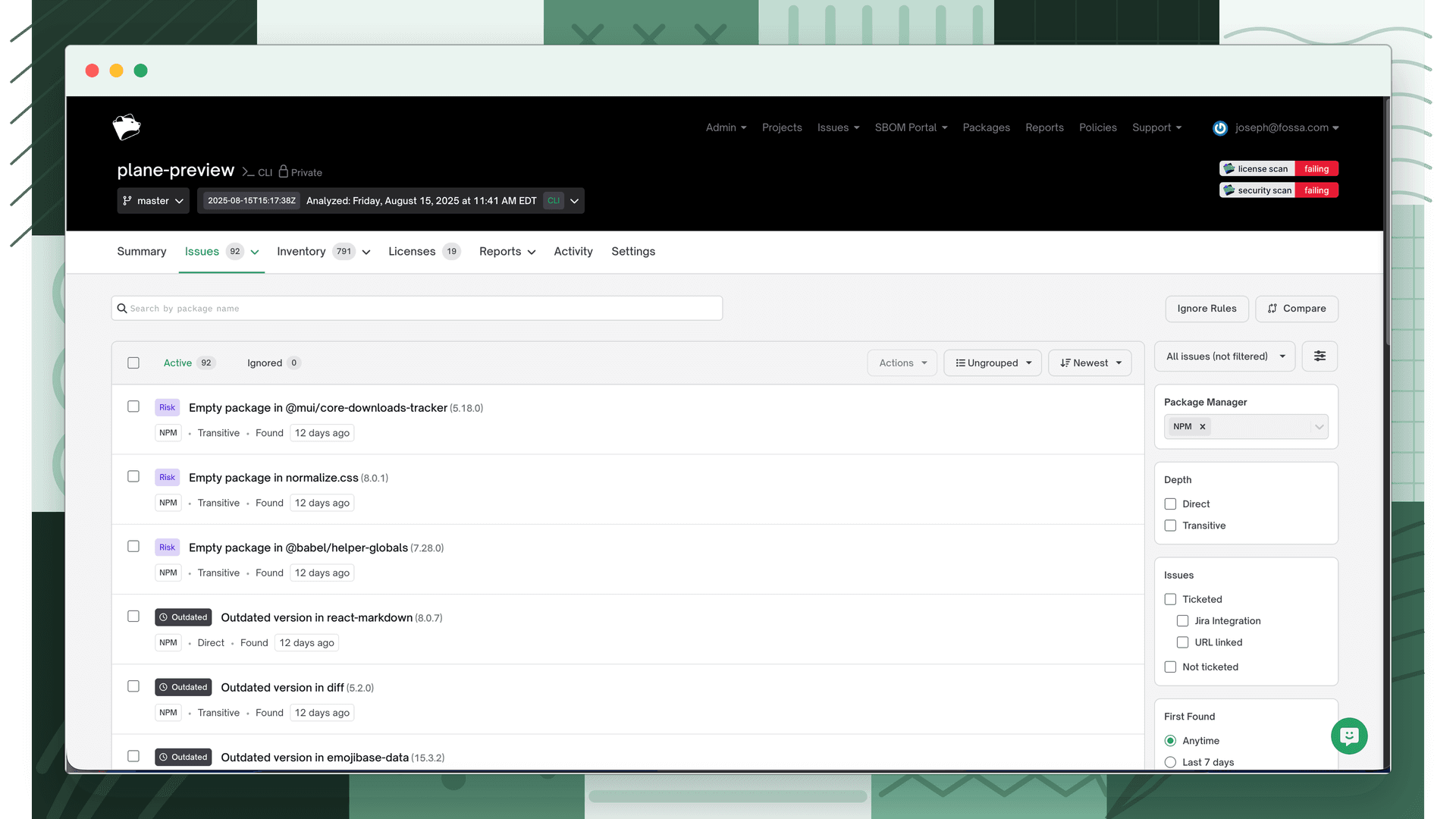
Issue types
There are five quality issue types. The first two are policy-driven (they fire based on rules you configure in a quality policy. The last three are risk-intelligence signals) they fire when FOSSA detects a supply-chain risk in the published package itself.
| Issue type | API type | What triggers it |
|---|---|---|
| Outdated version | outdated_dependency | A dependency is further behind the latest release than your Stale Package Prevention rule allows. |
| Package blocked | blacklisted_dependency | A dependency matches a package your organization has blocked (deny-listed). |
| Abandonware | risk_abandonware | The package has had no maintainer activity (a new publish) for an extended period. |
| Empty package | risk_empty-package | The published package contains no runnable code. |
| Native code | risk_native-code | The package embeds compiled, executable binaries. |
What each type means
Outdated version
FOSSA compares each dependency's version against the latest available release. Stale Package Prevention rules flag a dependency once it is more major, minor, or patch versions behind than you allow; the exact distance is configurable per version part in your quality policy. Resolve by upgrading the dependency, or tune the threshold in the policy.
Package blocked
A blocked package is one your organization has explicitly deny-listed from the Packages inventory. Blocked packages are reported across the organization and fail fossa test in CI/CD, preventing them from reaching production. Resolve by removing or replacing the dependency, or by unblocking the package. See Quality Policies for how blocking works.
Abandonware
FOSSA flags a package as abandonware when it has had no new publish for two years. An abandoned package is a supply-chain risk: if a vulnerability or bug is later discovered, a fix is unlikely to ship. Available for npm, PyPI, and Maven dependencies.
Empty package
An empty package is one that ships no runnable code, often a sign of faulty publication, name-squatting, or a package at risk of being unpublished. FOSSA considers a package empty when none of the expected code filetypes are present:
| Ecosystem | Code filetypes checked |
|---|---|
| npm | .js, .jsx, .ts, .tsx, .ejs, .mjs, .cjs |
| PyPI | .py, .pyc, .pyd, .dll |
| Maven | .class, .java, and classes.jar |
Native code
FOSSA flags packages that embed compiled, executable binaries. Binaries can obfuscate intent and break across deployment environments, so FOSSA lists the offending files so you can investigate. The detected filetypes expand over time and include .exe, .dmg, .deb, .rpm, .wasm, .wat, .swf, .eps, and .crx. Available for npm and PyPI dependencies.
Issue status
Every issue is either active (unresolved) or ignored (manually dismissed). Ignoring an issue does not resolve the underlying problem; it suppresses the issue from blocking CI checks. Use ignore sparingly and with a documented reason.
What's next
- Reviewing Quality Issues: how to triage and resolve active issues.
- Quality Policies: how Stale Package Prevention, blocked packages, and risk-intelligence rules are configured.
- Quality Scanning: how quality issues are generated and gated in CI/CD.