

Reports
Generate, schedule, and export compliance and security reports from your FOSSA data.
Report types
| Report | Scope | Where to find it |
|---|---|---|
| Licensing | Project or release group | Project or release group Reports tab |
| SBOM | Project or release group | Project or release group Reports tab |
| Remediation Guidance | Project or release group | Project or release group Reports tab |
| Global Package Report Bundle | Entire organization | Reports dashboard |
| Audit / Due Diligence Report | Entire organization | Reports dashboard |
| Global Issue CSV Export | Entire organization | Reports dashboard |
Project and release group reports
From a project's or release group's Reports tab, pick a report type, apply any filters, and choose an export format. The same report types are available at both scopes; a release group report aggregates the projects in the group.
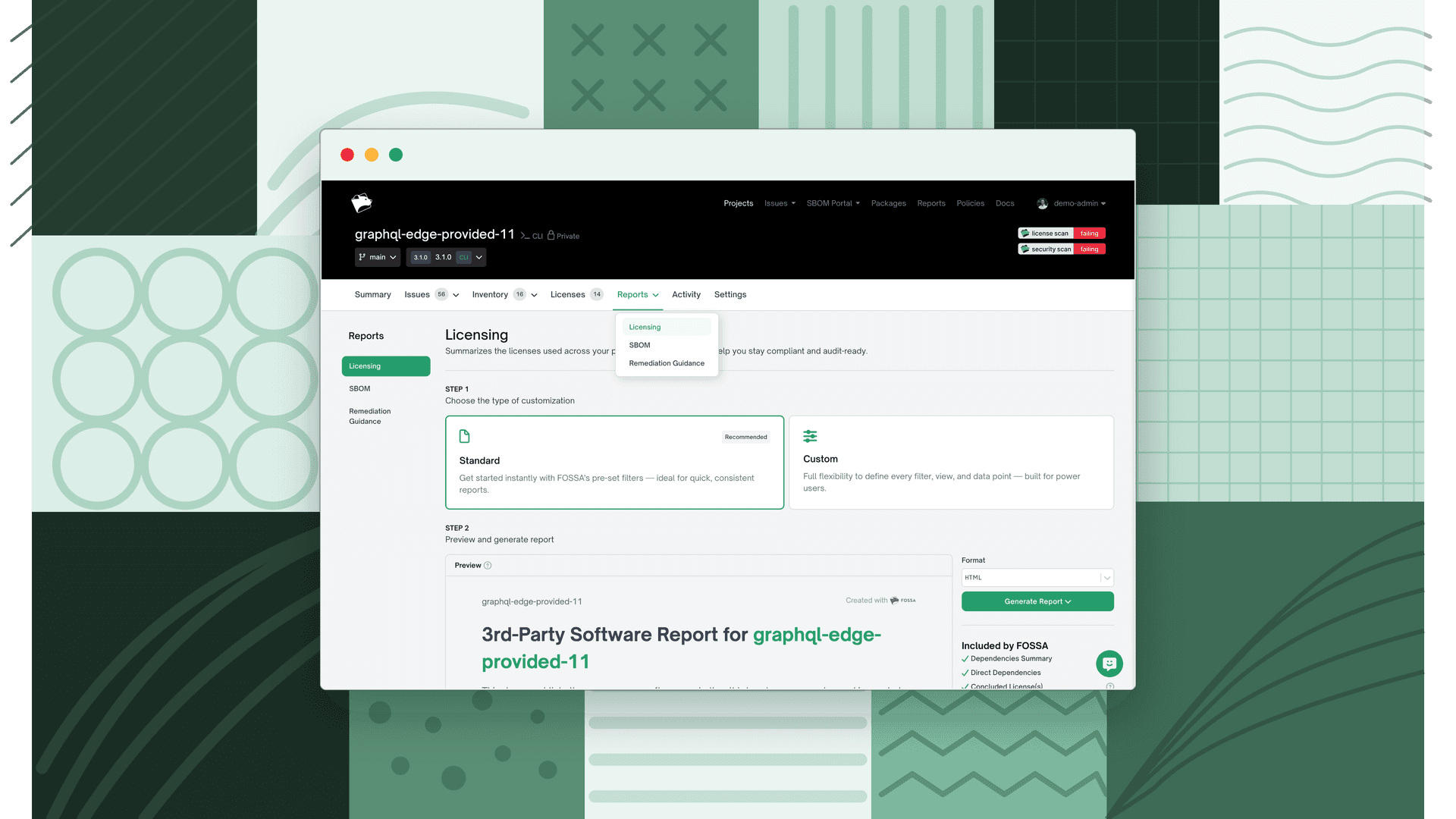
Licensing
The licensing report (also called the attribution report) documents the open source in your project: a dependency summary, direct and transitive dependencies, detected and concluded licenses, copyright notices, and full license texts. It is the document you ship to satisfy attribution obligations. Export as HTML, PDF, CSV, Markdown, or plain text. See Licensing Reports.
SBOM
A Software Bill of Materials lists every component in your project in a standard, machine-readable format. FOSSA exports SPDX (tag-value or JSON) and CycloneDX (JSON or XML), and CycloneDX exports can embed vulnerability and support-status data. See Generating SBOMs.
Remediation Guidance
A prioritized fix plan: quick wins, high and low priority fixes, outdated dependencies, and malicious dependencies, so you can clear the most risk with the fewest changes. Export as PDF, HTML, or JSON. Requires security scanning and is not available for binary projects. See Remediation Guidance.
Note
The report builder offers a Standard flow with recommended defaults and a Custom flow for fine-grained control over what each report includes. The Custom flow is a paid feature.
Organization-wide reports
From the Reports dashboard you can generate reports that span every project in your organization. These require a premium subscription and report permissions. See Global Reports.
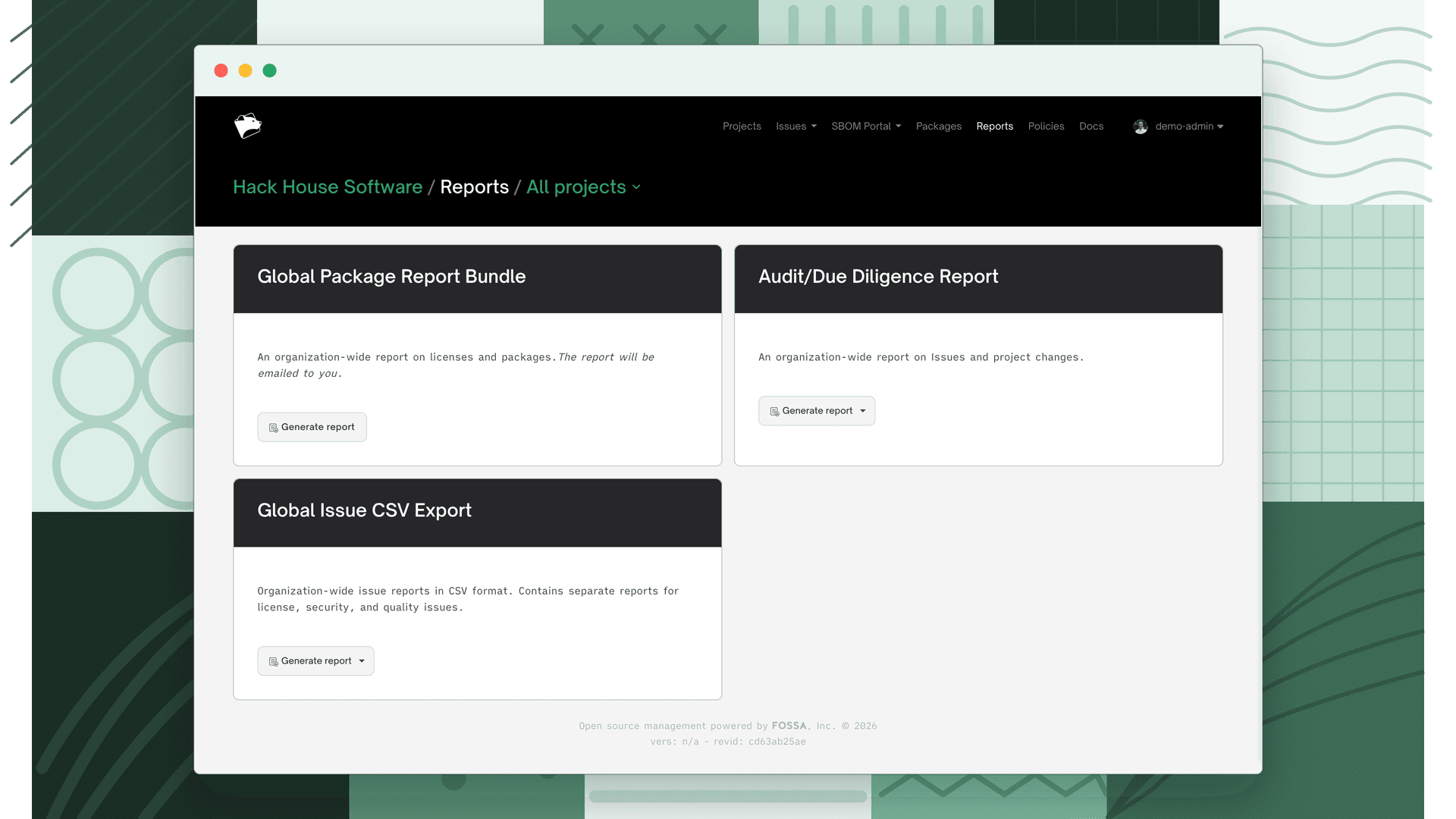
Global Package Report Bundle
An organization-wide report on licenses and packages across the projects you select, delivered by email.
Audit / Due Diligence Report
An organization-wide report on issues and project changes, delivered by email. Useful for M&A due diligence and audit trails.
Global Issue CSV Export
Organization-wide issue data in CSV format, with separate reports for license, security, and quality issues. Scope it to a team or one of the team's release groups, and add issue counts over time. Download it directly or have it emailed.
Configuration
- Report Settings: customize the logo and description on generated reports, manage saved filter presets, and set SBOM author defaults per project or release group.
Reports draw on data from Licenses and Vulnerabilities. For the machine-readable component inventory, see SBOM.