

Generating SBOMs
Generate SPDX or CycloneDX SBOMs from any FOSSA project to satisfy EO 14028, VDR/VEX requirements, and customer BOM requests.
Enterprise feature
Available on: Business, Enterprise.
Overview
FOSSA can generate a Software Bill of Materials (SBOM) for any analyzed project or release group. Generated SBOMs serve several purposes:
- Security vulnerability reviews with embedded VDR (Vulnerability Disclosure Report) and VEX (Vulnerability Exploitability eXchange) statements
- Customer-facing bills of materials for sales enablement, partnerships, and OEM agreements
- Fully-compliant attribution and copyright notices
- End-of-life and end-of-support communication
- Regulatory compliance for software supply chain mandates, including US EO 14028, the EU Cyber Resilience Act (CRA), FDA premarket cybersecurity requirements for medical devices, the EU Digital Operational Resilience Act (DORA), India's SEBI CSCRF, and PCI DSS
Supported formats
| Format | Description |
|---|---|
| SPDX (tag-value) | ISO/IEC 5962:2021 standard. Widely used for compliance and legal workflows. |
| SPDX (JSON) | JSON-serialized SPDX. Machine-readable; suitable for toolchain integration. |
| CycloneDX (JSON) | OWASP CycloneDX standard in JSON. Supports VDR/VEX vulnerability embedding. |
| CycloneDX (XML) | OWASP CycloneDX standard in XML. Supports VDR/VEX vulnerability embedding. |
Generating via the CLI
The FOSSA CLI generates SPDX attribution reports directly from your terminal, which is useful for automating report generation in CI pipelines.
- 1
Analyze your project
Run
fossa analyzefrom your project root:Shellexport FOSSA_API_KEY=<your_api_key>fossa analyze - 2
Generate the SBOM
Run the report command with your desired format:
Shellfossa report attribution --format spdxSupported
--formatvalues:spdx,json,markdown,text.
Note
CycloneDX format is available via the UI only. Use the UI workflow below to generate CycloneDX JSON or XML.
Generating via the UI
Navigate to your project or release group page and go to Reports > SBOM. Choose a Standard flow for FOSSA's recommended settings, or a Custom flow to control the content options below.
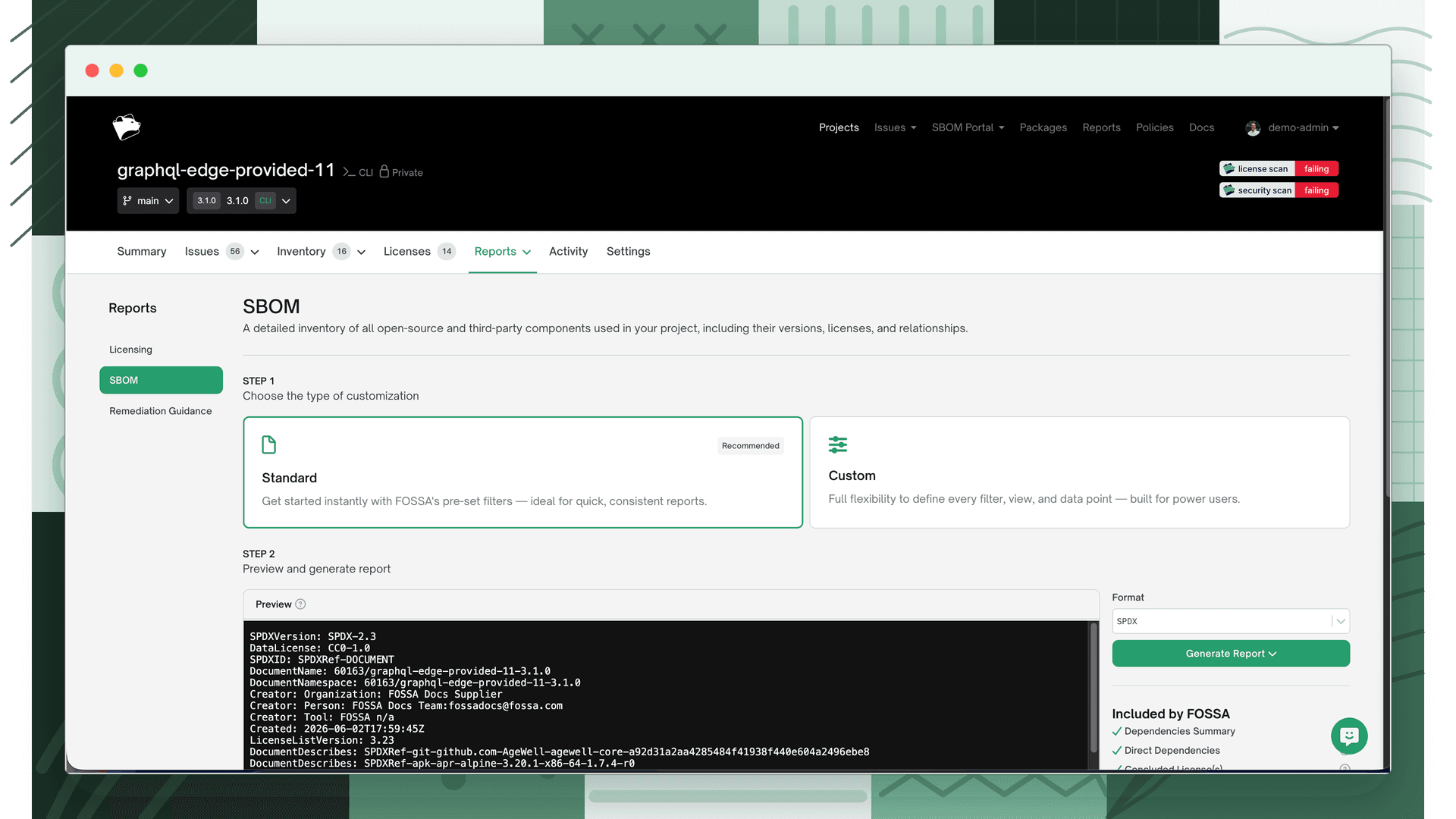
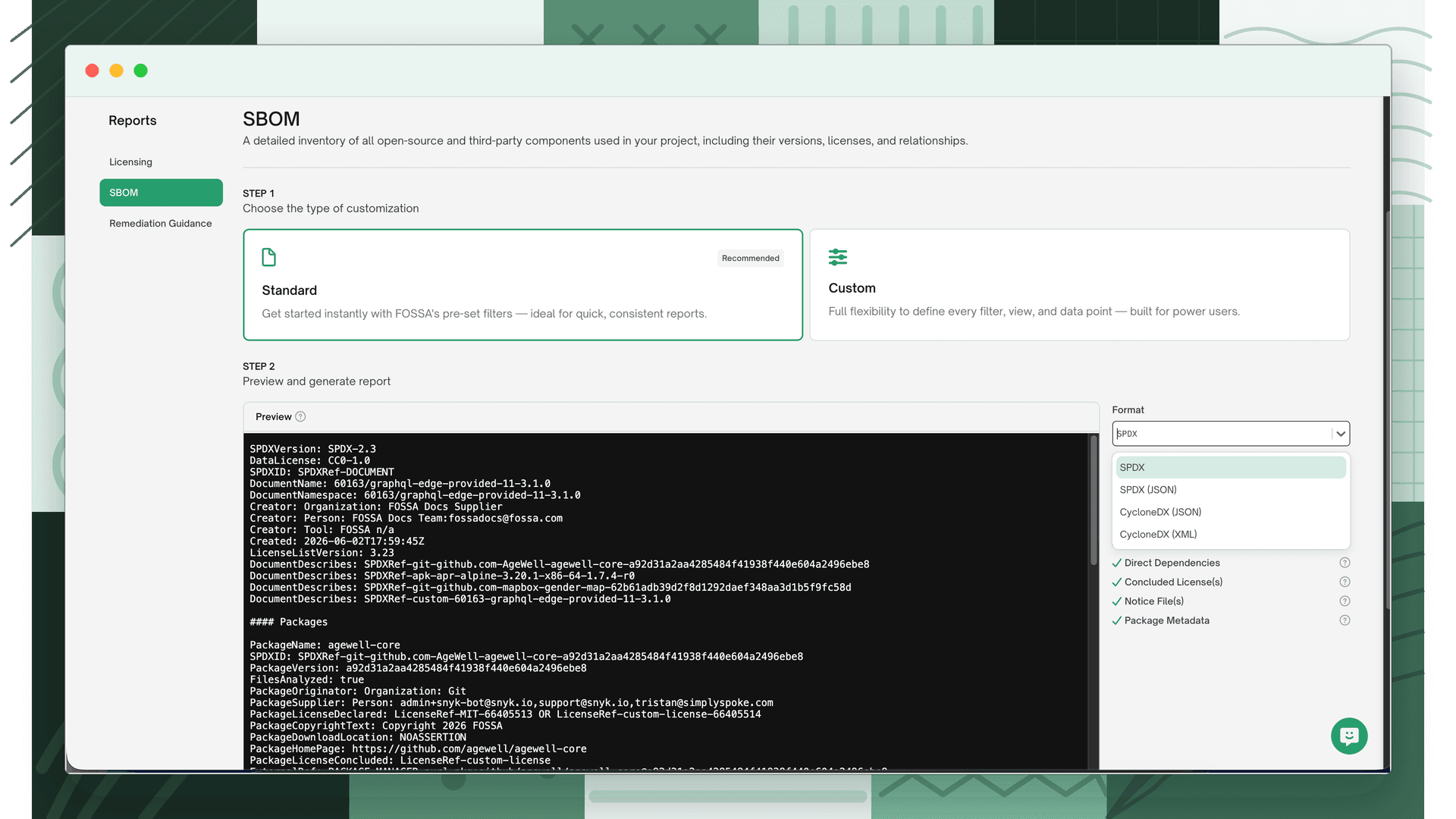
Selecting a format
Choose one of the four supported formats. Your selection determines which content options are available.
Content options
Configure which information to include in the SBOM. Options are split into two groups.
Per-package metadata
These control what data is included for each dependency in the SBOM:
| Option | Description | SPDX | SPDX JSON | CycloneDX JSON | CycloneDX XML |
|---|---|---|---|---|---|
| Authors | Individuals or organizations credited with creating the package | ✓ | ✓ | ✓ | ✓ |
| Description | Short summary of the package's purpose | ✓ | ✓ | ✓ | ✓ |
| Declared License | License stated in the package's metadata | ✓ | ✓ | ✓ | ✓ |
| Discovered Licenses | Licenses FOSSA identified by scanning package files | ✓ | ✓ | ✓ | ✓ |
| Concluded License | Final license FOSSA determines after analyzing all available data | ✓ | ✓ | ✓ | ✓ |
| Copyrights | Ownership statements found in source files or license documents | ✓ | ✓ | ✓ | ✓ |
| Notice Files | Files that summarize license and copyright notices for a package | ✓ | ✓ | ✓ | ✓ |
| Package Homepage | URL pointing to the package's main project page | ✓ | ✓ | ||
| Package Download URL | Direct link to where the package can be downloaded | ✓ | ✓ | ||
| Full License Text | Complete legal text of the license associated with the dependency | ✓ | ✓ | ||
| Copyrights from non-license text | Copyright statements found outside of license files | ✓ | ✓ | ||
| Issue Resolution Notes | Comments or clarifications made during license identification | ✓ | ✓ |
Report sections
These control which dependency groups and additional sections appear in the SBOM:
| Option | Description | SPDX | SPDX JSON | CycloneDX JSON | CycloneDX XML |
|---|---|---|---|---|---|
| Transitive Dependencies | Packages indirectly included through other dependencies | ✓ | ✓ | ✓ | ✓ |
| Direct Dependencies | Packages your project explicitly declares | ✓ | ✓ | ||
| License File Matches | File paths where license matches were detected within each dependency | ✓ | ✓ | ||
| Open Vulnerabilities | Active security issues with CVE metadata and VEX affected state | ✓ | ✓ | ||
| Closed Vulnerabilities | Resolved or ignored issues with VEX state and justification | ✓ | ✓ | ||
| Support Status | Whether each dependency is actively maintained or abandoned | ✓ | ✓ | ||
| FOSSA Projects | Nested FOSSA projects in the release group (release groups only) | ✓ | ✓ |
Note
All direct and transitive dependencies are included by default. The Direct Dependencies and Transitive Dependencies options let you control whether each group appears separately.
Embedding VDR and VEX statements
Selecting Open Vulnerabilities or Closed Vulnerabilities on a CycloneDX format adds a vulnerabilities array to the output containing VDR and VEX statements for each security issue.
Open Vulnerabilities; active issues are embedded with their CVE metadata (VDR) and a VEX analysis with state: affected.
Closed Vulnerabilities; ignored issues are embedded with their CVE metadata (VDR) and a VEX analysis reflecting the resolution. The state and optional justification are derived from the FOSSA ignore reason at the time of export:
| FOSSA ignore reason | VEX state | VEX justification |
|---|---|---|
| Component not present | not_affected | component_not_present |
| Inline mitigations already exist | not_affected | inline_mitigations_already_exist |
| Vulnerable code cannot be controlled | not_affected | vulnerable_code_cannot_be_controlled_by_adversary |
| Vulnerable code not in execute path | not_affected | vulnerable_code_not_in_execute_path |
| Vulnerable code not present | not_affected | vulnerable_code_not_present |
| Fixed | fixed | |
| Under investigation | under_investigation | |
| Incorrect data found | not_affected | |
| Other | not_affected |
VEX justifications align with CISA VEX status justifications. Reasons without a justification value (Fixed, Under investigation, Incorrect data found, Other) produce the appropriate VEX state but no justification field.
Example VEX output
An active vulnerability:
{ "bom-ref": "CVE-2023-39956", "id": "CVE-2023-39956", "source": { "url": "https://nvd.nist.gov/vuln/detail/CVE-2023-39956", "name": "NVD" }, "ratings": [ { "score": 6.6, "severity": "medium", "vector": "CVSS:3.1/AV:L/AC:L/PR:L/UI:N/S:U/C:L/I:H/A:L", "method": "CVSSv31" } ], "affects": [ { "ref": "pkg:npm/electron@11.1.1" } ], "analysis": { "state": "affected" }}An ignored vulnerability with a VEX justification:
{ "bom-ref": "CVE-2023-39956", "id": "CVE-2023-39956", "analysis": { "state": "not_affected", "justification": "inline_mitigations_already_exist", "detail": "CVE not exploitable due to inline mitigation in the form of external input validation preventing injection" }}Downloading or emailing your SBOM
Click Download to generate and download the SBOM immediately. For large projects, click Email to trigger an asynchronous generation job; the completed SBOM will be delivered to your email address.
What's next
- Importing SBOMs: Bring existing bills of materials into FOSSA to run compliance checks against their components.
- Sharing SBOMs: Publish and distribute your generated SBOMs to customers or partners.
- Licensing Reports: Generate attribution notices and compliance documentation alongside your SBOMs.