

Fail CI/CD Checks
Block merges and deploys when FOSSA detects license, vulnerability, or quality violations.
Overview
FOSSA can fail CI/CD checks when issues are detected during a scan. Those issues may relate to licensing, security (vulnerabilities), or quality. You configure this behavior per category in a project's Policies settings.
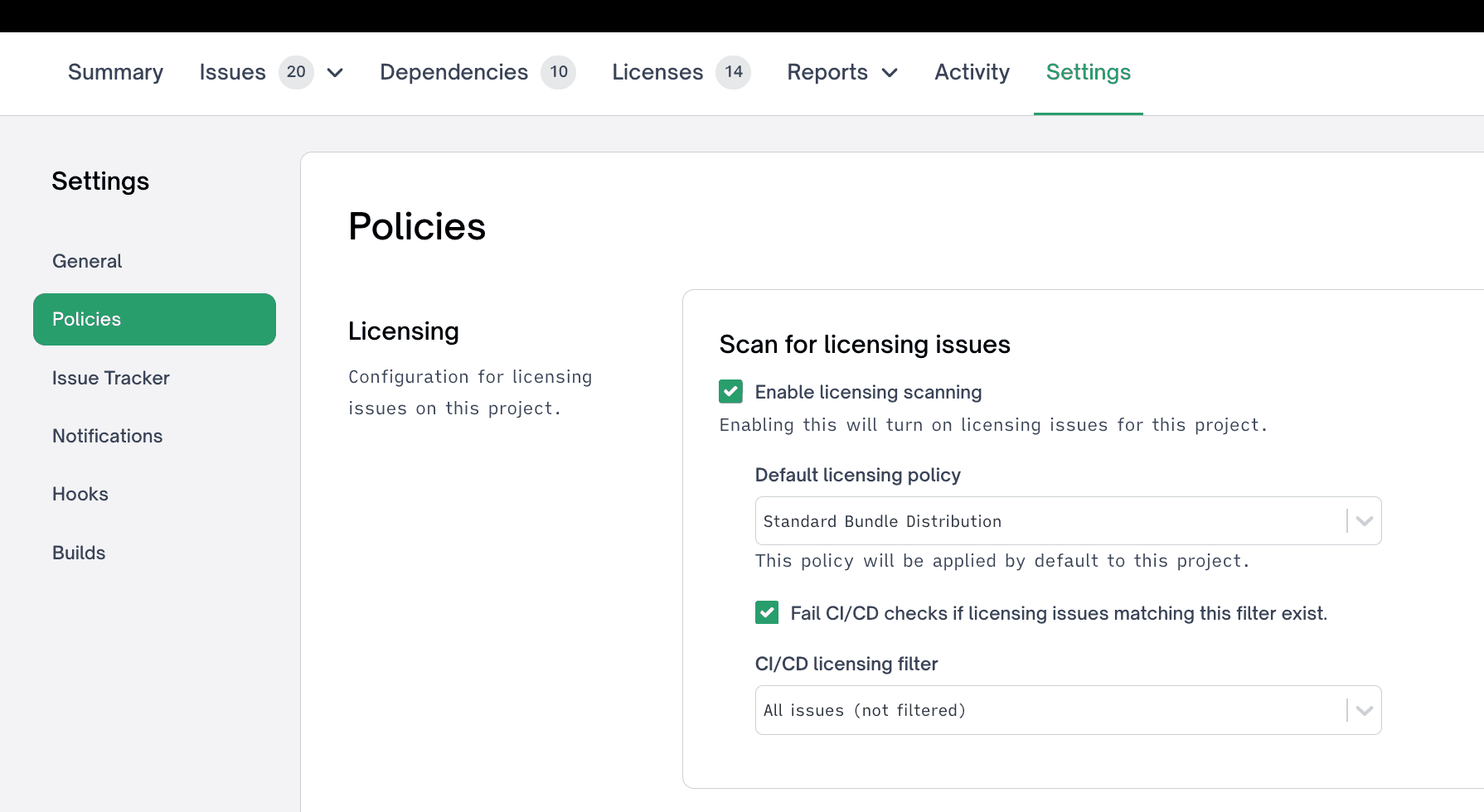
Configuring a failure condition
Note
Before you can fail CI/CD checks for a category, you must enable the relevant scan type (Licensing, Security, or Quality) for the project.
- 1
Open the project's Policies settings
In your project's settings, select the Policies tab, then choose the category you want to configure: Licensing, Security, or Quality.
- 2
Enable the failure condition
Turn on "Fail CI/CD checks if {category} issues matching this filter exist." The
{category}placeholder reflects the category you selected, for example, "Fail CI/CD checks if Licensing issues matching this filter exist." - 3
Choose an issue filter
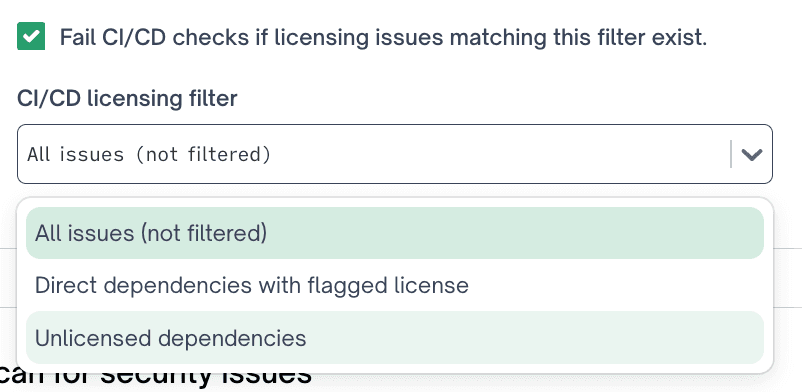
Select an issue filter from the dropdown. The default is "All issues (not filtered)", which fails the check on any issue in that category. Use a filter to target specific issues.
Below are some example licensing issue filters:
How the check fails
When a check is configured and matching issues exist, FOSSA reports a failing status to your CI/CD pipeline. If you run scans with the FOSSA CLI, fossa test returns a non-zero exit code when matching issues are found, which fails the build step. See the CLI documentation for details.
What's next
- Issue Scanners: Control which issue categories (licensing, security, quality) contribute to CI/CD failures.
- Licensing Policies: Define which licenses trigger check failures.
- Security Policy: Define which vulnerability severities trigger check failures.