

TeamCity
Add a FOSSA CLI build step to your TeamCity build configuration.
Overview
Add FOSSA to your TeamCity build configuration to upload dependency data on every build and optionally gate builds on your FOSSA policy status.
Prerequisites
A FOSSA API key from Settings → Integrations → API Tokens.

Note
If you maintain a public repository, use a Push Only token so the key cannot be used to read sensitive data from your FOSSA account.
Adding FOSSA_API_KEY to TeamCity
- 1
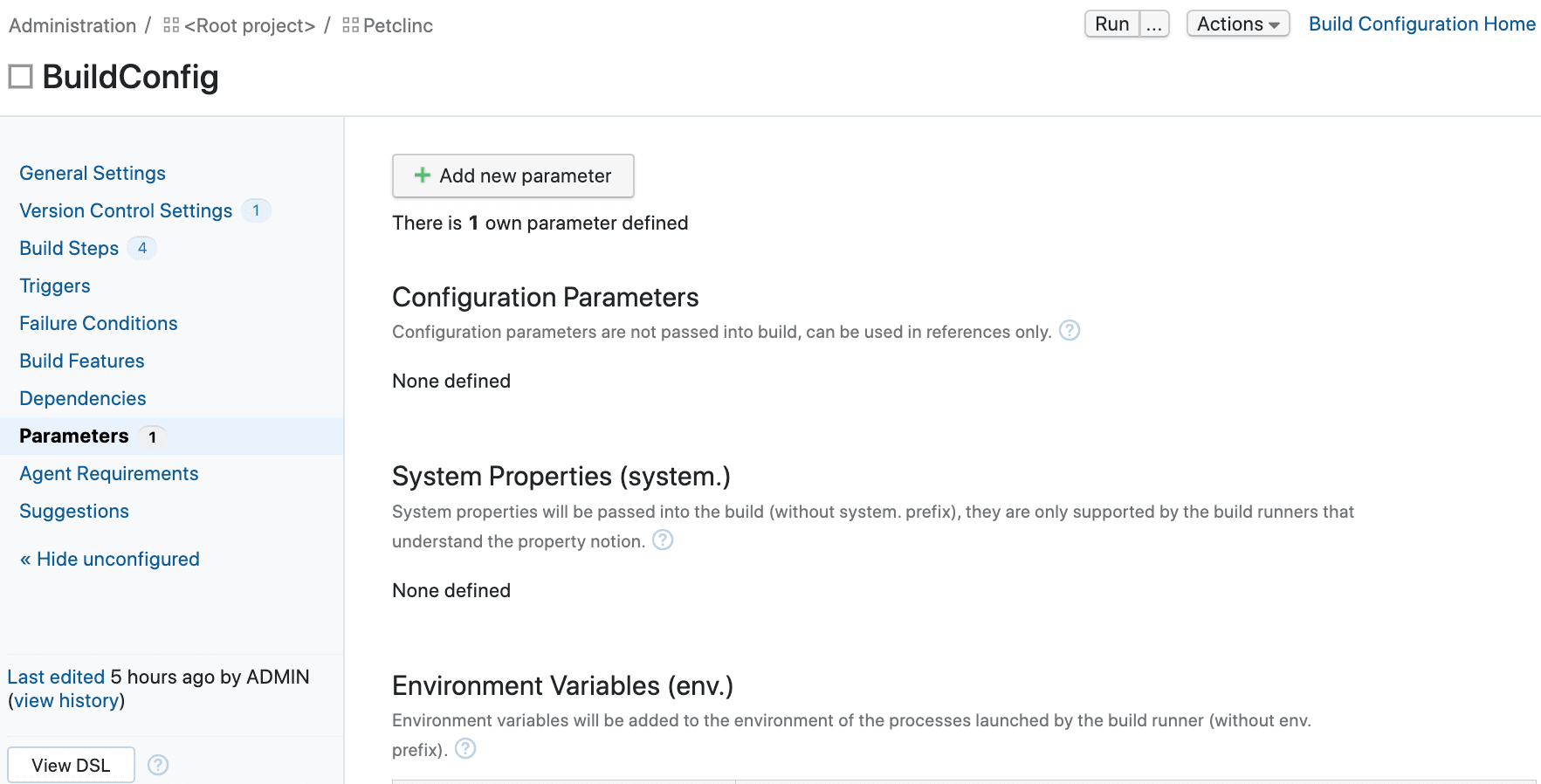
Open Build Parameters
In your TeamCity build configuration, go to Parameters and click Add new parameter.
- 2
Create the environment variable
Set the Kind to Environment variable (env.) and enter
FOSSA_API_KEYas the name. Paste your FOSSA API key as the value.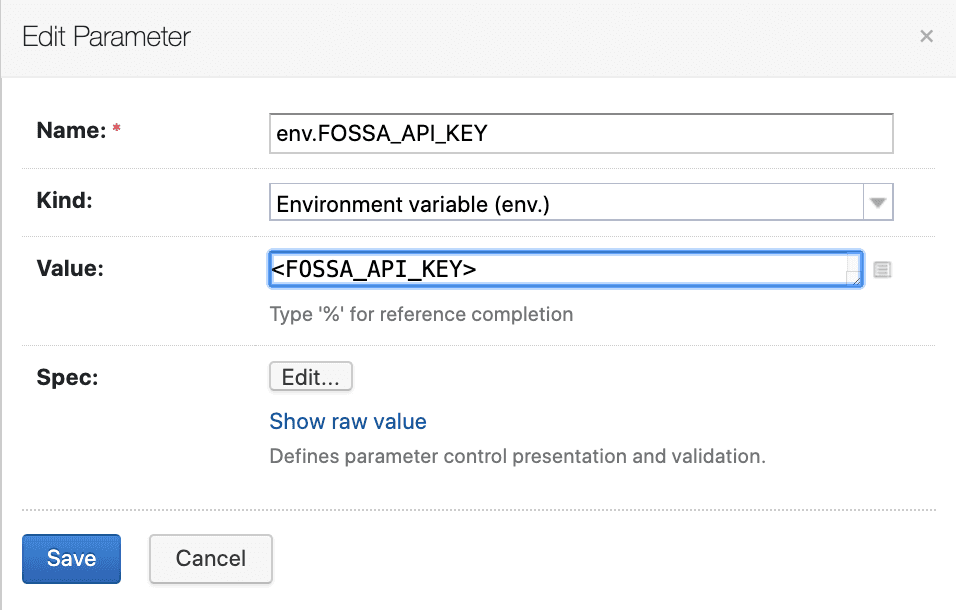
Adding the fossa analyze build step
- 1
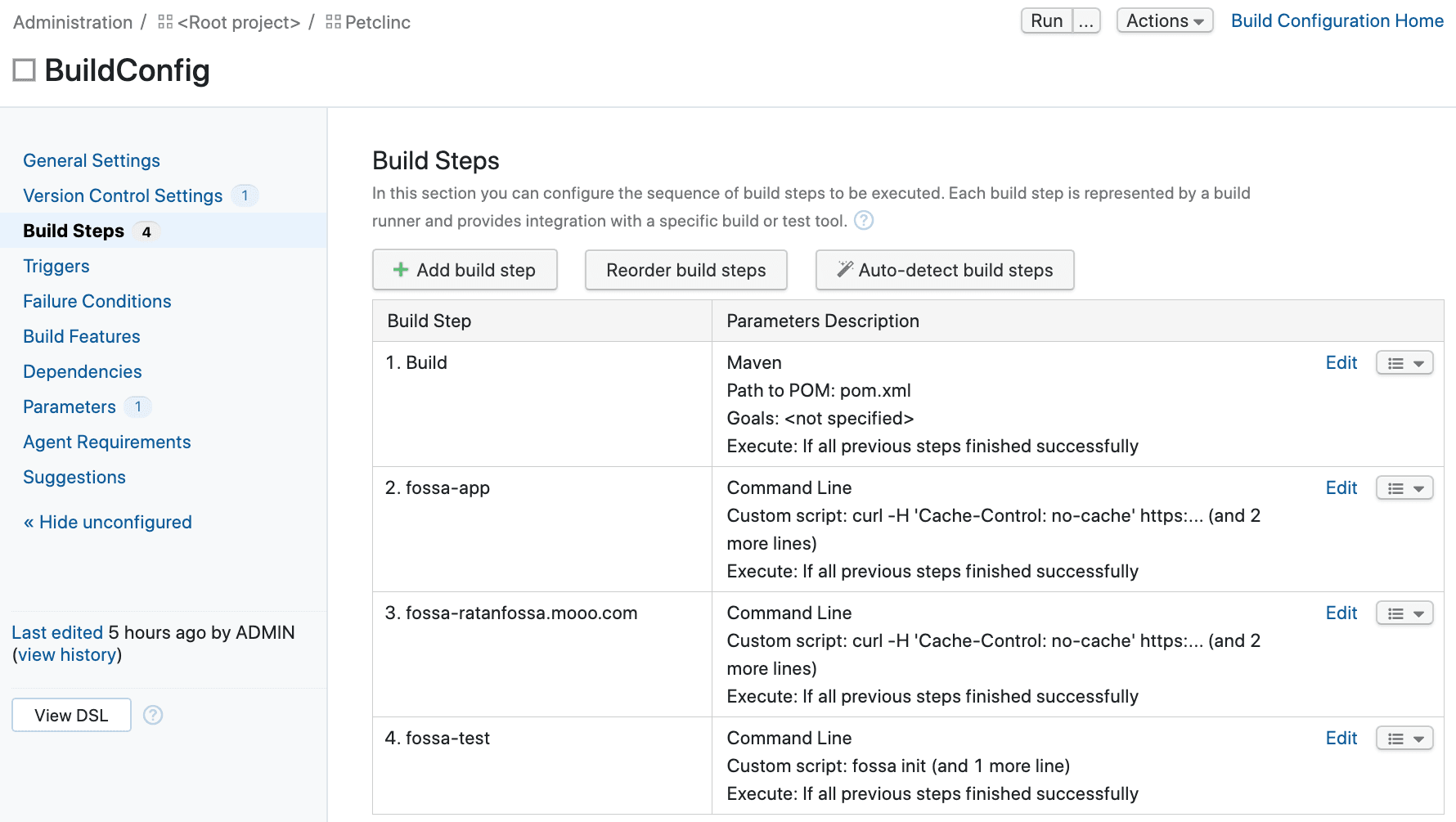
Add a new build step
In your build configuration, go to Build Steps and click Add build step.
- 2
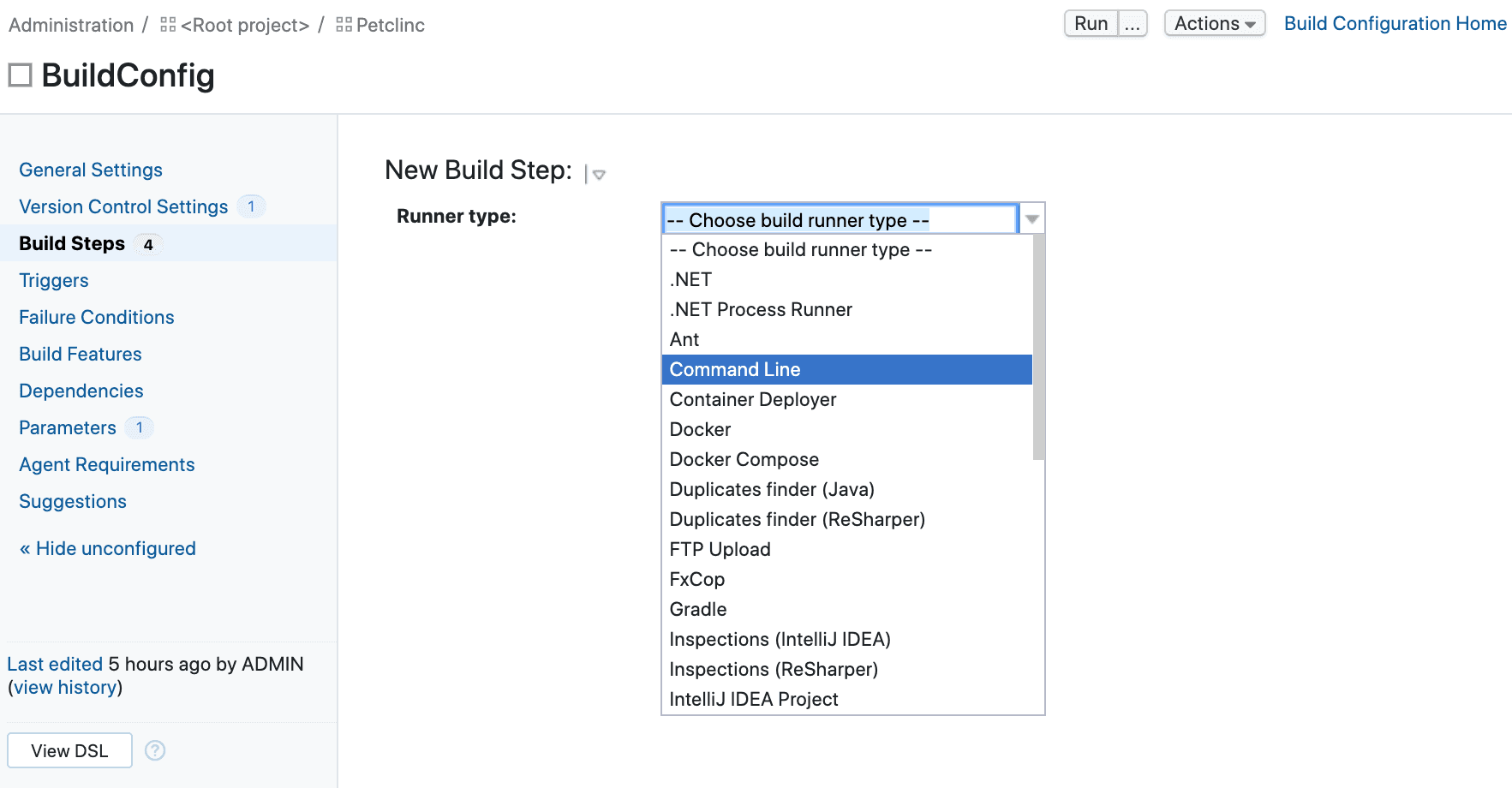
Select Command Line
Choose Command Line from the runner type drop-down.
- 3
Enter the custom script
In the Custom script field, enter:
Shellcurl -H 'Cache-Control: no-cache' https://raw.githubusercontent.com/fossas/fossa-cli/master/install-latest.sh | bashfossa analyzeThe
FOSSA_API_KEYenvironment variable you configured in the previous section is picked up automatically.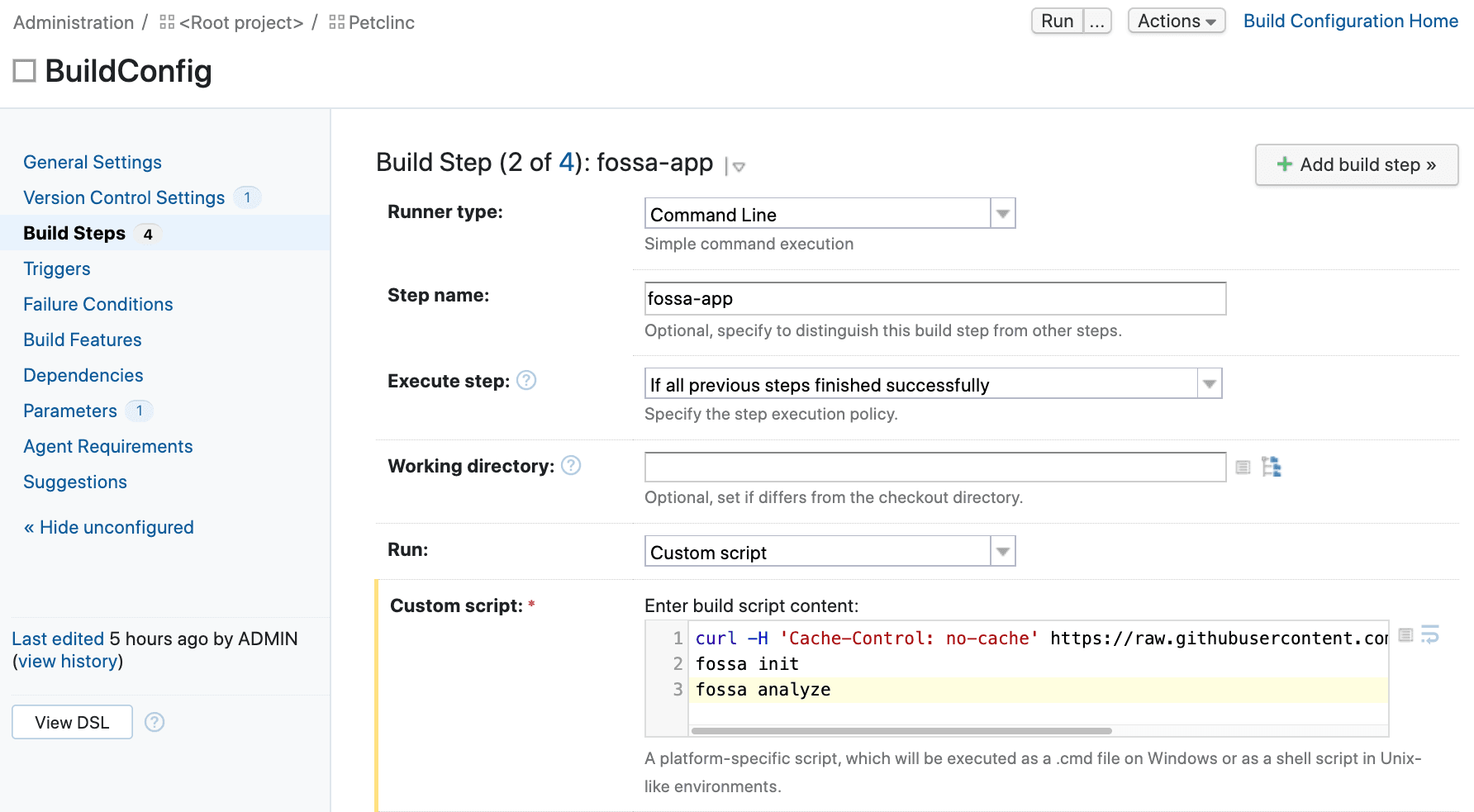
- 4
Save and verify
Save the build step. Run the build configuration to confirm FOSSA uploads a dependency report successfully.
For more on fossa analyze options, see the FOSSA CLI documentation.
Blocking builds on FOSSA policy status
Add a second Command Line build step after fossa analyze to fail the build when FOSSA detects policy violations.
- 1
Add the fossa test build step
Add another Command Line build step with the following custom script:
Shellfossa test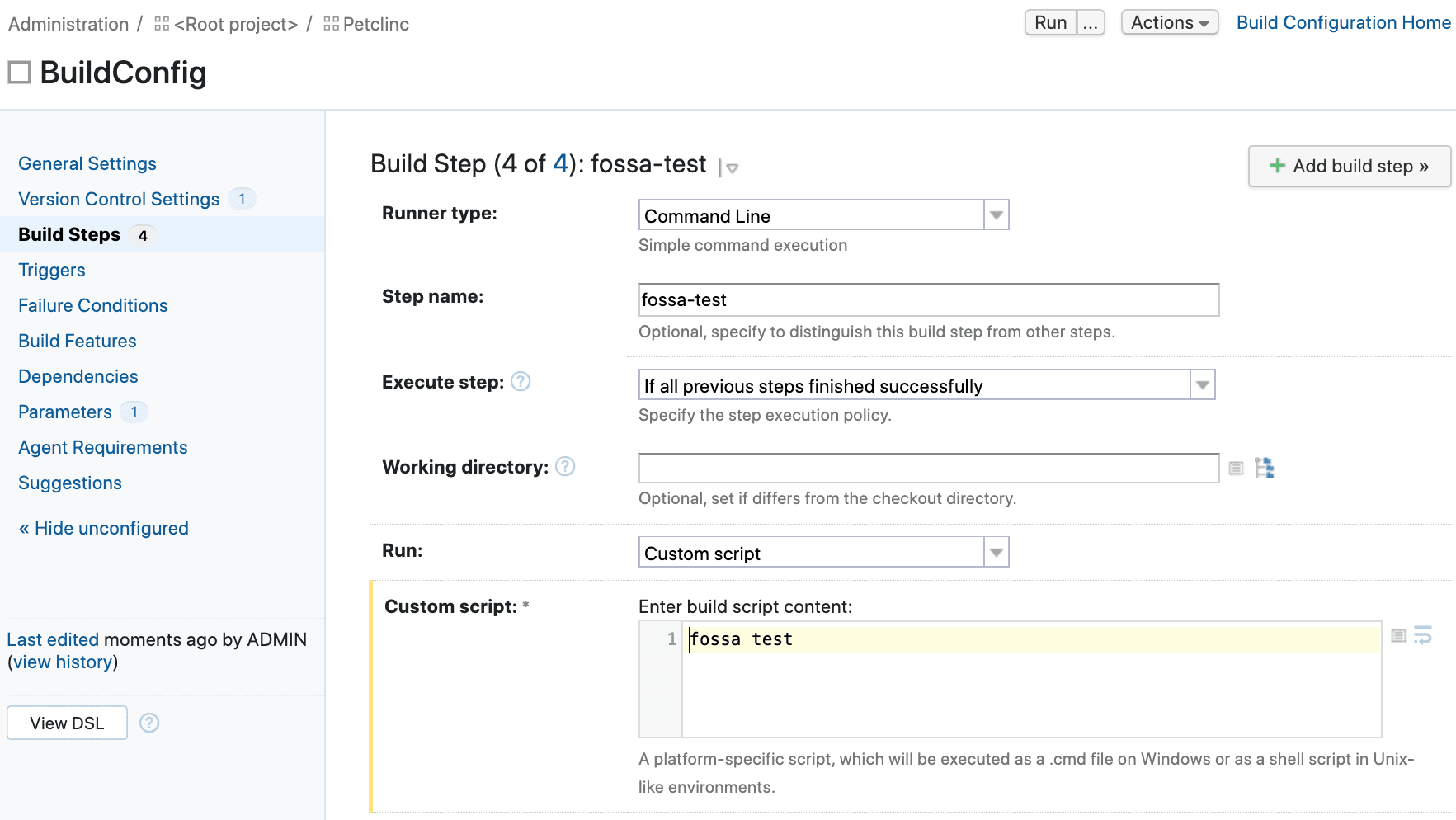
- 2
Configure execution condition
Expand Advanced options and set Execute step to If all previous steps finished successfully. This ensures
fossa testonly runs when the build and analysis both succeeded.
fossa test polls FOSSA until the scan result is ready, then exits non-zero if any issues violate your policy, blocking the build. The default timeout is 600 seconds (10 minutes). Override it with:
fossa test --timeout 300See the fossa test reference for details.