

GitHub
Connect FOSSA to GitHub via OAuth or the FOSSA GitHub App.
Overview
FOSSA supports two GitHub integration methods. Both let you import repositories and scan pull requests, but they differ in how permissions are scoped and how access survives personnel changes.
Note
This page covers connecting GitHub as a source host so FOSSA can import and build your repositories. To run analysis as a step in your own CI pipeline instead, see GitHub Actions.
OAuth vs GitHub App
| GitHub OAuth | GitHub App | |
|---|---|---|
| Permissions | Read/write all public repo data; read org membership, team membership, private project boards; read/write repo webhooks | Read code and metadata; read/write commit statuses, pull requests, and webhooks |
| Repository scope | All repos the authenticated user can access | All current and future repos, or selected repos only |
| GitHub editions | Cloud, Enterprise Cloud, Enterprise Server | Cloud, Enterprise Cloud |
| Access tied to | An individual user account | The app installation; survives user departures |
Recommendation: GitHub App provides more conservative, granular permissions and is the preferred method for most organizations. OAuth is simpler to set up and scales well when the authorizing user is a long-lived service account.
For GitHub App setup instructions, see GitHub App.
GitHub Cloud: OAuth
If you are not seeing repos or organizations after connecting with OAuth, work through the following checks.
Verifying org membership
The user account you authorized with must be a member of the GitHub organization you want to import from. Check at https://github.com/orgs/{YOUR_ORG}/people; the account should appear in the list. If not, add it as a member with global read access.
Granting org access to FOSSA
If you authorized FOSSA before granting it access to a specific organization, FOSSA's OAuth app will not have permission to see that org's repositories.
- 1
Revoke and re-authorize
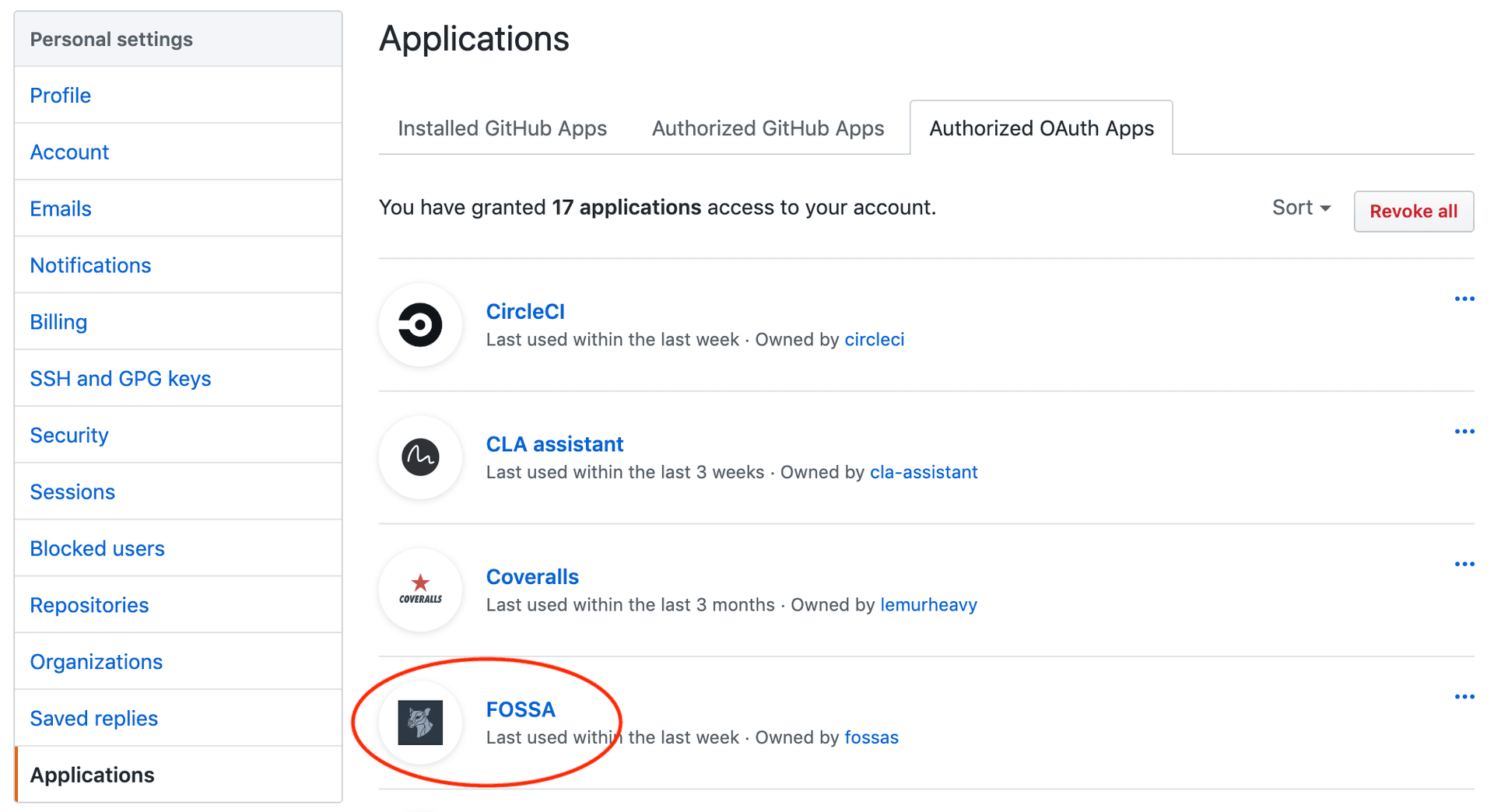
Go to GitHub → Settings → Applications → Authorized OAuth Apps and revoke any existing FOSSA access.
Then reconnect at app.fossa.com/projects/import/github. When GitHub shows the authorization screen, look for your organization under Organization access before clicking Authorize. Your organization should show a green check mark. If it shows a Request or Grant button instead, click it; an organization owner must approve the request before you can continue.
- 2
Approve from the org side
An organization owner can approve third-party OAuth access at:
https://github.com/organizations/{YOUR_ORGANIZATION}/settings/oauth_application_policyIf your organization has third-party access restrictions enabled, make sure FOSSA is listed as an approved application.
If you already authorized FOSSA without granting org access, you can fix it without re-authorizing. Go to GitHub → Settings → Applications → Authorized OAuth Apps, click the FOSSA app, and find your organization at the bottom of the page:
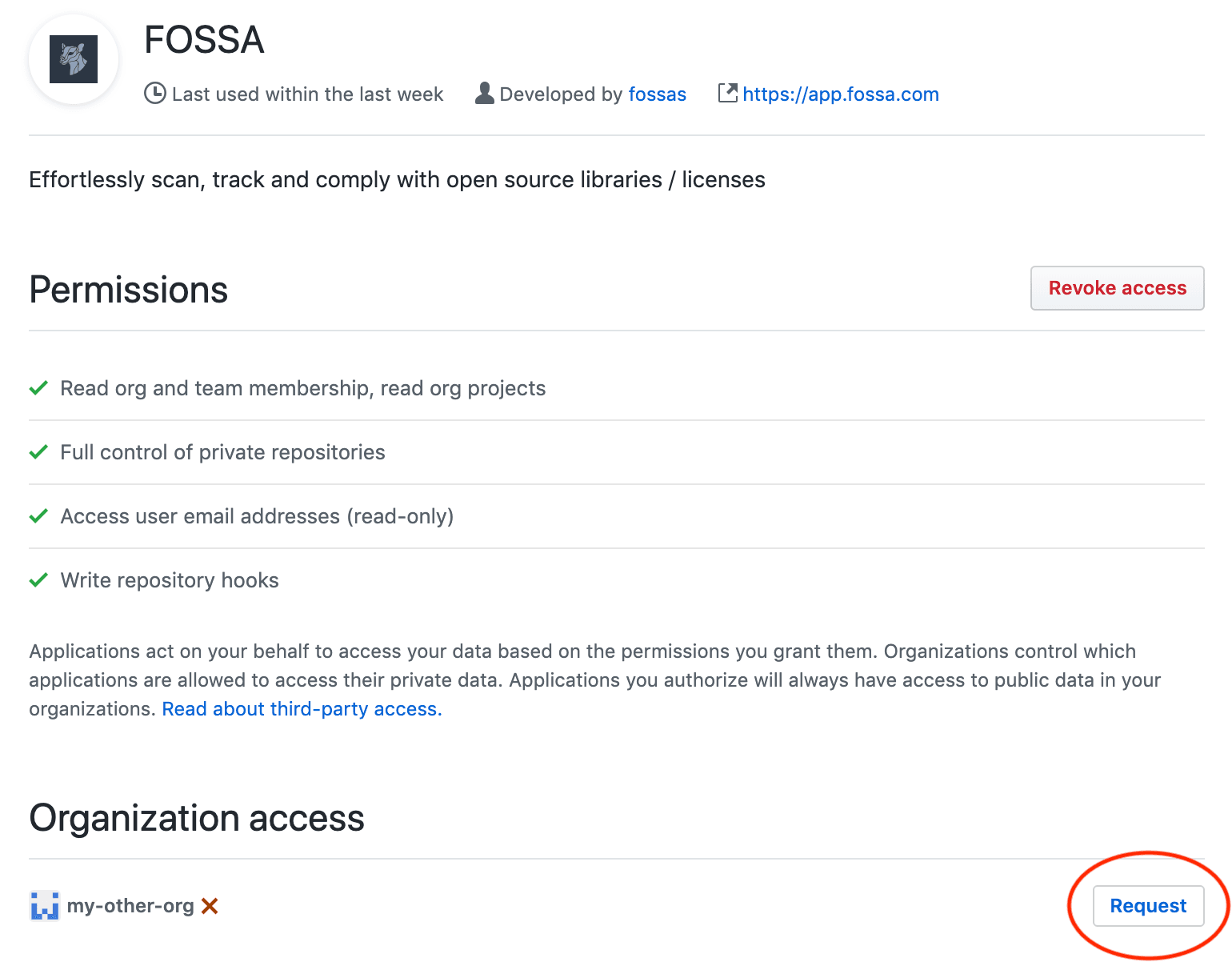
Click Request and have an organization owner approve it.
GitHub Enterprise: OAuth (On-Prem)
Note
This section covers integrating a self-hosted FOSSA appliance with GitHub Enterprise behind the firewall.
Creating the OAuth App in GitHub Enterprise
- 1
Register a new OAuth App
In your GitHub Enterprise instance, navigate to:
{GITHUB_URL}/organizations/{ORGANIZATION_NAME}/settings/applications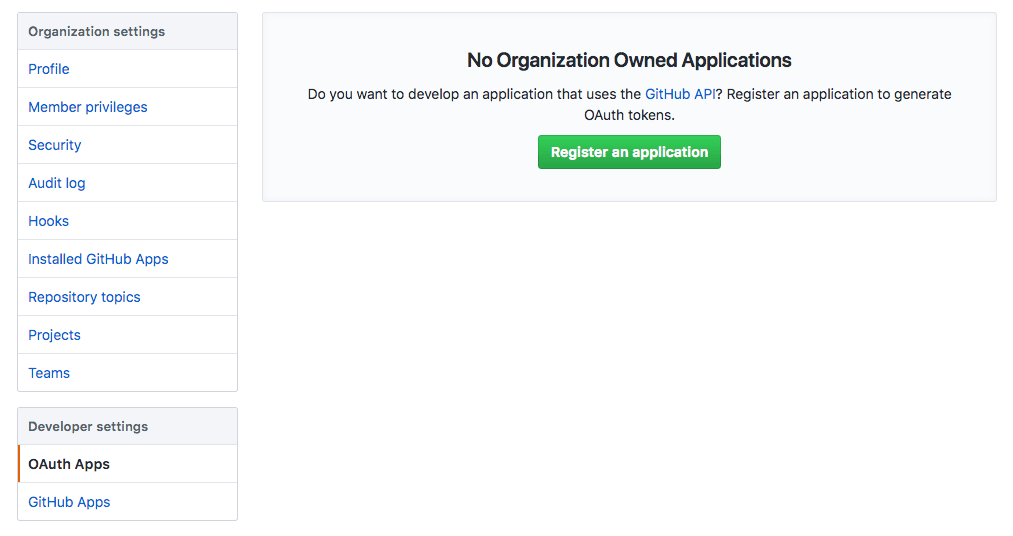
Create a new OAuth App and set the Authorization callback URL to:
{FOSSA_HOST}/api/services/github/authorize/callback - 2
Copy the Client ID and Client Secret
After creating the app, note the Client ID and Client Secret; you will need them in the next step.
Configuring FOSSA
SSH into the FOSSA appliance and edit config.env. Add or update the following:
github__enabled=truegithub__base_url={GITHUB_HOST}github__enterprise=true github__credentials__oauth2__client_id={GITHUB_CLIENT_ID}github__credentials__oauth2__client_secret={GITHUB_CLIENT_SECRET}github__credentials__oauth2__callback={FOSSA_HOST}/api/services/github/authorize/callbackThen restart FOSSA:
fossa restartUsers can now sign in with their GitHub Enterprise accounts and import repositories.