

Comparing Issues Between Revisions
Use issue comparison to see which issues are new, remediated, or unchanged between two revisions of a project or release group.
Overview
Issue comparison lets you compare the issues in your current revision against an older revision, so you can see at a glance which issues are new, which have been remediated, and which are unchanged. It provides a snapshot of issue scan results across licensing, quality, and security scans within FOSSA.
Getting started
Issue comparison is available for both project and release-group scopes, including existing projects and release groups. It uses the same issues table as the standard issues view, so you can filter, sort, and action on issues directly from the comparison view.
Comparing two revisions
- 1
Open an issue category
Navigate to a project or release group within FOSSA, then click a sub-category of Licensing, Security, or Quality.
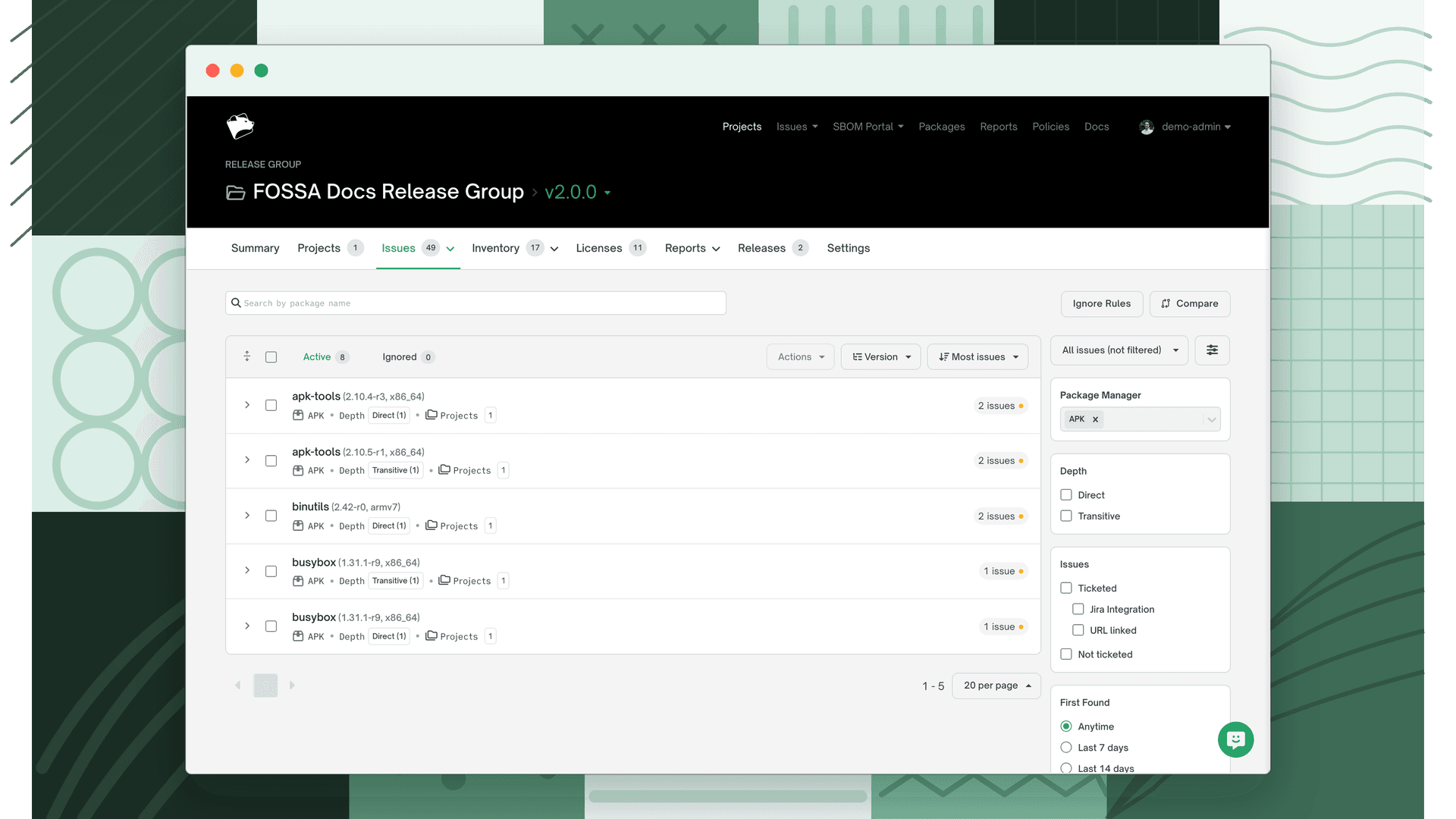
- 2
Start a comparison
On the right-hand side of the page, above the filter, click the Compare button.
- 3
Pick a revision to compare against
Select an older revision to compare the current revision against.
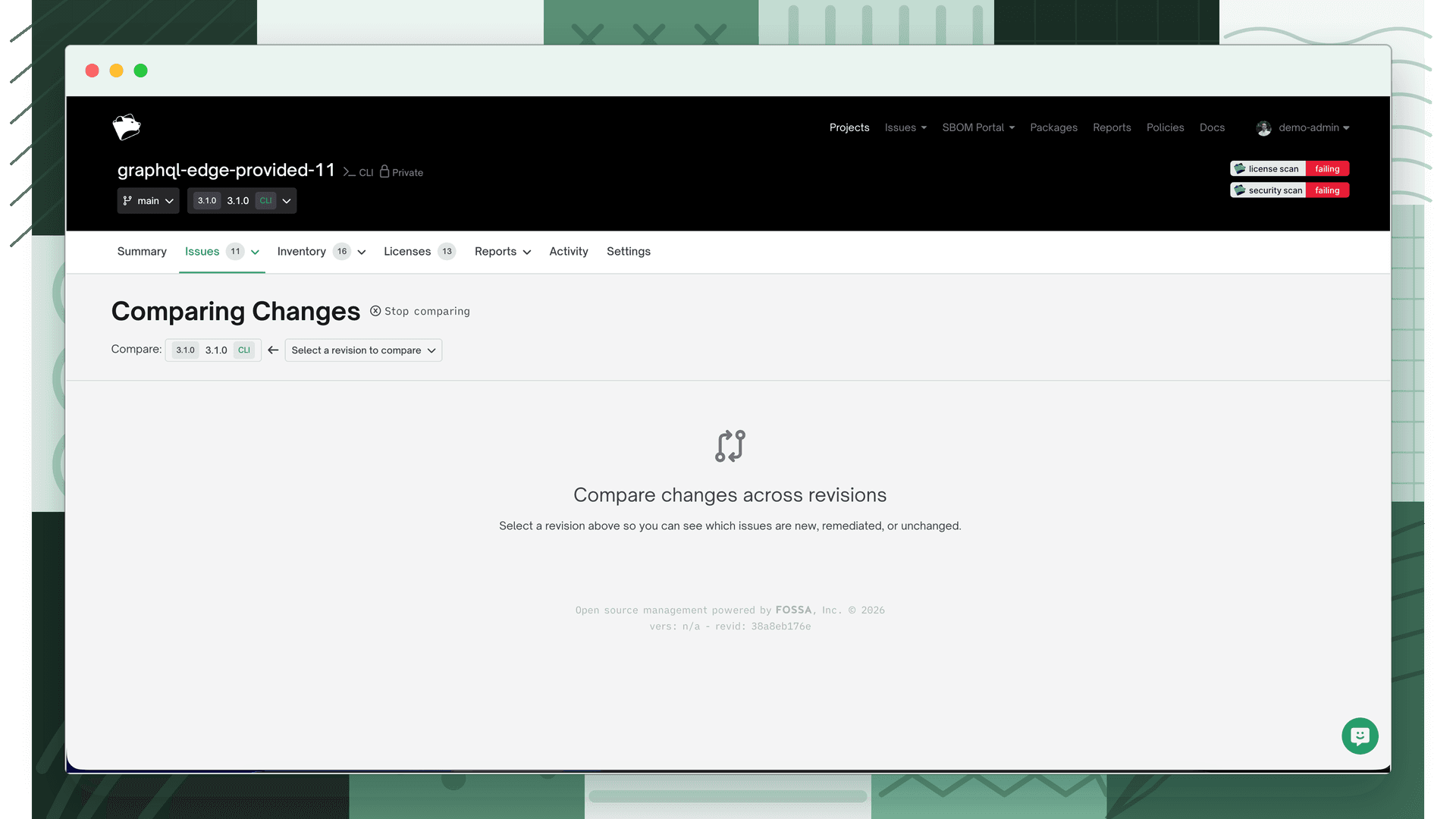
- 4
View the comparison
The issue comparison for the two revisions is now displayed below.
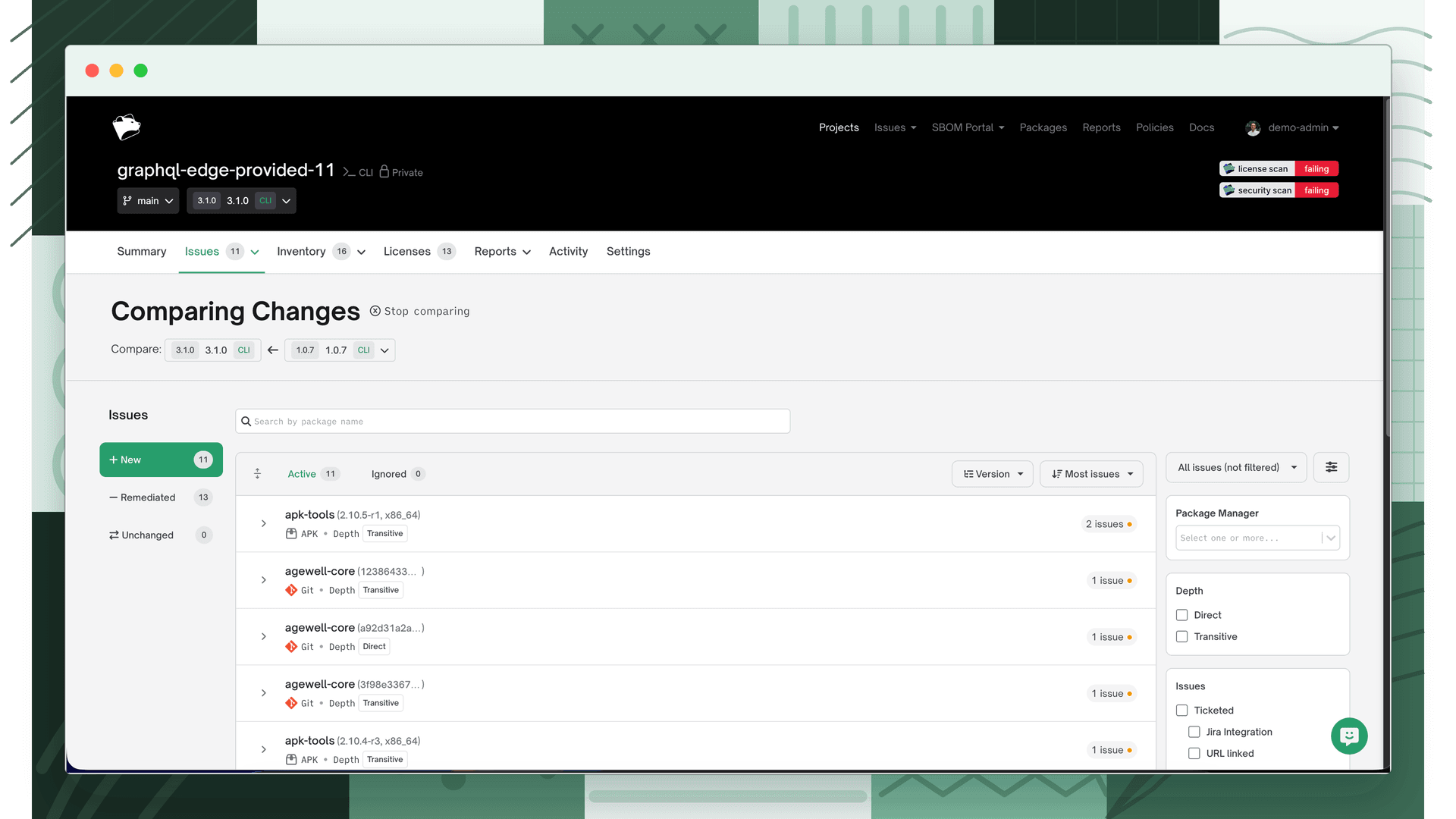
Toggling between New, Remediated, and Unchanged issues
When comparing two revisions, the menu on the left-hand side lets you toggle between three categories:
| Category | Shows |
|---|---|
| New | Issues present in the current revision but not in the compared revision |
| Remediated | Issues present in the compared revision but no longer in the current revision |
| Unchanged | Issues present in both revisions |
Select an option on the left-hand side and the page displays the issues in that category.
Supported project types
Issue comparison supports the following project types:
- Repo
- SBOM
- Binary
- Container