

Issue Details
Understand what's shown when you open an issue, status, actions, type-specific information, affected projects, and comments.
Overview
Clicking any issue opens a detail view with everything FOSSA knows about that issue, what triggered it, where it appears, and what you can do about it. The structure is consistent across all three issue types, with type-specific content in the Issue tab.
The header identifies the issue and the dependency it came from.
Vulnerability issues show:
- The vulnerability title
- The affected package and version
- Badges for CVSS score (or custom risk score if set), EPSS score, fix availability, CVE identifier, and known exploit status
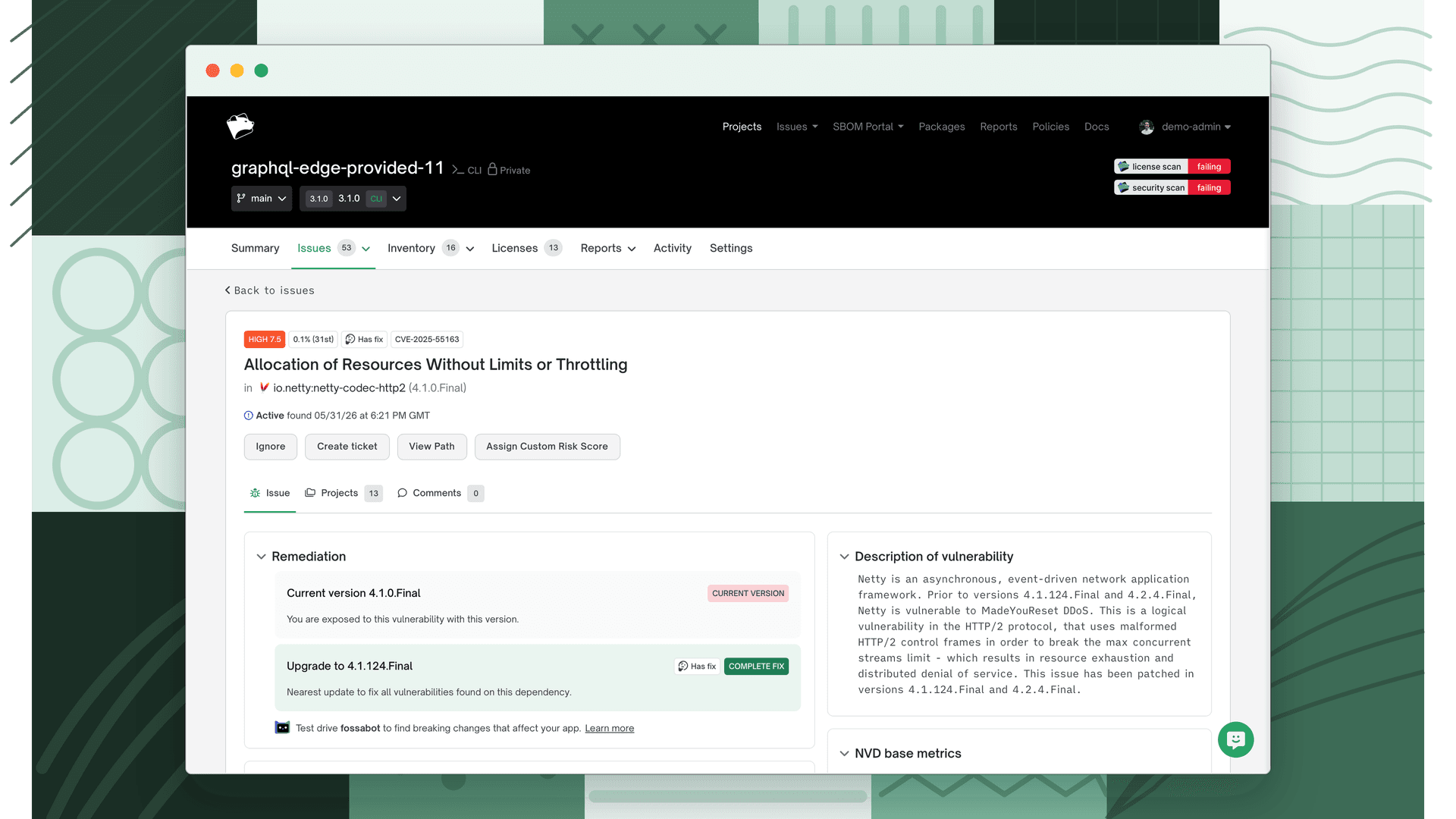
Licensing issues show:
- A badge for the issue type (Denied, Flagged, Unlicensed, Unconcluded, or Concluded (Multi))
- The license name, or "No license found" for unlicensed dependencies
- The affected package and version
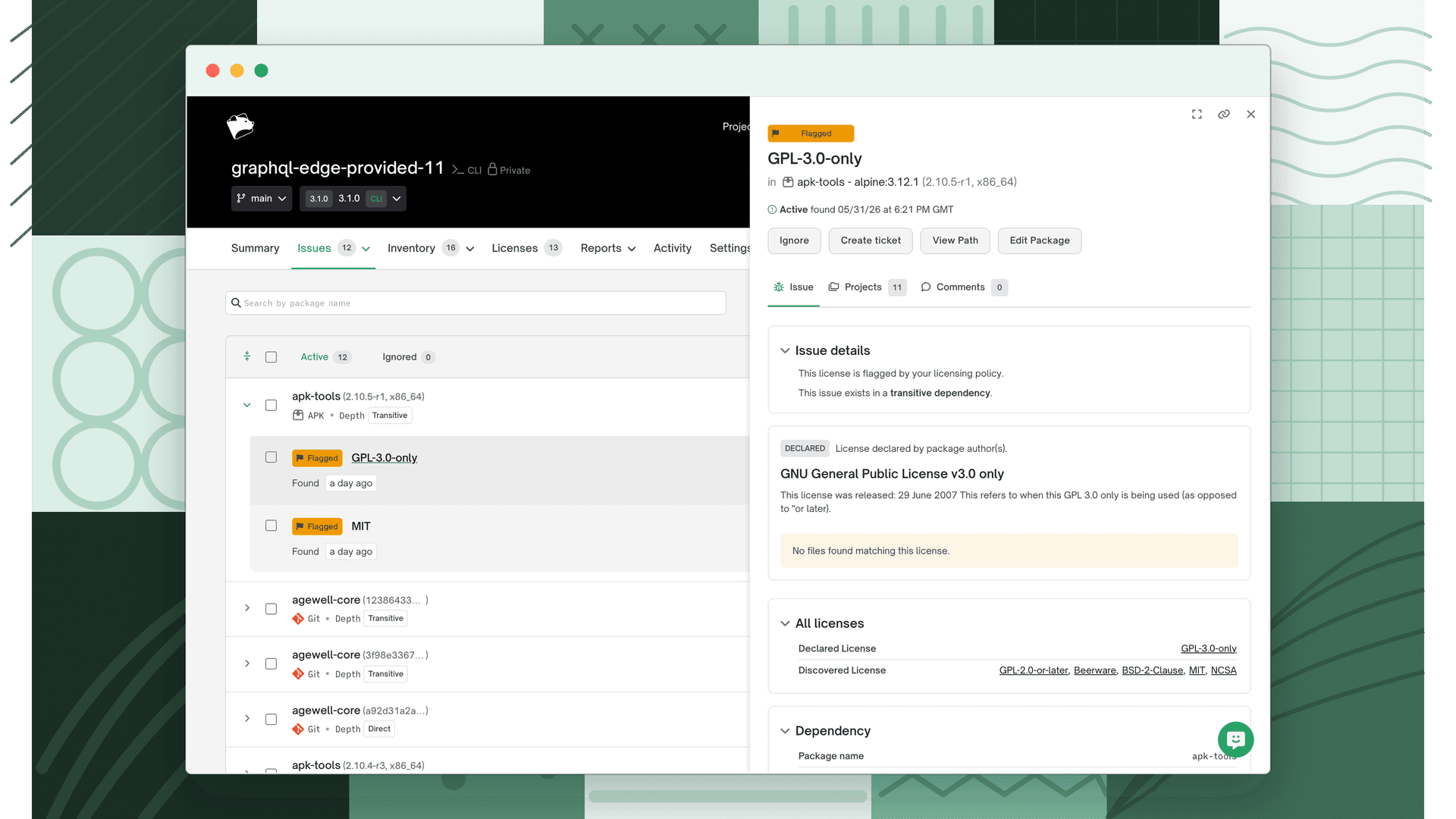
Quality issues show:
- A badge for the issue type (Blocked Dependency, Outdated Dependency, or risk type)
- The issue title
- The affected package and version
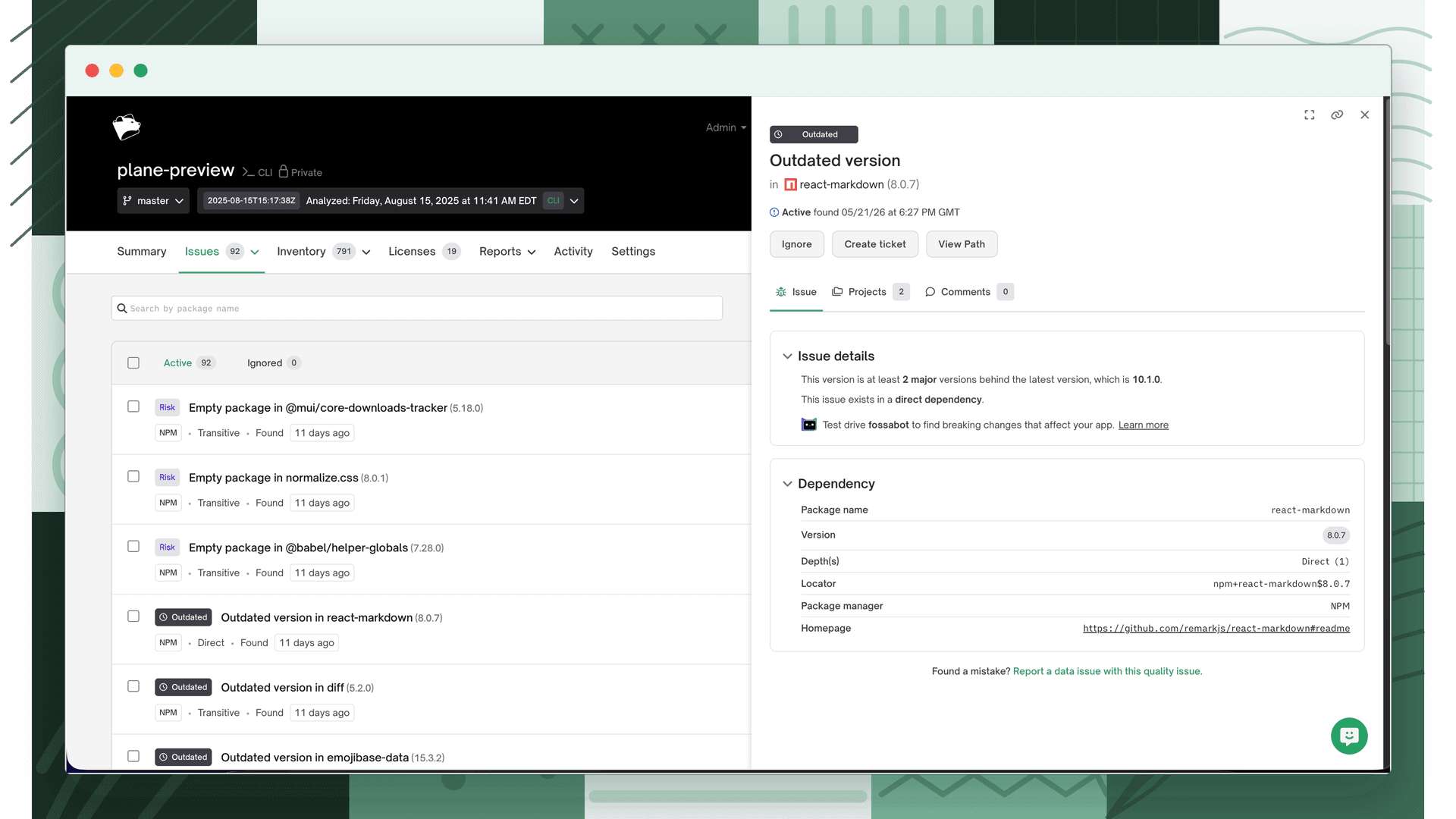
Status
Below the header, the status bar shows the current state of the issue (Active, Ignored, or Remediated) and whether it's been ticketed. When viewing an issue from the global or release group scope, the status reflects the issue's state across all affected projects (it may be active in some and ignored in others simultaneously).
Actions
The available actions depend on the issue's current state, your scope, and the issue type:
| Action | When it appears |
|---|---|
| Ignore | Issue has active occurrences |
| Unignore | Issue has ignored occurrences |
| Create Ticket | Issue has not yet been ticketed (opens Jira or manual ticket flow) |
| Unlink Ticket | Issue has a linked Jira ticket |
| View Path | Project scope only: shows the dependency path from your project to this package |
| Edit Package | Licensing issues only, if you have edit access to the source project |
| Custom Risk Score | Vulnerability issues only, override the CVSS-based severity |
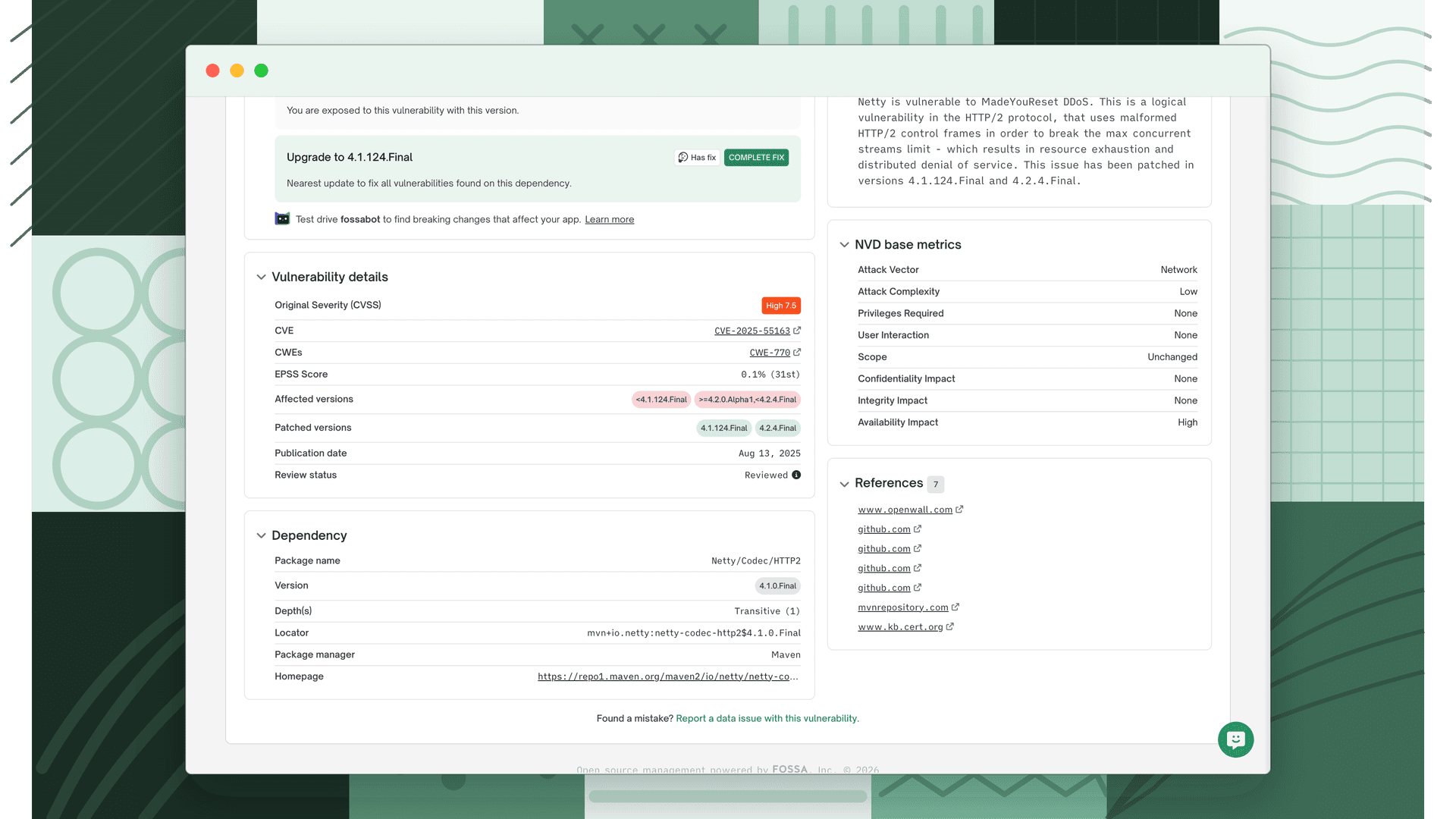
Vulnerability shows the full vulnerability record:
- Description and background
- CVE identifier and links to external references
- NVD base metrics (CVSS attack vector, complexity, privileges required, etc.)
- Remediation; the version that fully resolves the vulnerability and, where available, the closest partial fix and how many versions away it is
Licensing shows:
- The dependency where the license was detected
- File matches, the specific files FOSSA found the license in
- All licenses detected on the package
Quality shows:
- The dependency that triggered the issue
- A description specific to the quality issue type, for example, last publish date and maintainer activity for abandonware issues, or version details for outdated dependencies
Projects
Lists every project affected by this issue, with a count badge on the tab. From the global or release group scope this shows all projects across your organization that have this issue. From a project scope it shows only the current project.
For licensing issues, each project row expands to show the license detail specific to that project's dependency.
If the issue has been ticketed, each affected project row shows a link to its Jira ticket.
Licenses
Shown for licensing issues when License Concluded is enabled. Displays the full license breakdown for the affected package, including any license conclusions that have been applied.
Comments
A threaded comment panel for leaving notes on the issue, visible to anyone in your organization who has access to it. The tab badge shows the current comment count.
Note
Comments are attached to the issue, not to a specific project or revision. They're visible whenever the issue is viewed, regardless of scope.