

License Disputes
Found a license FOSSA identified incorrectly? Report it directly from the issue with a license data dispute.
Overview
Occasionally FOSSA may identify a license incorrectly. You can report it directly from the issue, FOSSA's license data dispute routes the report to our team for review, so there's no need to email support separately.
Report a license data dispute
- 1
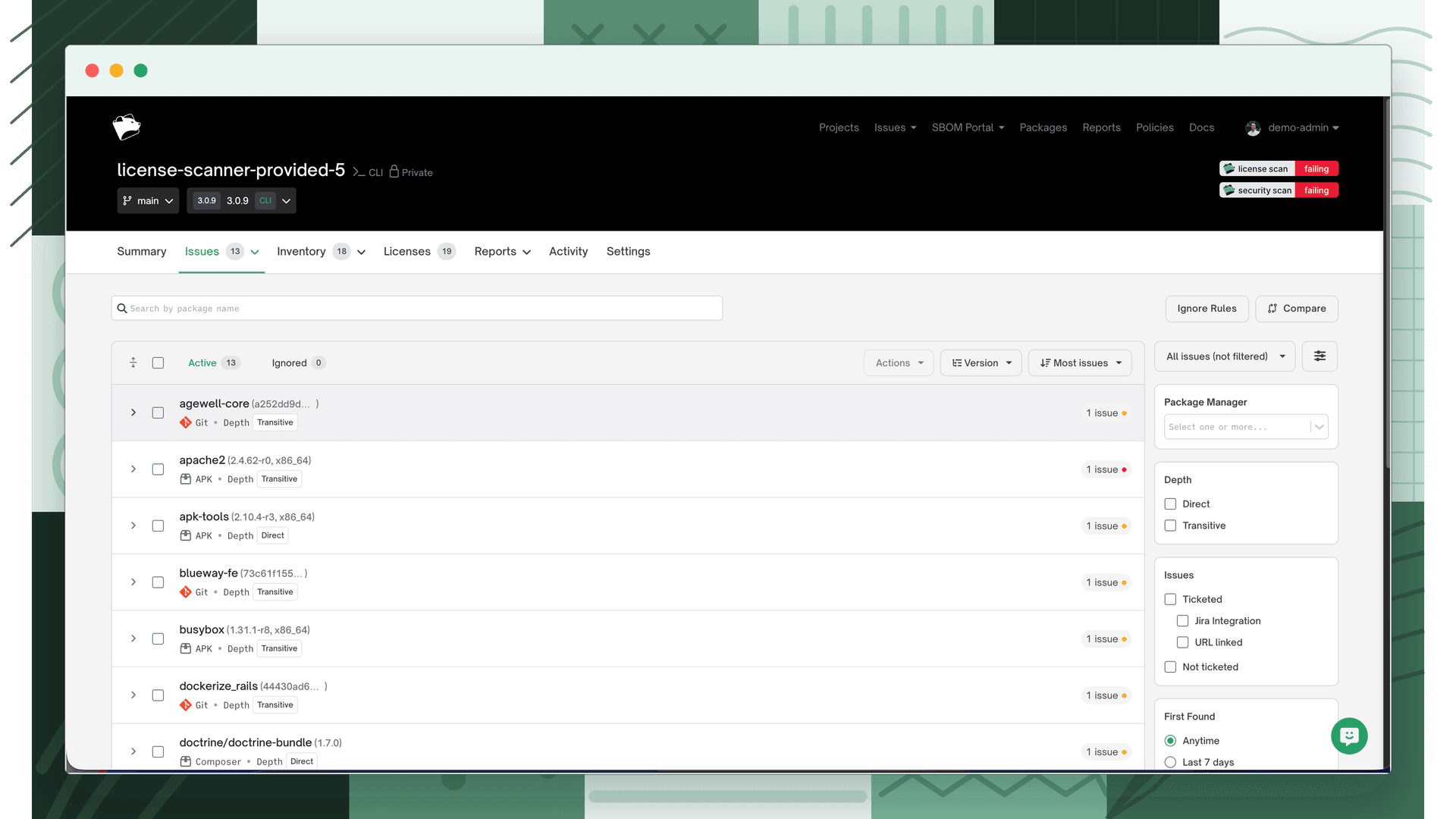
Open the license issue
Go to the project's Licensing issues and open the issue for the dependency with the incorrect license to view its details.
- 2
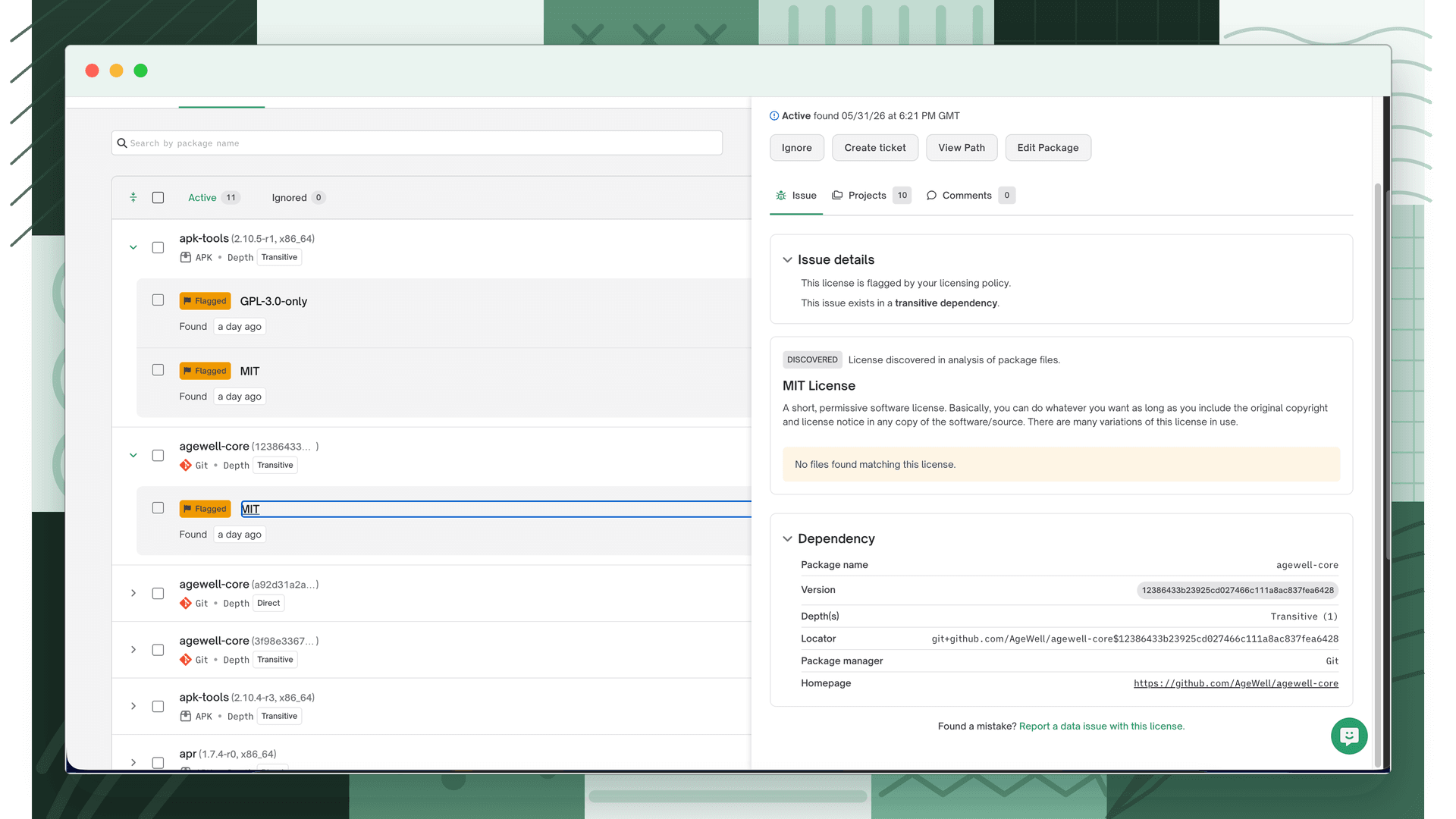
Click "Report a data issue with this license"
In the issue detail footer, next to Found a mistake?, click Report a data issue with this license (for a license-conclusion issue, the link reads Report an issue with this License Conclusion).
- 3
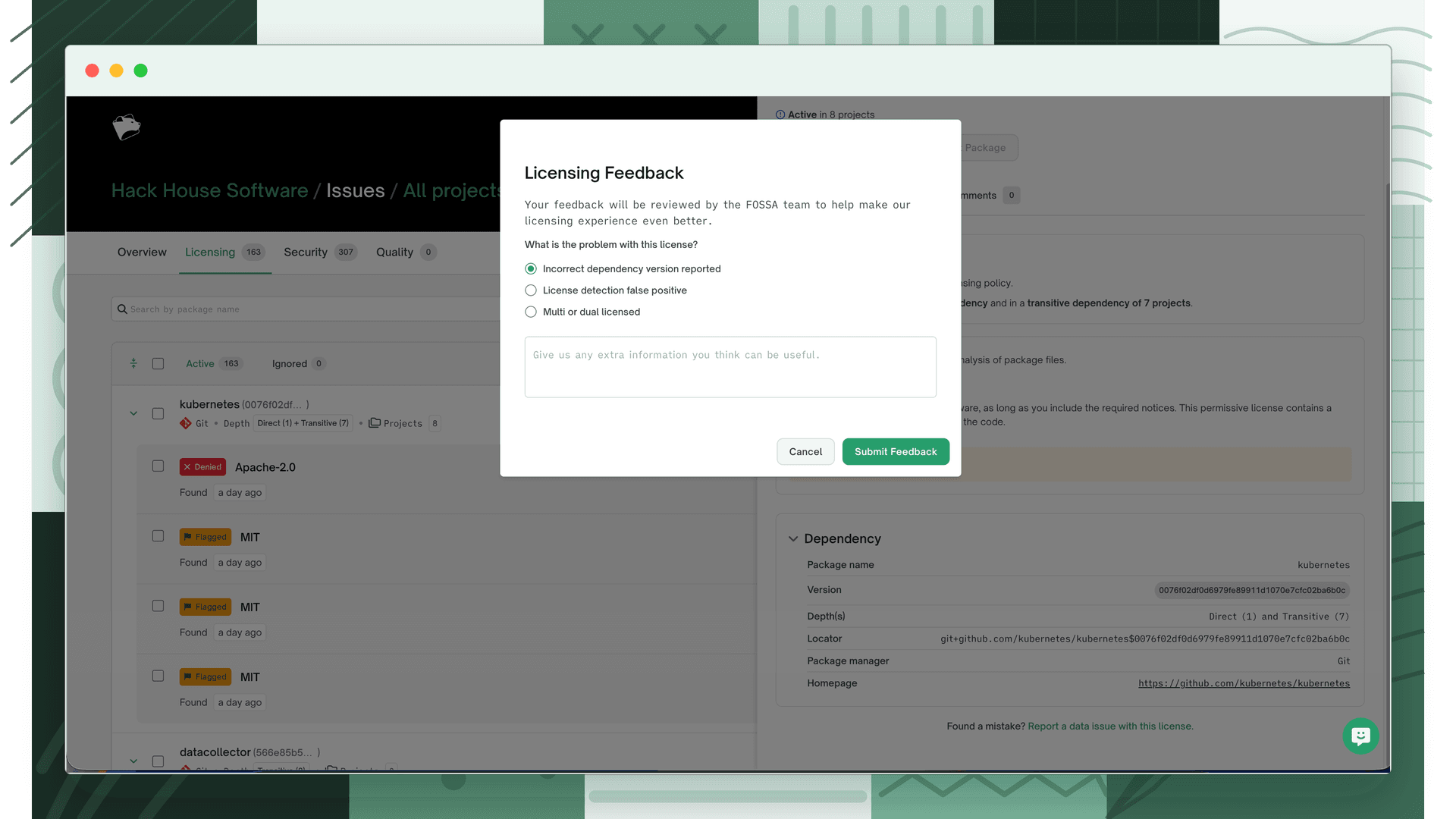
Choose what's wrong and add detail
Under What is the problem with this license?, pick the reason that fits, add any helpful context in the Dispute comment box, and click Submit Feedback.
Dispute reasons
| Reason | Use when |
|---|---|
| License detection false positive | FOSSA reported a license that isn't actually present. |
| Incorrect dependency version reported | The dependency's version is wrong, leading to the wrong license. |
| Multi or dual licensed | The dependency offers a choice of licenses that FOSSA didn't reflect. |
| Incorrect license conclusion | The concluded license is wrong (shown only for license-conclusion issues). |
Tip
In the comment, include a link to a public source (the package's LICENSE file, repository, or registry page) showing the correct license. The more specific the evidence, the faster we can confirm and correct it.
What happens next
FOSSA reviews the dispute, confirms the correct data, and applies a correction. It also feeds the root cause back into the scanner so the detection improves going forward. For anything the dispute flow doesn't cover, reach out at support@fossa.com.