

License Corrections
Add, change, or remove licenses on a dependency to correct FOSSA's detected data across your organization.
Overview
When FOSSA detects incorrect, missing, or unwanted license data on a dependency, you can correct it directly in the UI. Corrections apply across all projects and all versions in your organization: fix it once and it takes effect everywhere.
Warning
Editing a dependency applies to every project and every revision in your organization. You need an appropriate organization-level role to make these changes.
Adding a license to an unlicensed dependency
Use this when FOSSA resolved a dependency but couldn't find a license for it. You can look up the correct license and add it manually.
- 1
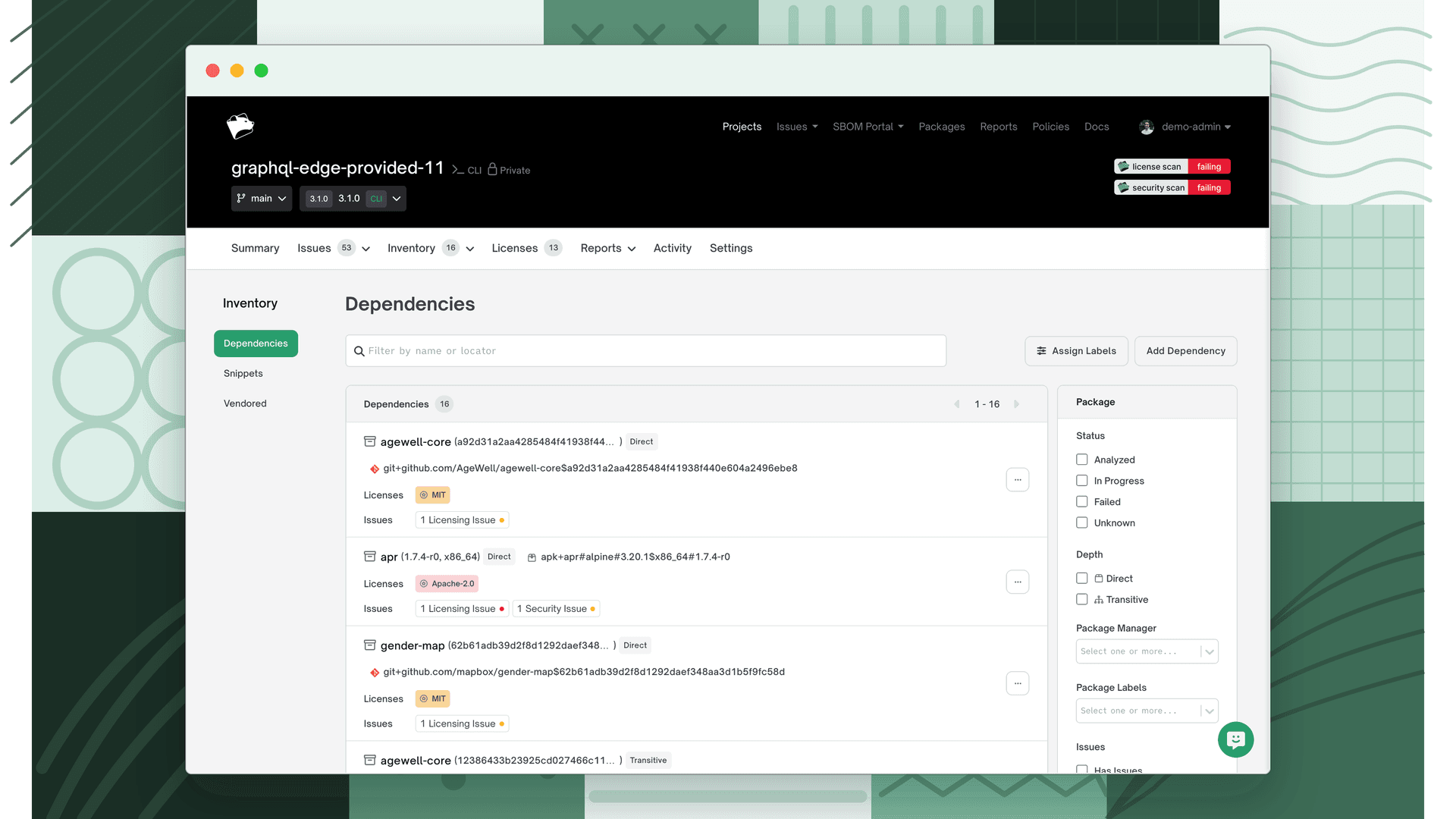
Find the dependency
Go to Inventory → Dependencies and locate the dependency with no license. If you're unsure of the correct license, open the package's repository or registry page to check.
- 2
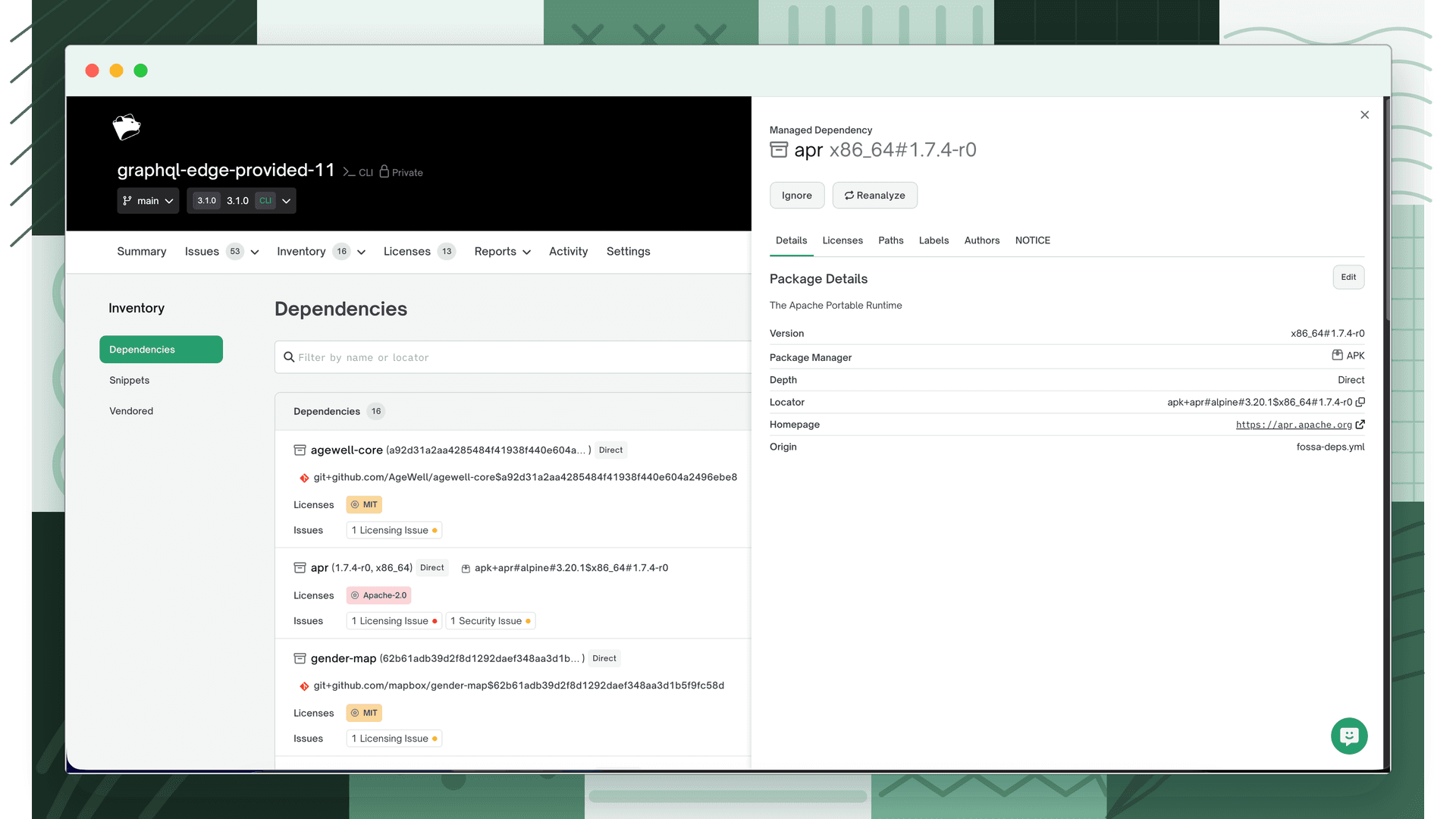
Open the dependency and select the Licenses tab
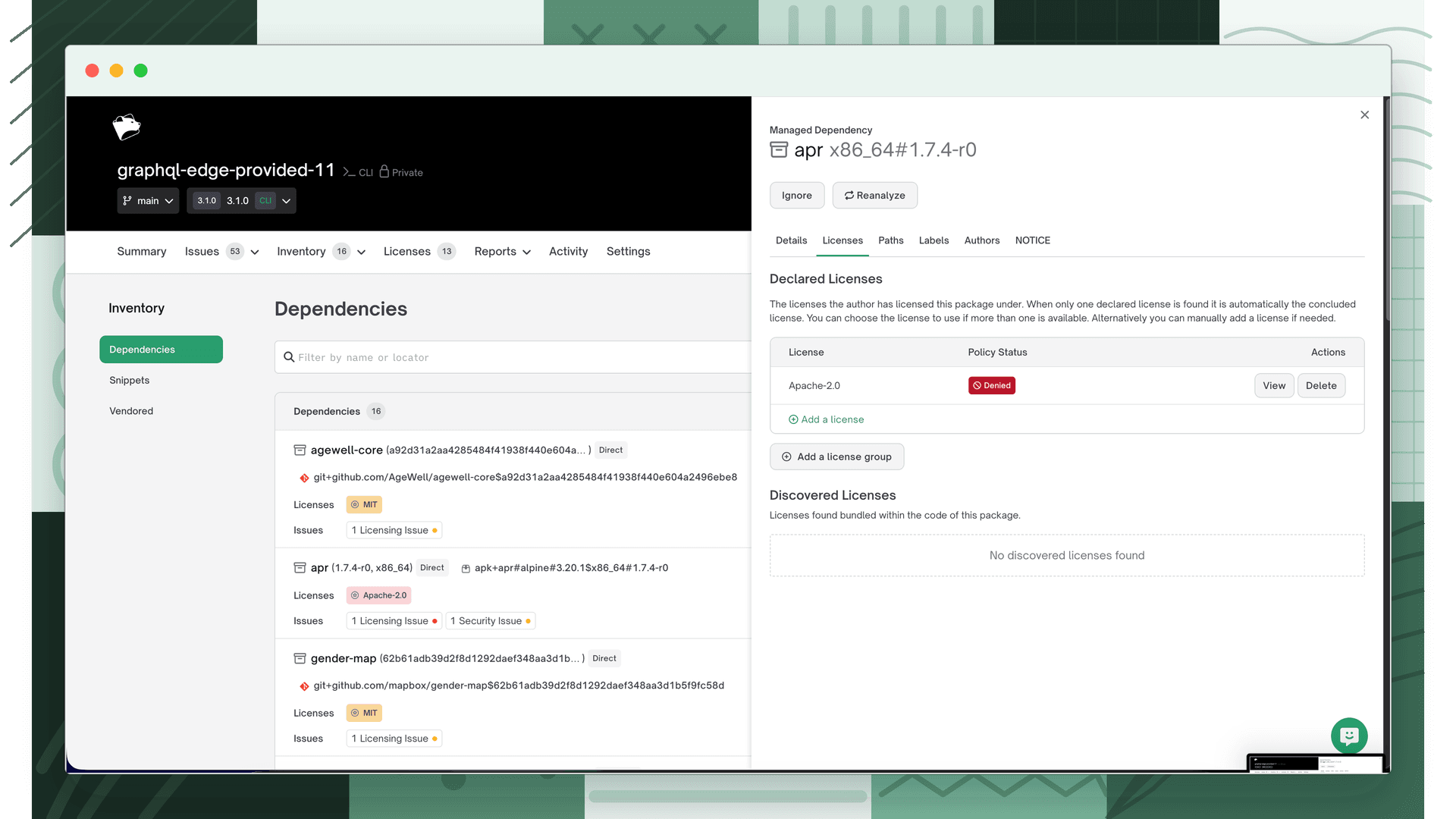
Click anywhere on the dependency row to open it. The dependency drawer opens showing the Details tab. Click the Licenses tab to see the license data.
- 3
Add a license
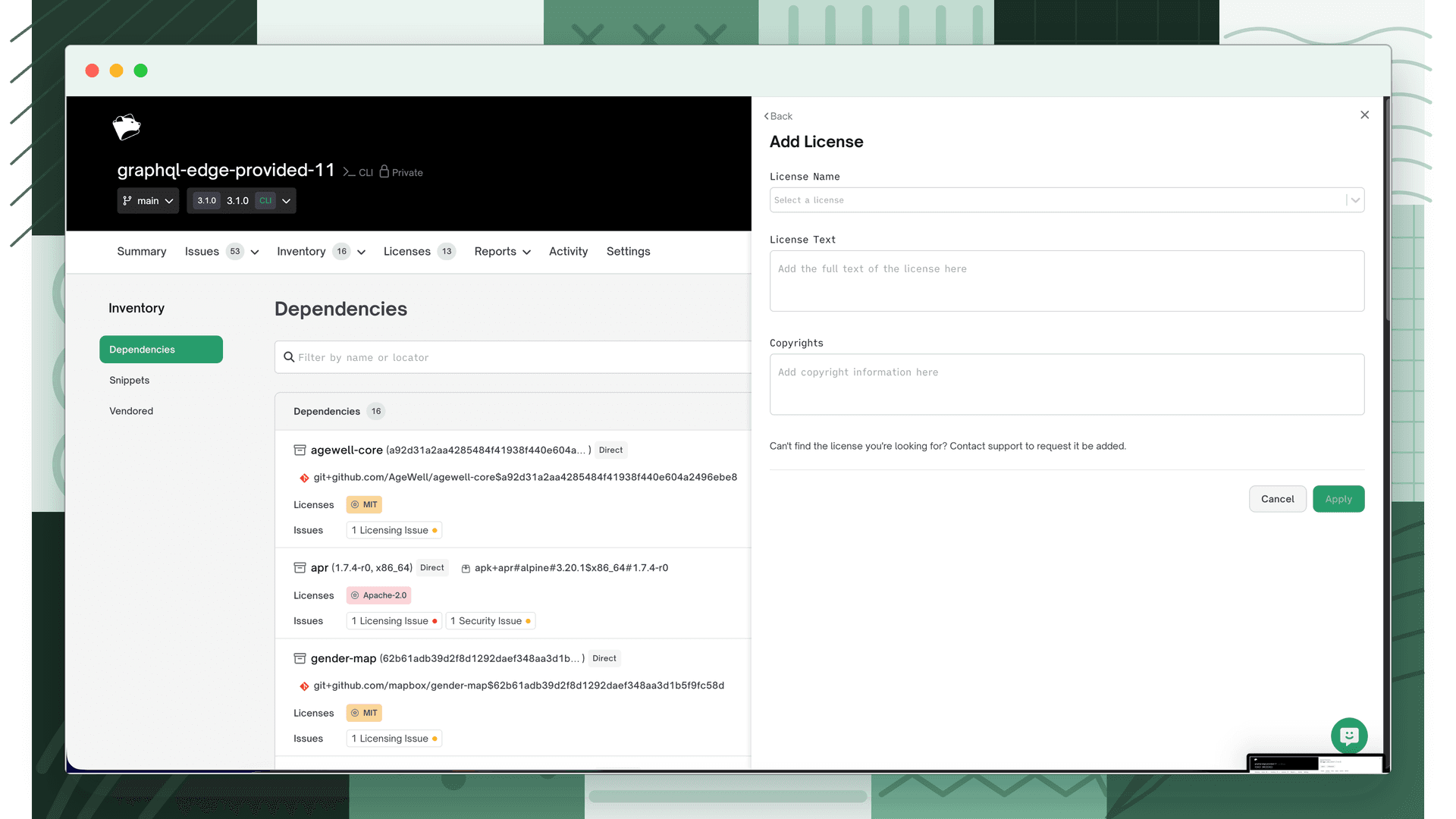
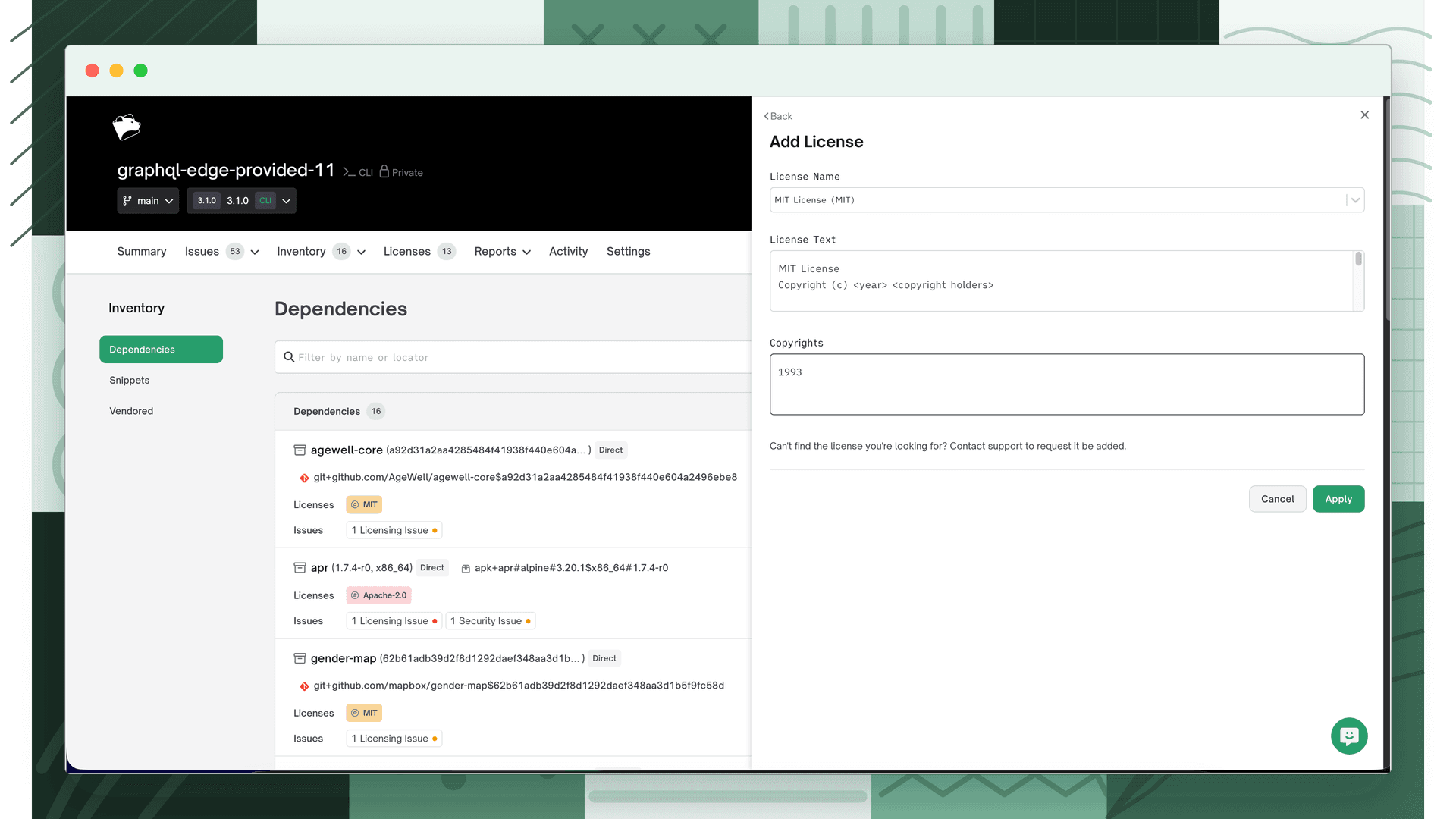
Click + Add a license, then search for the correct license in the License Name field and select it.
- 4
Add license details and save
Optionally add License Text and Copyrights, then click Apply.
- 5
Verify
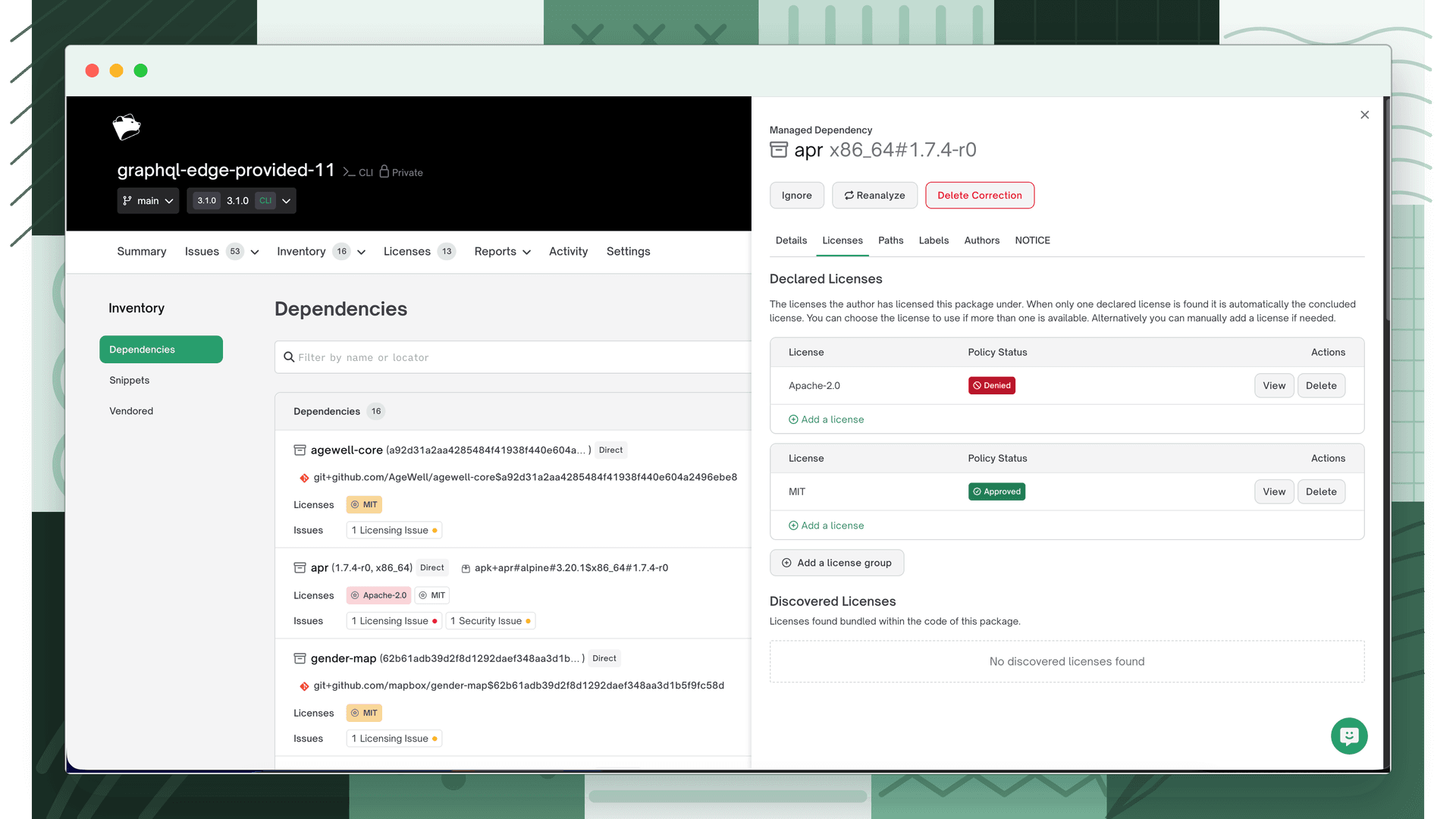
The Licenses tab now shows the corrected license. If that license is permitted by your policy, it will no longer be flagged as an issue.
Removing an unwanted license
Use this when FOSSA detected a license on a dependency that shouldn't be there, for example, a false positive from a comment in the source code.
- 1
Open the dependency and select the Licenses tab
Click anywhere on the dependency row in Inventory → Dependencies to open it, then click the Licenses tab.
- 2
Delete the license
Click Delete next to the license you want to remove.
- 3
Run policy scan
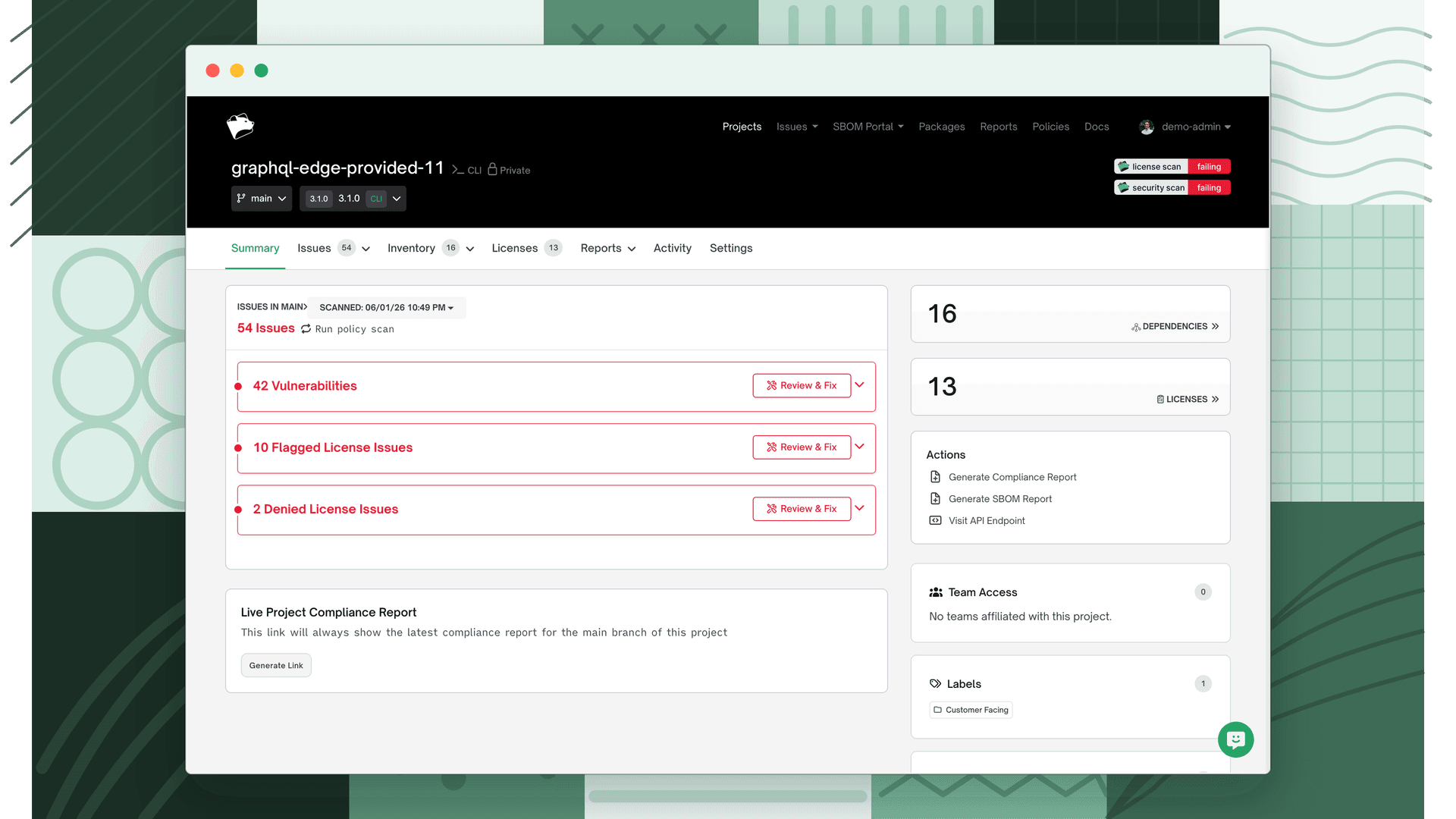
Navigate to the project Summary tab and click Run policy scan to update the issue count.
Notice files
Dependency edits also cover notice files. You can review, edit, or suppress the notice text that appears in attribution reports. See Notice files on the Dependencies page.
What's next
- Reviewing Licensing Issues: See how your corrections affect the active issues in the inbox.
- Licensing Policies: Ensure your corrected licenses are evaluated against your organization's policy rules.