

Automated Malware Detection
Detect dependencies identified as malicious by cross-referencing your packages against known malware reports, and gate them out of your builds.
Enterprise feature
Included at no additional cost for FOSSA enterprise customers, and enabled automatically when the Quality feature is on. If your organization does not have Quality enabled, contact your FOSSA account team to turn it on.
Overview
Automated malware detection finds dependencies that have been identified as malicious, so you can catch supply-chain compromises before they reach production. Unlike a vulnerability, which is an unintentional security flaw, malware is code published with intent to harm, for example a hijacked package release or a typosquatted lookalike.
FOSSA flags malicious dependencies as a Quality issue and can fail your CI/CD checks when one is found, acting as a hard gate against compromised packages entering your codebase.
Note
Malware detection surfaces as a quality issue and is configured through your quality policy, even though it addresses a security concern. For known security flaws (CVEs), see Reviewing security issues.
How it works
Every time FOSSA analyzes a project, the quality scanner cross-references each direct and transitive dependency against known malware reports drawn from multiple data sources. When a package version matches a report, FOSSA raises a Malware quality issue for it. Because the underlying data is updated continuously, a dependency can be flagged on a later scan even if an earlier scan was clean.
A malware issue carries the report that identified it:
| Field | Description |
|---|---|
| Name | The malware report's title |
| Description | Details of why the package is considered malicious |
| Read more | A link to the full upstream report |
Enabling malware detection
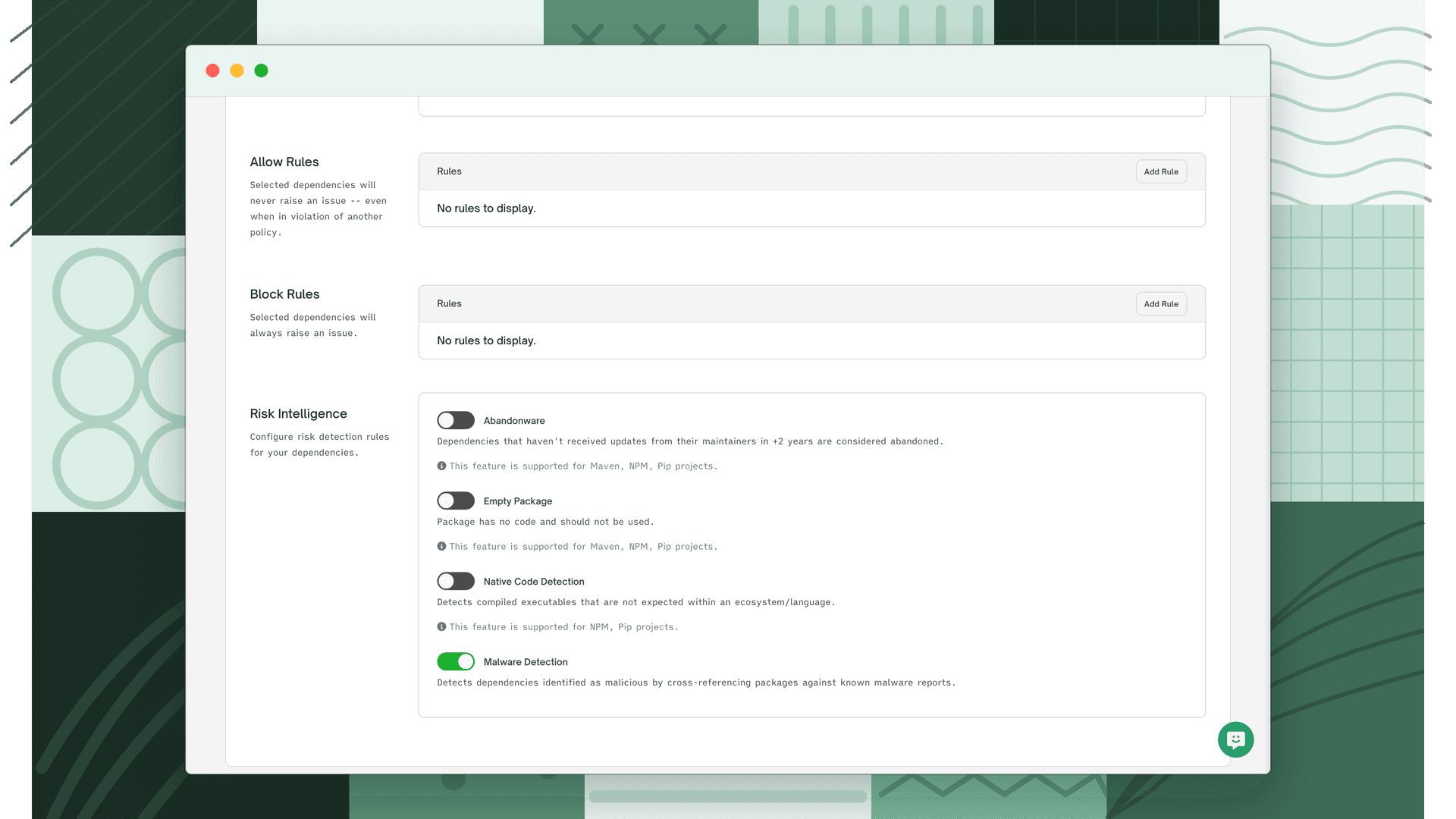
Malware detection is a rule on your quality policy and runs as part of quality scanning. For enterprise organizations with quality enabled, it is turned on automatically.
- 1
Turn on quality scanning
Enable the quality scanner so FOSSA evaluates your dependencies. Organization-level defaults live at Organization Settings > Projects > Issues; you can override them per project at Project Settings > Issue Policies. See Quality Scanning.
- 2
Enable the Malware Detection rule
On the quality policy applied to your projects, enable Malware Detection. This rule "detects dependencies identified as malicious by cross-referencing packages against known malware reports."
- 3
Gate your builds (optional)
Turn on Fail CI/CD checks for the quality scanner so a detected malicious dependency fails the project's status check and
fossa test, blocking the change from merging.
Reviewing malware issues
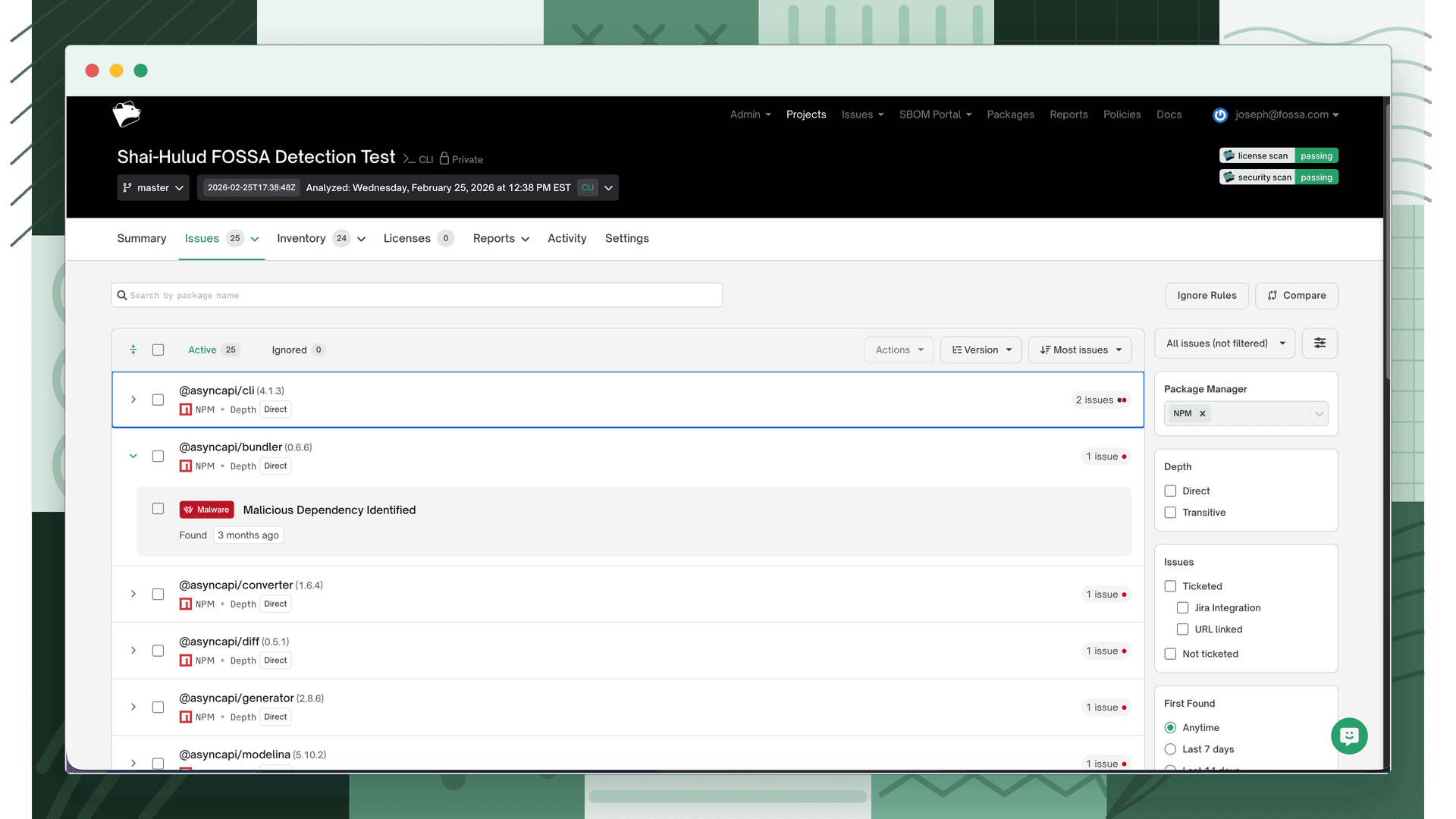
Malicious dependencies appear alongside your other findings in the Issues tab:
- Open the Issues tab and select the Quality issue category.
- In the Issue Type filter, select Malware.
- Open an issue to see the malware report's name, description, and a link to read more.
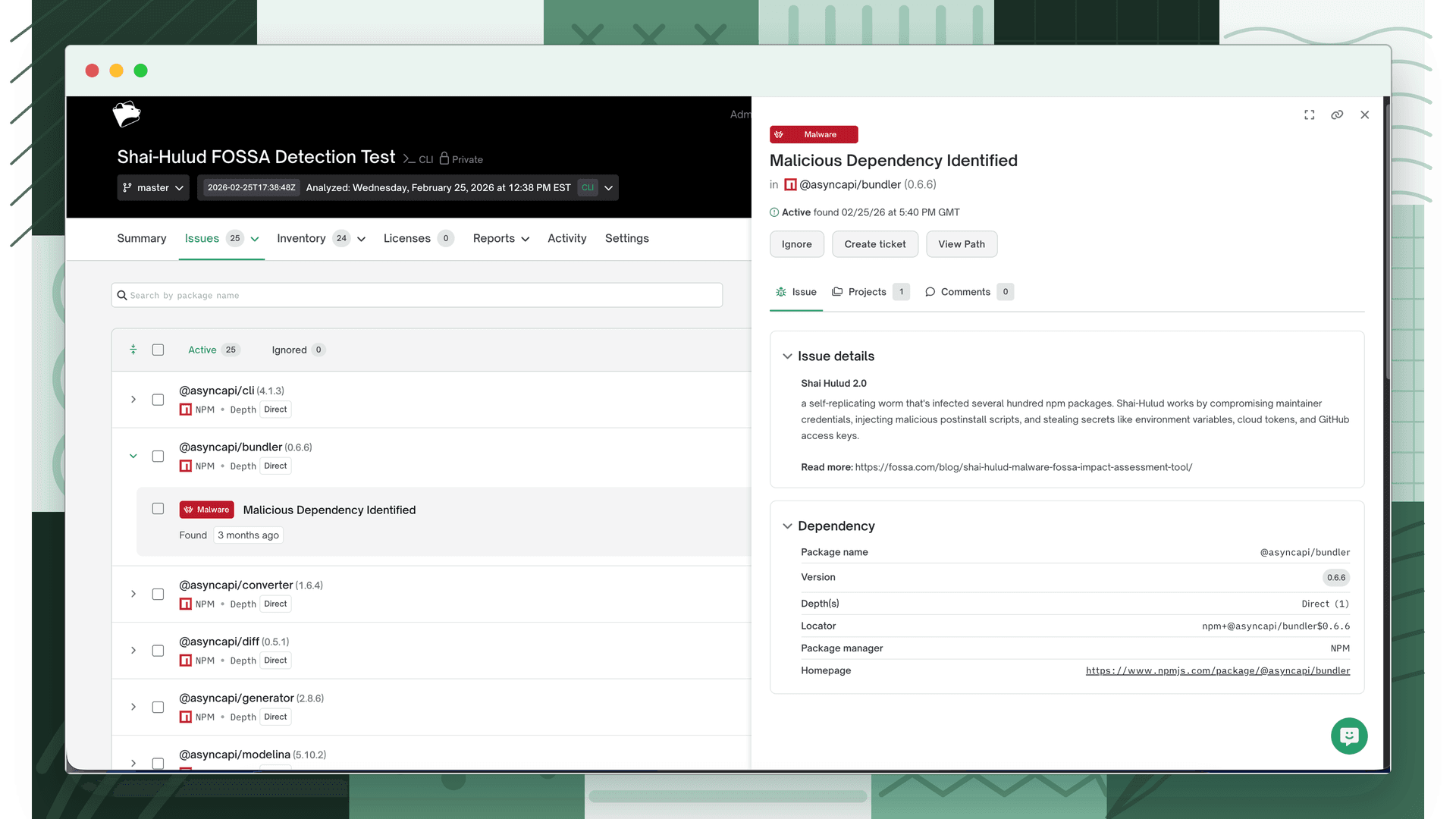
A flagged dependency also shows a Malicious Dependency banner in its details drawer on the project's dependencies view, linking directly to the issue.
To resolve a malware issue, remove or replace the affected dependency. See Reviewing Quality Issues for triage workflows shared across quality issue types.
How it differs from vulnerability detection
| Automated malware detection | Vulnerability detection | |
|---|---|---|
| What it finds | Packages published with malicious intent (supply-chain attacks) | Known security flaws (CVEs) in legitimate packages |
| Issue category | Quality | Security |
| Source | Known malware reports | Vulnerability data sources |
| Typical response | Remove or replace the package immediately | Triage by severity and reachability, then remediate |
Further reading
- Quality Scanning: how the quality scanner runs and gates CI/CD.
- Quality Policies: configure the Malware Detection rule and other quality rules.
- Reviewing security issues: triage known vulnerabilities.