

Issue Exceptions (VEX)
Formally ignore vulnerability issues with VEX justifications to document why a vulnerability does not apply in your context.
Enterprise feature
Available on: Business, Enterprise.
VEX annotations are included in CycloneDX exports only; SPDX exports do not include VEX data.
Overview
Issue Exceptions let you formally mark a vulnerability issue as not applicable in your environment, using a structured VEX (Vulnerability Exploitability eXchange) justification. Unlike a simple ignore, an exception documents the specific reason why the vulnerability cannot be exploited in your context, producing defensible, auditable records for security reviews and compliance programs.
Note
VEX is an industry standard for communicating vulnerability exploitability status. A VEX statement says: "This CVE exists in our software, but it is not exploitable because of X." VEX is recognized by CISA and is compatible with CycloneDX and SPDX SBOM formats.
How Issue Exceptions work
When you create an exception on a vulnerability issue:
- The issue's status changes to Ignored in the issues list.
- The exception records the VEX justification and an optional note.
- Policy checks re-evaluate the issue with its new status; an excepted issue typically no longer counts toward a policy failure.
- The exception is recorded in the Audit Log with the user, justification, and timestamp.
VEX justification categories
FOSSA supports the standard VEX justification categories plus additional resolution reasons:
| Justification | Meaning |
|---|---|
| Component not present | The vulnerable component is listed as a dependency but is not actually included in the built artifact |
| Vulnerable code not present | The vulnerable code path exists in the package but is not included in this project's build |
| Vulnerable code not in execute path | The vulnerable code is present but cannot be reached during execution in this deployment |
| Vulnerable code cannot be controlled by adversary | The vulnerable code can be reached but the attacker cannot control the inputs needed to exploit it |
| Inline mitigations already exist | A separate control (WAF, network policy, etc.) prevents exploitation |
| Fixed | The issue has been resolved |
| Under investigation | The issue is being assessed |
| Incorrect data found | The vulnerability data is inaccurate for this package |
| Other | A reason not covered by the above categories |
Creating an exception
- 1
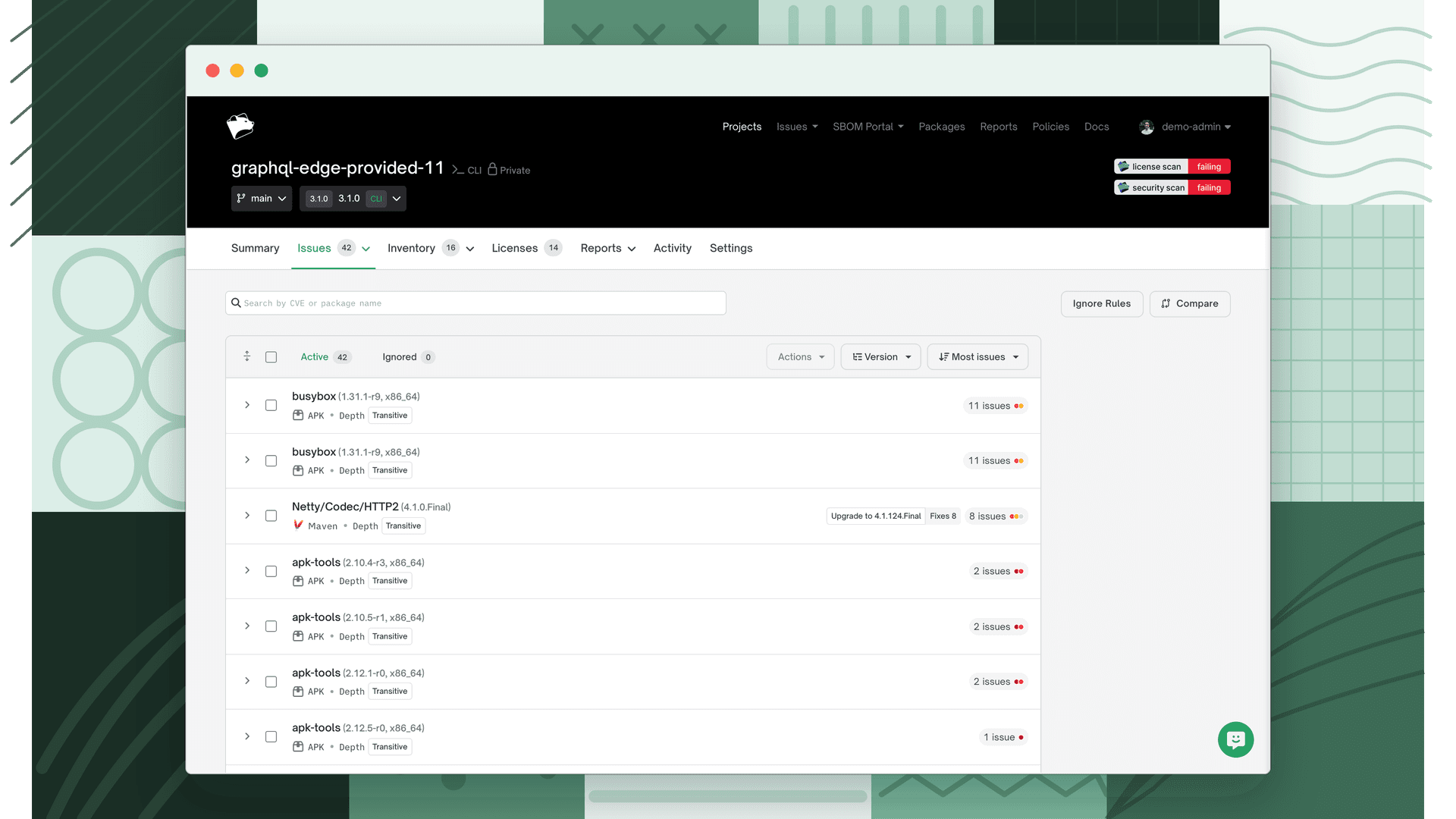
Open the vulnerability issue
Navigate to a project or release group, open the Issues tab, and click the vulnerability to open its detail drawer.
- 2
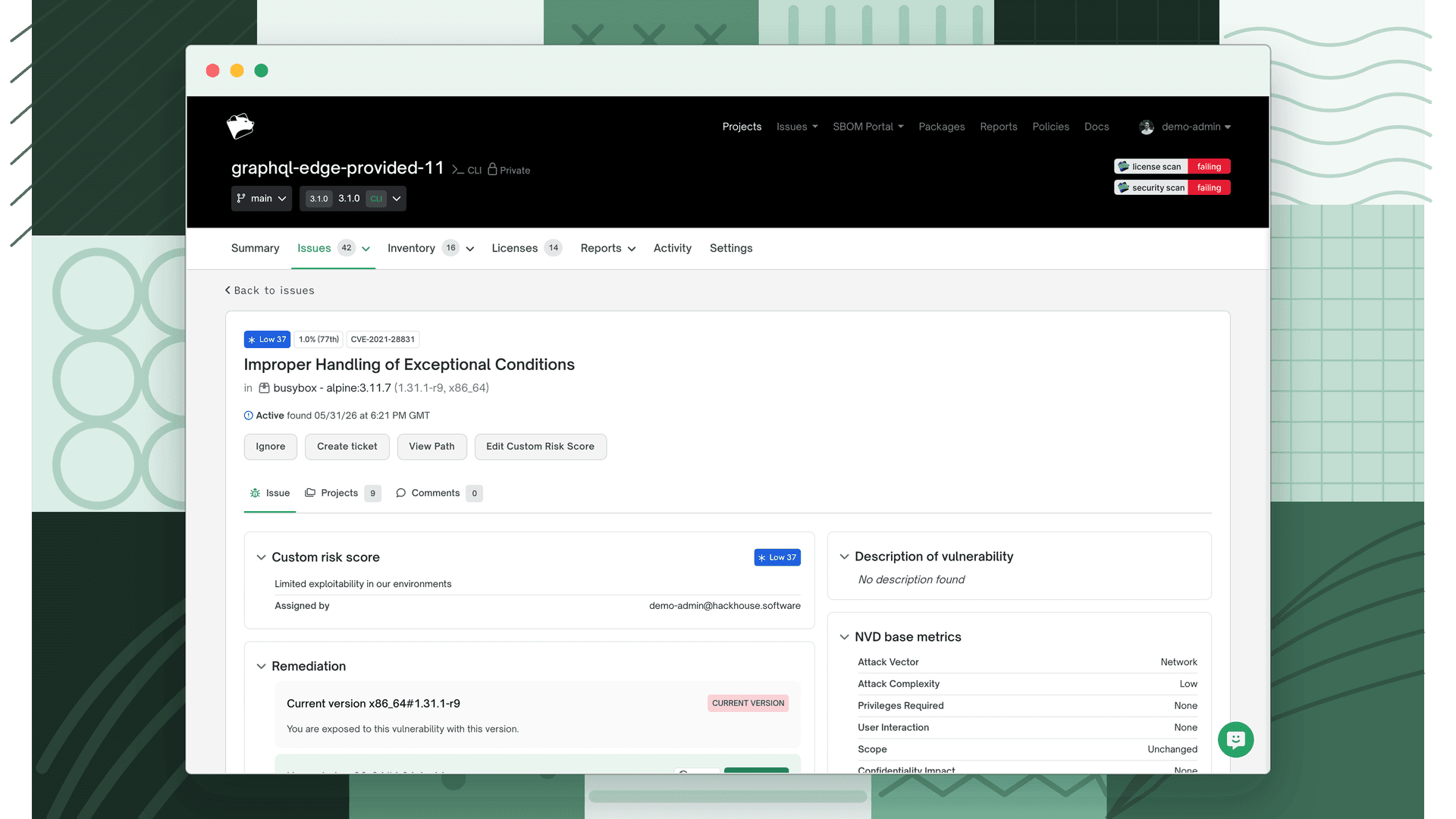
Ignore the issue
Click Ignore in the issue action buttons. This opens the exception modal.
- 3
Choose a scope
Select where this exception applies:
- Organization: applies across the entire organization
- Policy: applies to all projects using a specific policy
- Project: applies to this project only
- Release Group: applies to a specific release group
- Project and Release Groups: applies to the project and all release groups using it
- 4
Choose a package scope
Select whether the exception applies to the selected version only or all versions of the package (including future versions).
- 5
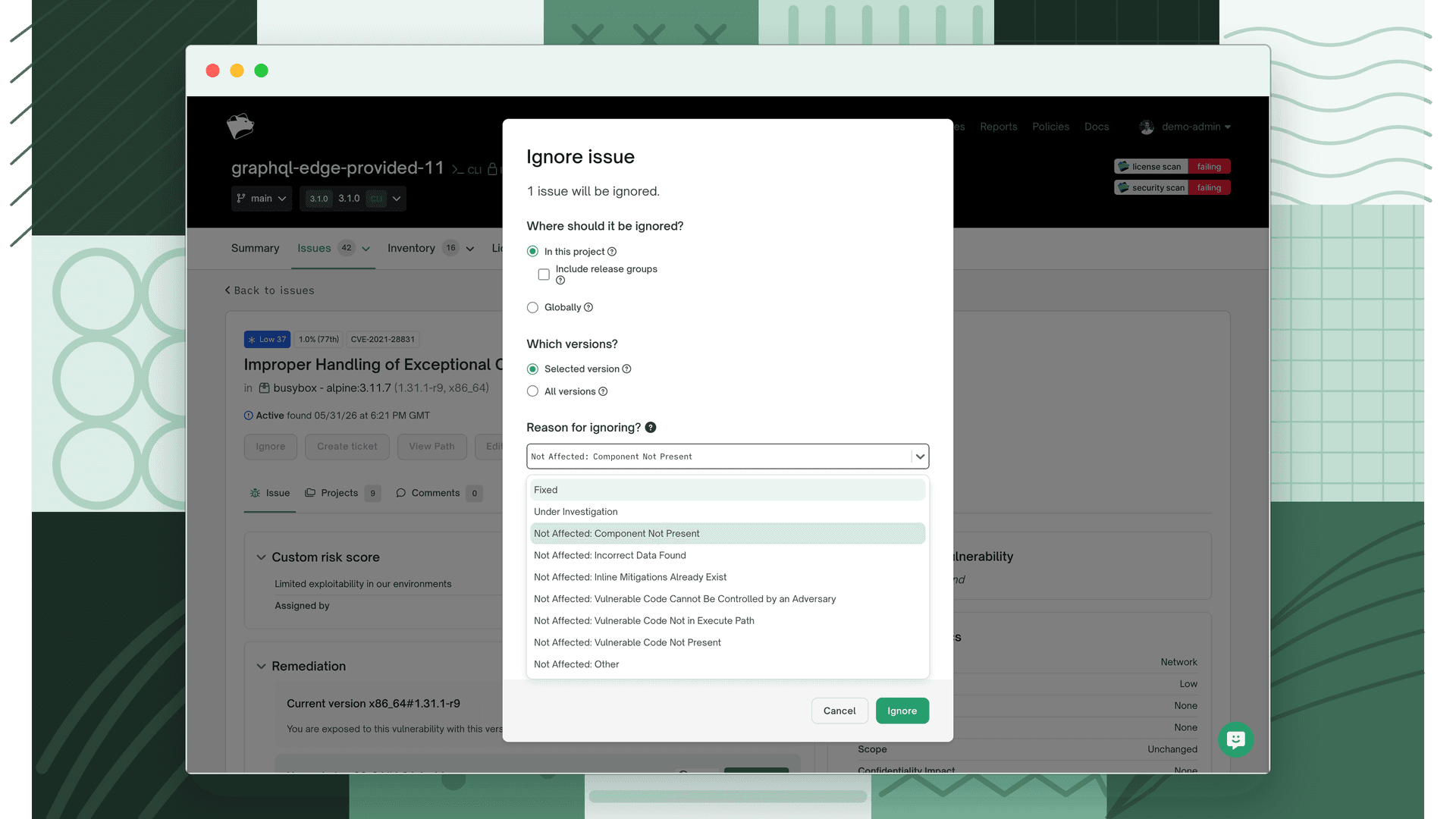
Choose a VEX justification
Select one of the justification categories from the dropdown.
- 6
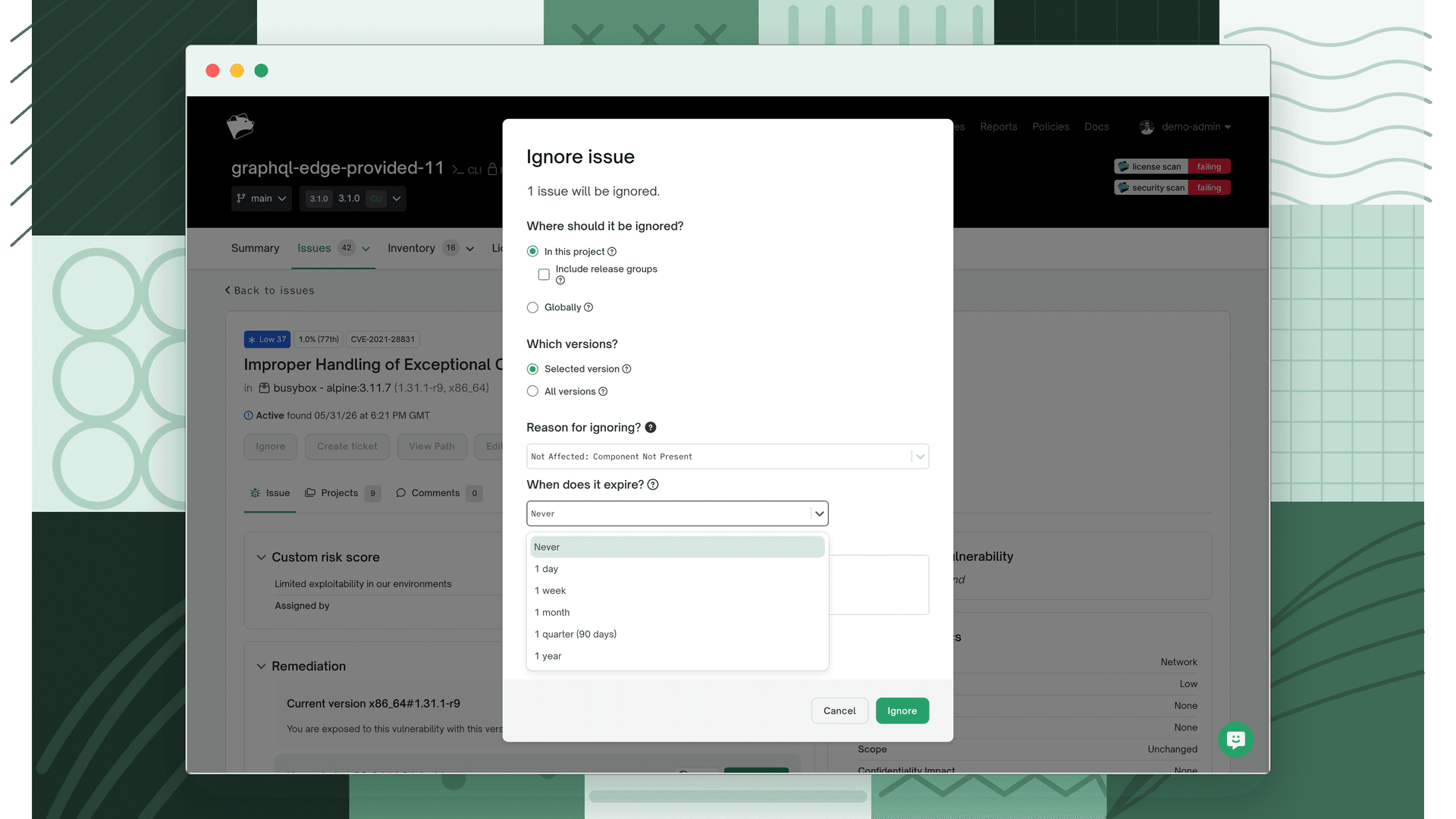
Add a note and expiration
Optionally enter a free-text explanation and set an expiration date after which the exception is no longer active.
- 7
Save
Click Save. The issue status updates immediately.
Viewing and managing exceptions
Excepted issues appear in the issues list with an Ignored status. Each excepted issue displays the VEX justification category and, if provided, the explanatory note.
To remove an exception and return an issue to its original state, open the issue details and click Remove Exception. The issue reverts to open and becomes subject to policy evaluation again.
VEX annotations in SBOM exports
When you export a CycloneDX SBOM from FOSSA, excepted vulnerability issues are included as VEX annotations in the SBOM document. Each annotation includes the VEX state, the justification category, and any resolution note you provided.
See Generating SBOMs for how to export a CycloneDX SBOM.
Permissions
Creating and removing issue exceptions requires Edit permission on the project or release group. Viewers can see exceptions but cannot create or remove them.
Audit log
All exception actions are recorded:
| Action | When logged |
|---|---|
| Exception created | An exception is applied to an issue |
| Exception updated | The justification or note is changed |
| Exception removed | An exception is deleted from an issue |
FAQ
How is an exception different from ignoring an issue? The Ignore action is the same flow; exceptions are how FOSSA records ignores with a formal VEX justification. Use the VEX justification options to document your exploitability assessment in an auditable way.
Does an exception apply to all projects? By default, exceptions are scoped to a single project or release group. You can also scope them to a policy or the entire organization when creating the exception.
Do exceptions affect policy checks? Yes. Ignored issues are excluded from policy evaluation. Review your security policy configuration to confirm how exceptions interact with your rules; see Security Policy.
Are exceptions preserved in future scans? Yes. Exceptions persist across scans until explicitly removed or until they expire (if an expiration date was set). If the vulnerable package version is removed in a future scan, the exception becomes inactive but is not deleted.