

Binaries
Decompose pre-compiled binaries and archives to identify open source components without source-code access.
Enterprise feature
Contact sales@fossa.com for access.
Overview
Binary Decomposition analyzes pre-compiled binaries and archives (without access to source code) to identify the open source components inside them. Reach for it when you have a shipped artifact (a .exe, .jar, firmware image, or container archive) but not the source that produced it.
Importing a binary
- 1
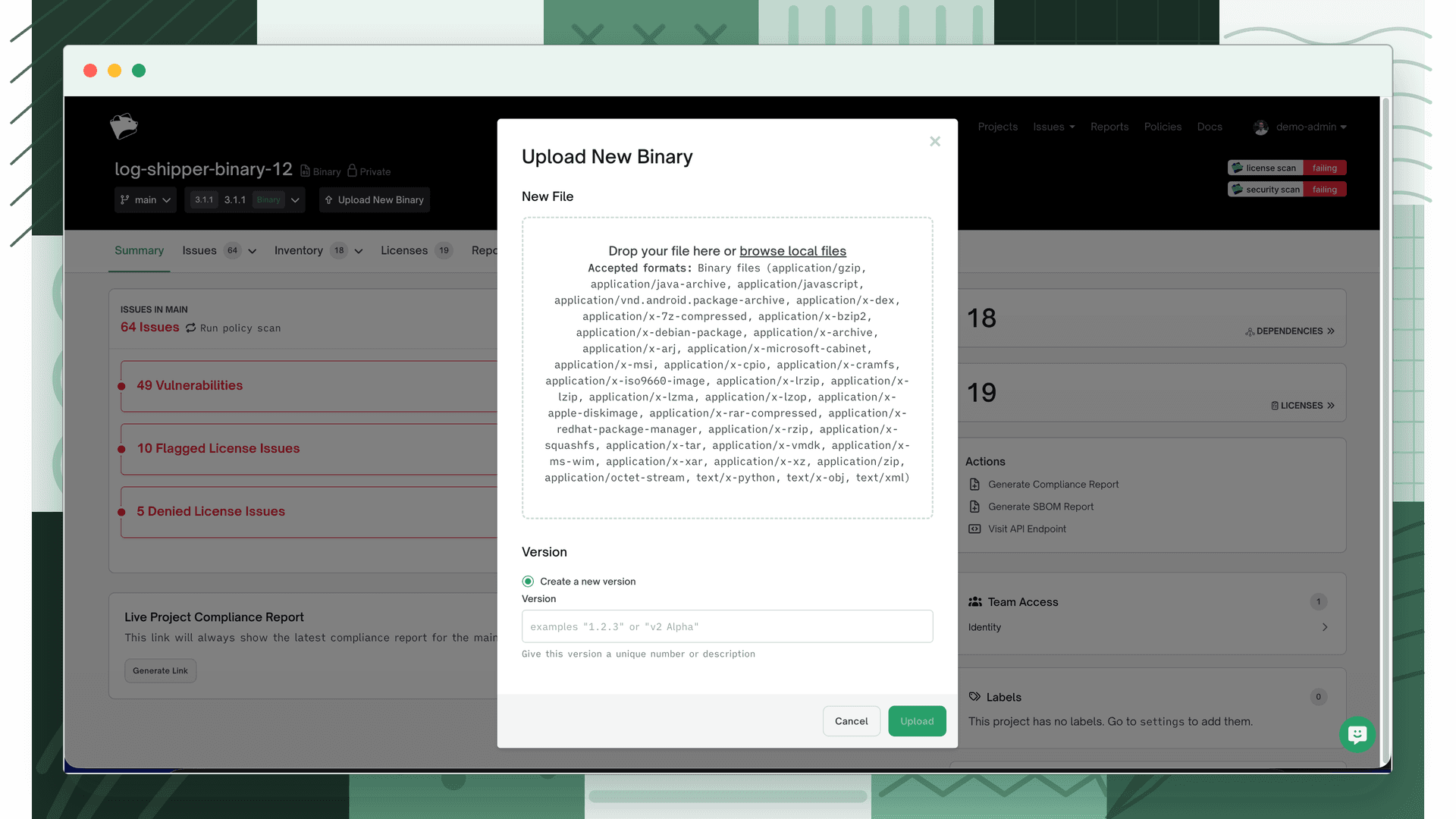
Open the Decompose Binary importer
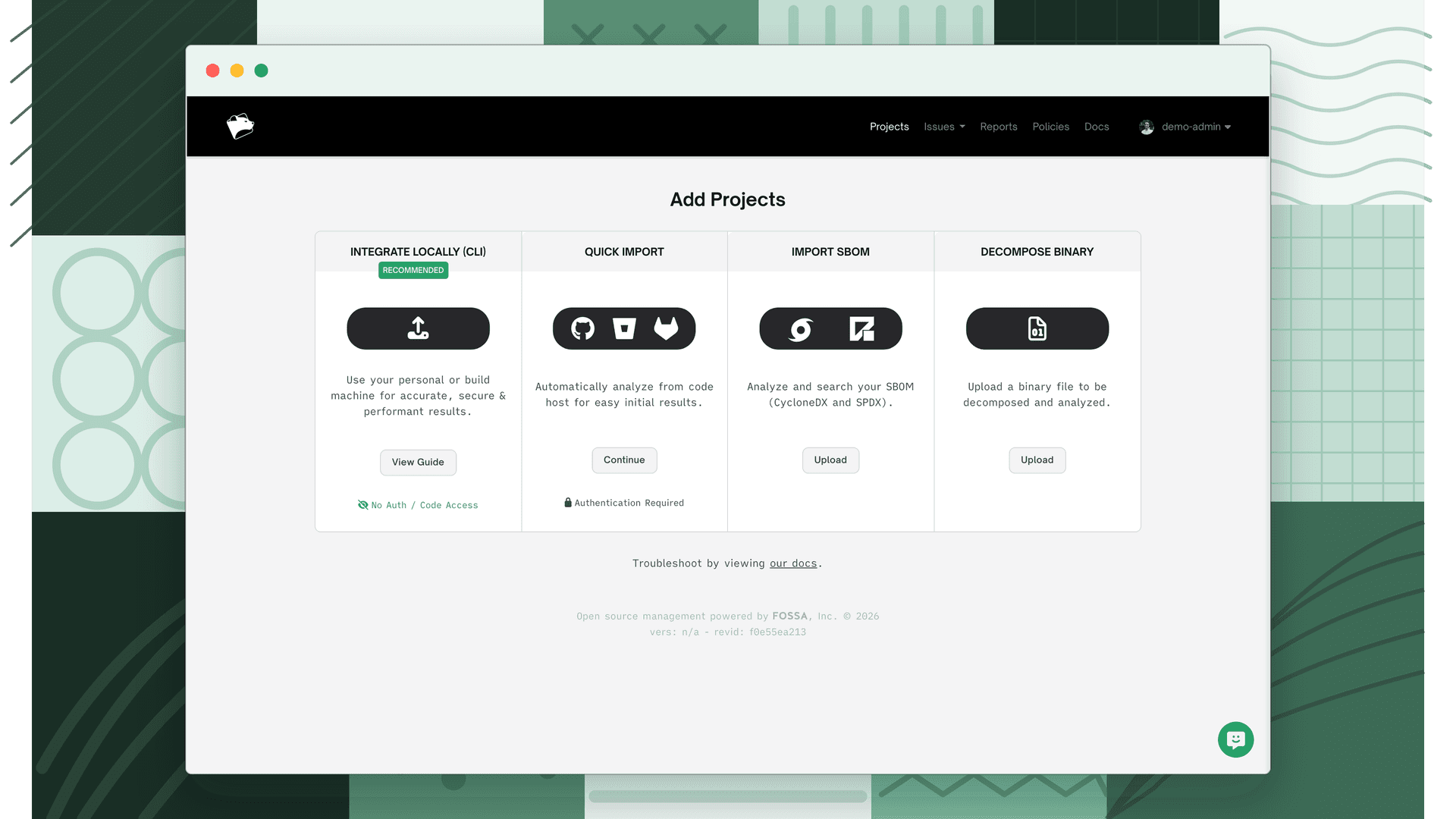
From the Add Projects page, choose Decompose Binary.
- 2
Add your files
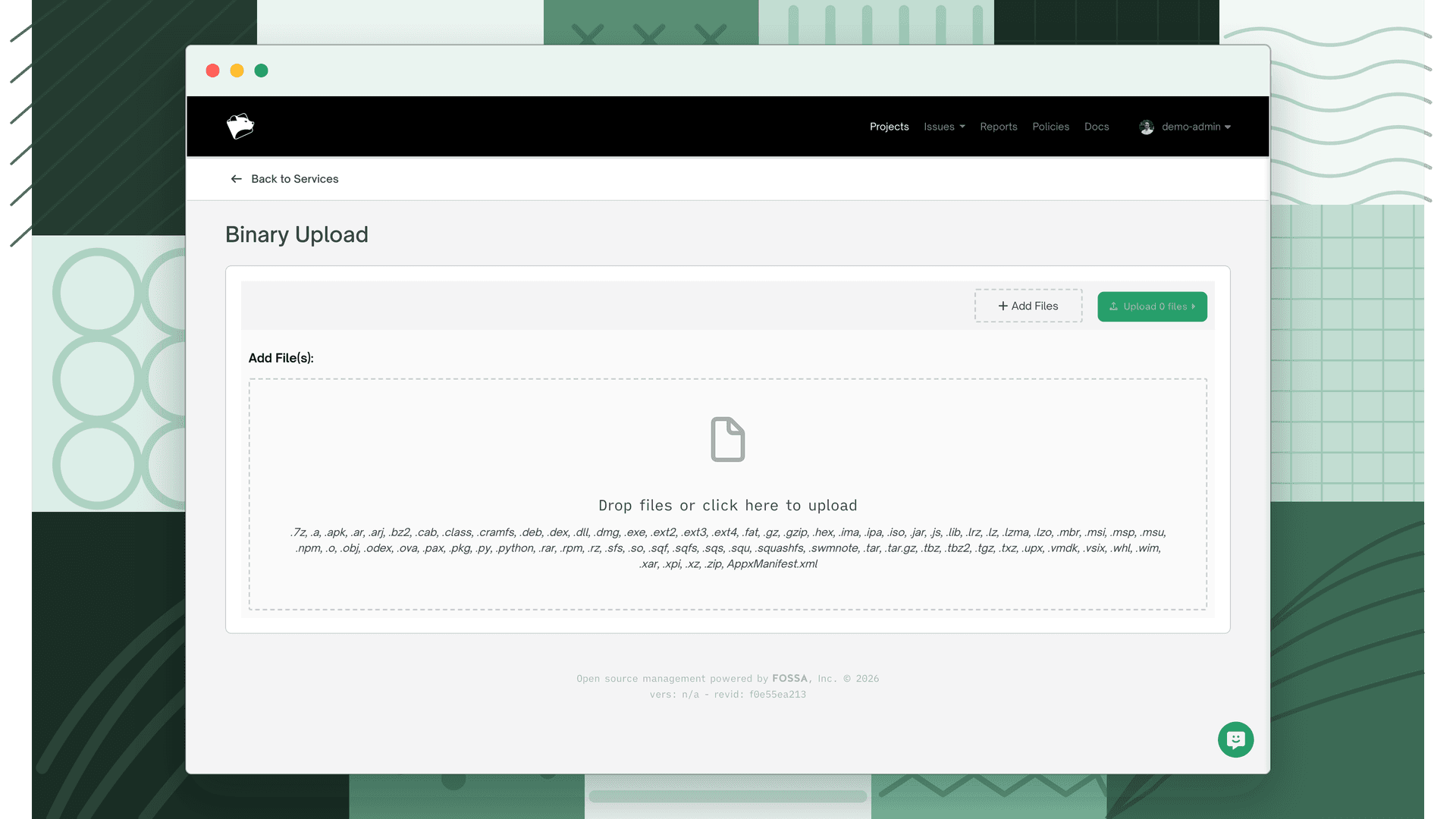
Select Add Files and choose the binary or archive to import. Bulk import is supported. Select as many files as you need.
- 3
Name the project and set a version
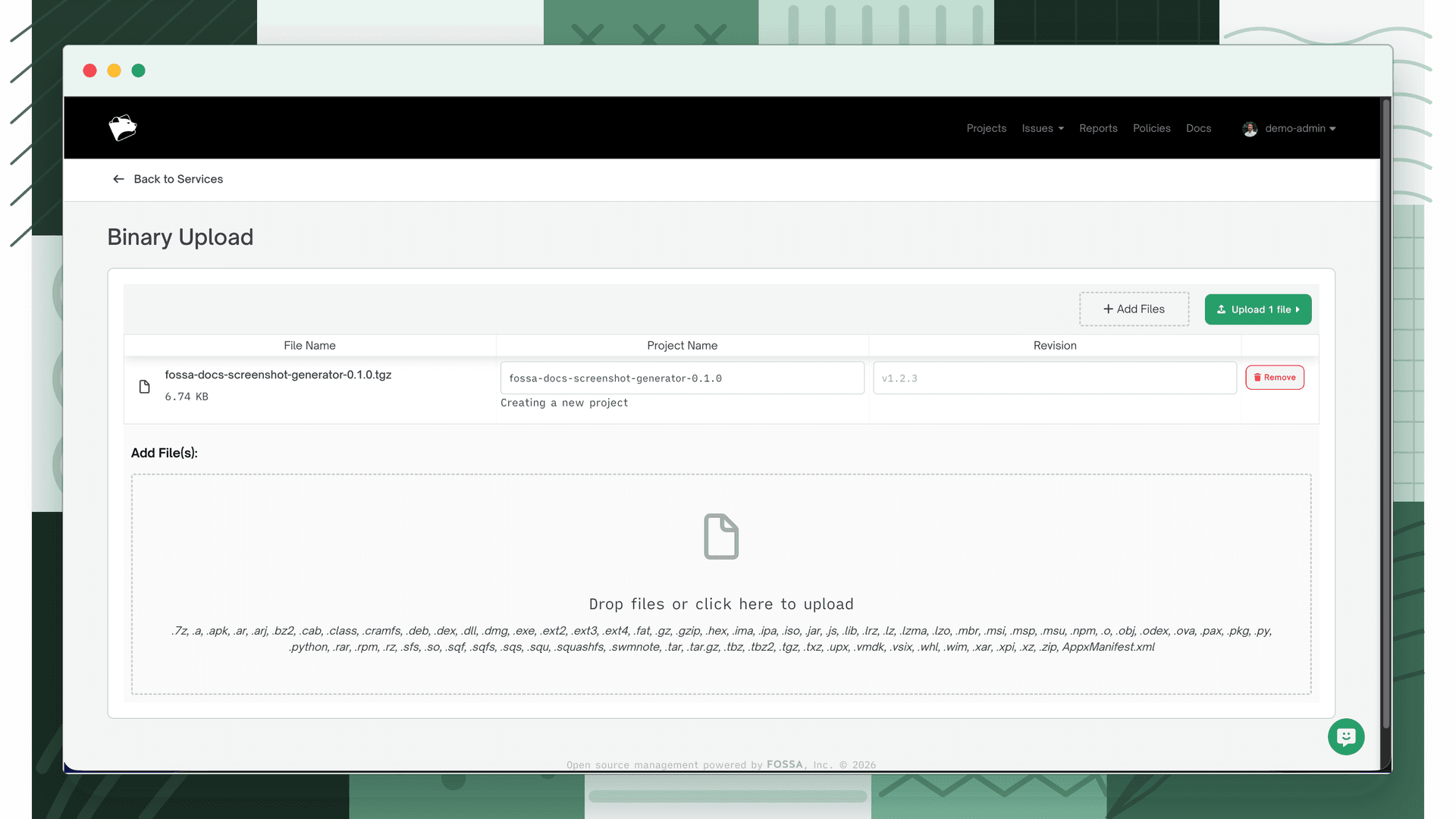
Add a unique name and a semantic version number.
- 4
Review in your project list
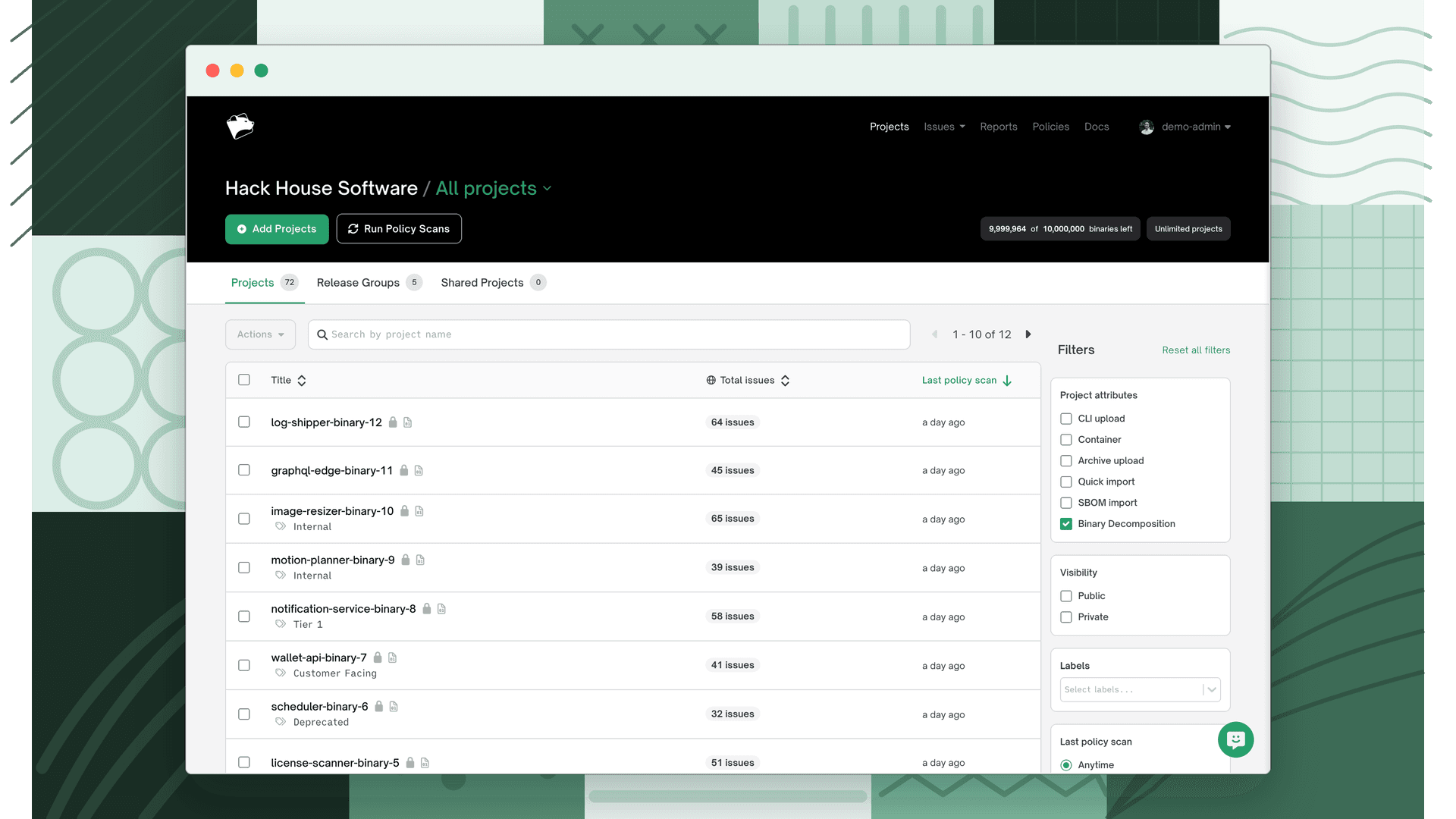
When upload and analysis finish, the binary appears in Projects. Use the Binary Decomposition project filter to find binary projects quickly; each is marked with the Binary Decomposition icon.
Warning
Importing under an existing binary project name adds the upload as the latest revision of that project rather than creating a new one.
You can upload a new binary as a new revision of any existing binary project at any time.
Supported formats
Each revision is a single uploaded file, either an analyzable binary or an archive that FOSSA expands and analyzes. Archives may contain any combination of archive types and analyzable binaries.
| Kind | Format | Extensions |
|---|---|---|
| Analyzable | Android Dex | .dex |
| Analyzable | Android ODEx | .odex |
| Analyzable | Windows dynamic linked library | .dll |
| Analyzable | Windows executable | .exe |
| Analyzable | Windows object file | .obj |
| Analyzable | Windows registry hive | |
| Analyzable | Windows UWP/AppX package manifest | AppxManifest.xml |
| Analyzable | Firmware (SREC, bFLT, base64, Intel HEX, uBoot, wim; file systems JFFS2 .img/.jffs2, romfs, yaffs2, ubifs) | varies |
| Archive | Apple Disk Image | .dmg |
| Archive | AR | .a, .ar, .deb, .lib |
| Archive | arj | .arj |
| Archive | bzip2 | .bz2, .tbz, .tbz2 |
| Archive | Cab | .cab, .msu |
| Archive | Compound types | .msi, .msp |
| Archive | Cpio | .cpio |
| Archive | cramfs | .cramfs |
| Archive | Docker container | .tar.gz |
| Archive | Ext2 / Ext3 / Ext4 | .ext2, .ext3, .ext4 |
| Archive | FAT | .fat |
| Archive | GZIP | .gz |
| Archive | HFS | .hfs, .hfsx |
| Archive | Jar | .jar, .war, .ear |
| Archive | LZ4 | .lz4 |
| Archive | Lzip | .lz |
| Archive | LZMA | .lzma |
| Archive | LZOP | .lzo |
| Archive | Mach | .mach |
| Archive | NTFS | .ntfs |
| Archive | RPM | .rpm |
| Archive | RAR | .rar |
| Archive | Roff | .man, .roff |
| Archive | RPM DB | .rpmdb |
| Archive | RPM sign | .sig |
| Archive | SFS | .sfs |
| Archive | SquashFS | .sqsh, .squashfs, .sfs, .sqf, .sqfs, .sqs, .squ |
| Archive | Tar | .tar, .ova |
| Archive | upx | .upx |
| Archive | VMDK | .vmdk |
| Archive | Windows Image Format | .wim, .swm |
| Archive | Xar | .xar, .pkg |
| Archive | Xz | .xz, .txz |
| Archive | ZIP | .zip, .ipa, .xpi, .vsix, .whl, .apk |
| Archive | 7z | .7z |
File size limits
| Item | Limit |
|---|---|
| ISO (uncompressed data) | 40 GB |
| Archive (compressed data, direct or extracted) | 7 GB |
| Analysis target (direct or extracted) | 200 MB |
| Archive file + expanded contents (combined) | 17.5 GB |
| Maximum directory depth | 400 |
A few rules to avoid failed imports:
- Uploads through the UI must complete within 2 hours, or the upload fails.
- ZIP files must use standard deflate or store compression, prefer standard system zip utilities over WinZip and similar tools. Do not use encrypted ZIP files.
- FOSSA respects object permissions inside an archive, so make sure all files and directories are readable by all users.
- Archive file extensions must match the table above; rename the archive first if needed. Analyzable binaries don't need a specific extension, but must not use one normally associated with a non-executable file.
- Files and directories beyond depth 400 are omitted.