Privacy Settings
Control whether a FOSSA project is publicly accessible to anyone with the link or restricted to authenticated members.
Overview
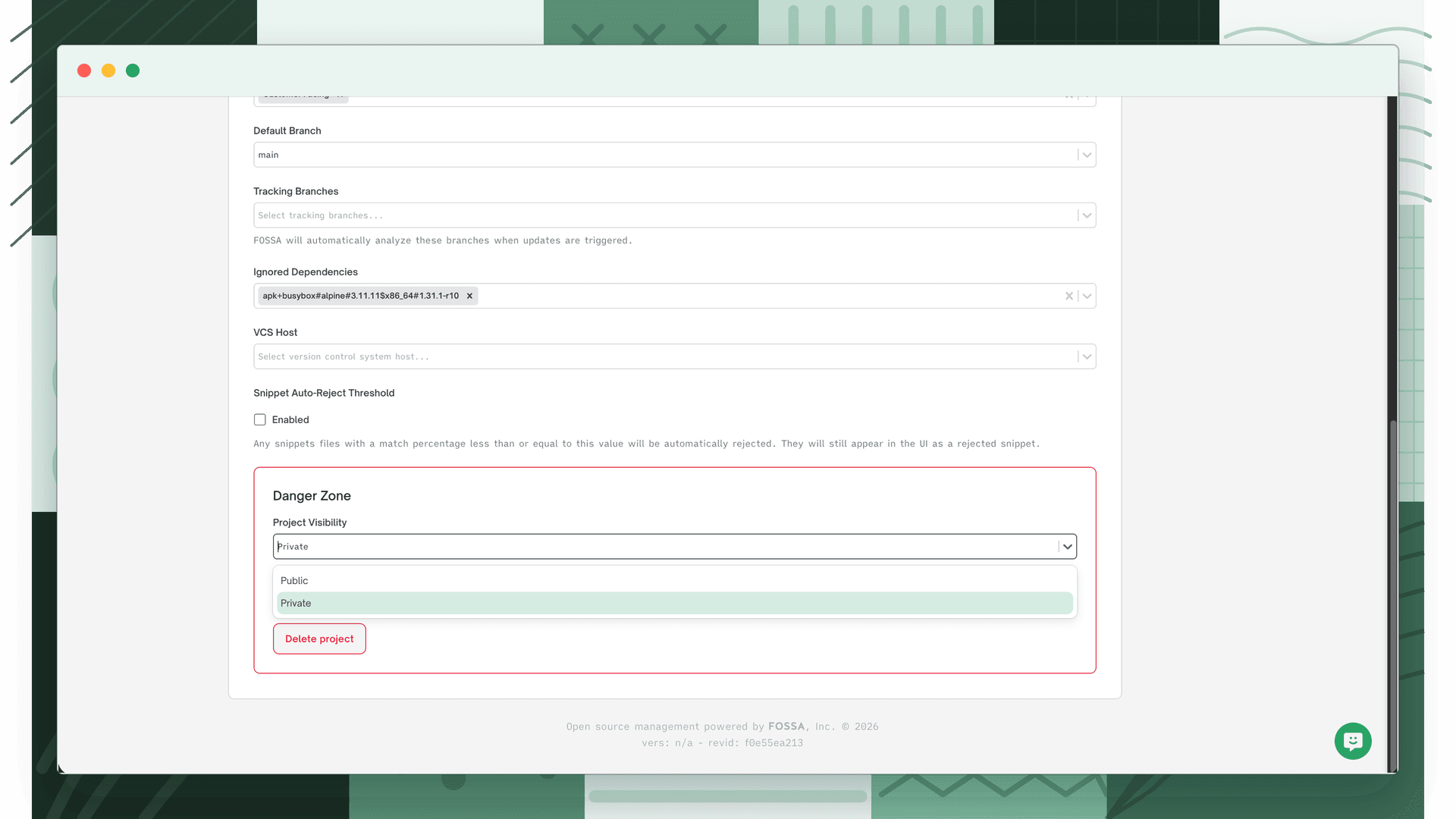
A FOSSA project can be Public or Private. Public projects and their compliance reports are accessible without authentication; anyone with the link can view them. Private projects are only accessible to authenticated members of your organization.
Setting the organization default
The default visibility for new projects is configured at Organization Settings > Projects > General under the Privacy section.
| Option | Behaviour |
|---|---|
| None | No default is enforced, each project retains whatever visibility it was created with |
| Public | New projects default to public |
| Private | New projects default to private |
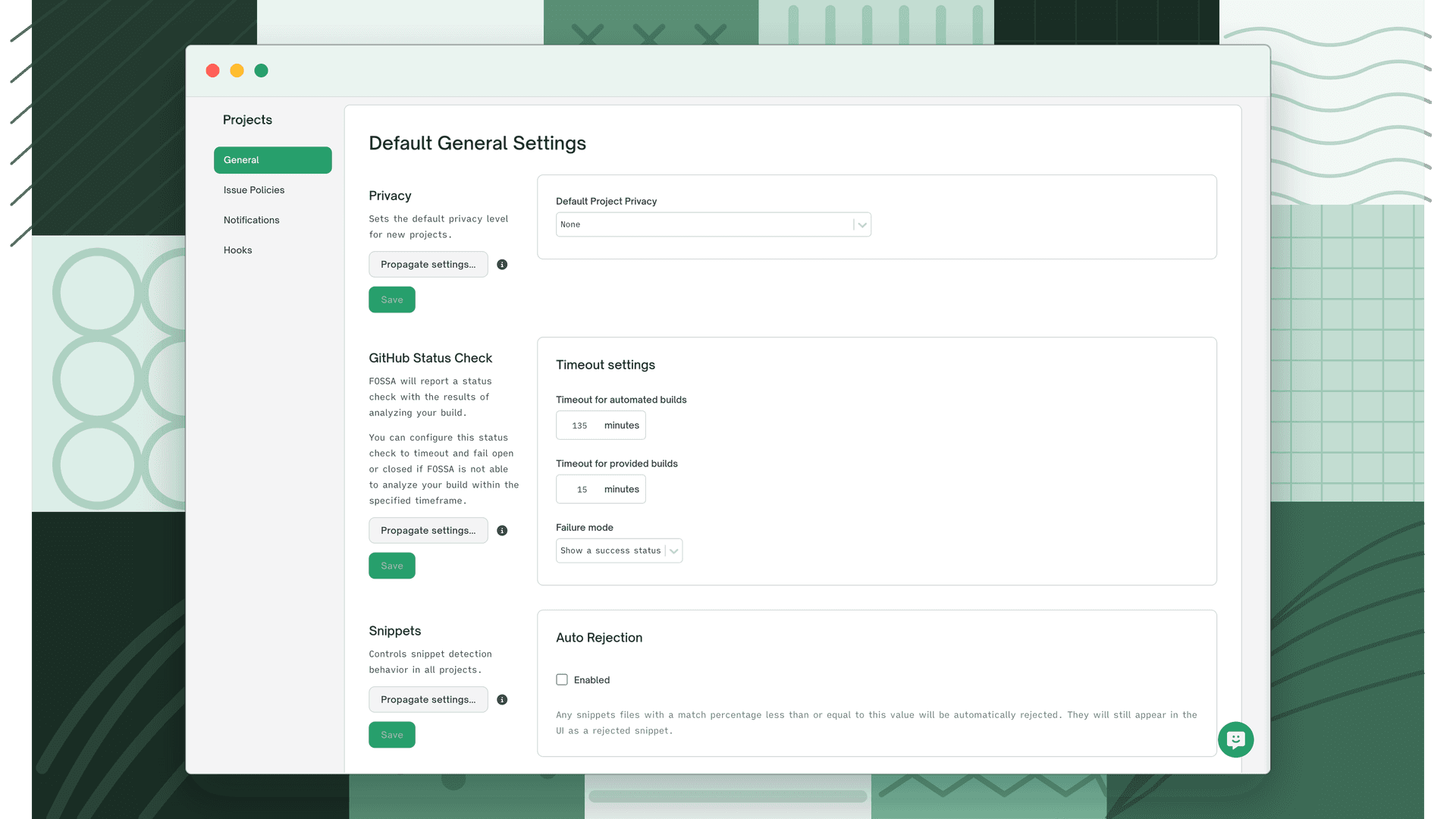
Click Save to apply. Use Propagate to push the new default to existing projects.
Changing visibility per project
Project visibility is changed at Project Settings > General, in the Danger Zone section, using the Project Visibility dropdown.
Warning
Changing project visibility requires project maintainer permissions. FOSSA will prompt for confirmation before applying the change. You must still save after confirming.