

Pull Request Checks
Block PRs that introduce new license compliance or security violations using FOSSA GitHub status checks.
Overview
FOSSA can report a GitHub status check on every pull request, blocking merges when new license compliance or security issues are detected. Setup depends on how the project was imported.
Enabling PR checks via Quick Import
When you import a repository using Quick Import, FOSSA automatically creates the required webhooks. No additional setup is needed, every PR you open against that repository will trigger two checks:
- License Compliance: fails if the PR introduces unresolved license policy violations
- Security: fails if the PR introduces new unresolved vulnerabilities
A Details link on the GitHub status check navigates directly to the FOSSA UI for the affected revision so you can review and resolve the issues.
Enabling PR checks via CLI upload
- 1
Import the project via the CLI
Run
fossa analyzefrom your project root. After a successful upload, FOSSA detects the GitHub repository and displays a banner on the project summary page prompting you to set up GitHub status checks. - 2
Configure GitHub status checks
Click the banner to open the setup flow. Follow the prompts to connect the project to GitHub. Once connected, every PR will trigger the same License Compliance and Security checks as Quick Import projects.
GitHub Status Check configuration
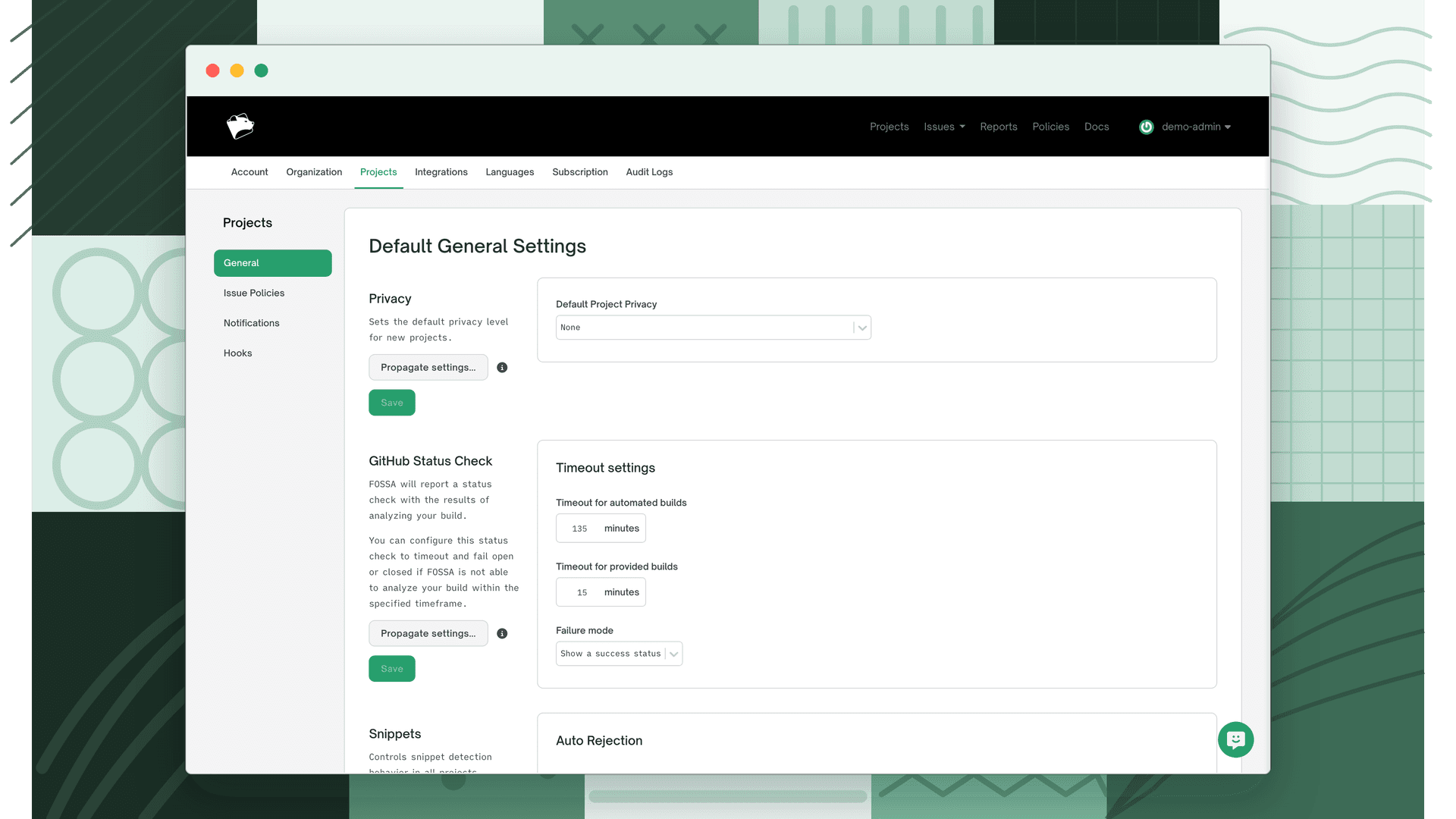
Timeout and failure mode settings for GitHub status checks are configured at the organization level under Settings > Projects > General.
| Setting | Description |
|---|---|
| Timeout for automated builds | How long FOSSA waits for an automated scan to complete before applying the failure mode |
| Timeout for provided builds | How long FOSSA waits for a CLI-uploaded build to complete before applying the failure mode |
| Failure mode | What FOSSA reports if analysis does not complete within the timeout: Show a failure status (fail closed (blocks the PR) or Show a success status (fail open) allows the PR through) |
Changes to these settings can be propagated to all existing projects using the Propagate button on the same page.
What's next
- Automatic Updates: Configure how and when FOSSA triggers the scans that feed into your PR checks.
- Issue Scanners: Control which issue types (licensing, security, quality) fail your CI/CD checks.