

index
Analyze .NET projects (C#, F#, Visual Basic) with FOSSA via NuGet or Paket, through Quick Import or the FOSSA CLI, including private NuGet feeds.
Overview
FOSSA supports .NET (C#, F#, Visual Basic, etc.) projects through the NuGet and Paket package managers. You can analyze a project two ways: Quick Import in the web app, or the FOSSA CLI for complex builds.
Tool support
| Tool | Quick Import (app.fossa.com) | CLI (fossa-cli) |
|---|---|---|
| NuGet | .csproj/.xproj, packages.config, project.json or .nuspec | .csproj/.xproj, packages.config, project.lock.json, obj/project.assets.json, project.json or .nuspec |
| Paket | N/A | paket.lock |
How Quick Import works
When .NET code is imported through the web app, FOSSA attempts to resolve any dependencies listed under the following files:
.csproj/.xprojpackages.configproject.json.nuspec
Warning
- FOSSA does not currently inspect
project.lock.jsonfiles, nor does it supportfiles,references, orframeworkAssembliesspecified in the.nuspecfile. .nuspecfiles must be inutf8encoding.- FOSSA currently ignores
Frameworksspecified in theproject.json/packages.configfile. - FOSSA currently ignores the
NuGet.configfile.
For complex builds, use CLI analysis instead.
Analyzing with the CLI
For complex .NET builds that rely on custom tooling or restore steps, CI/CD scanning with the FOSSA CLI is the ideal integration path. The CLI builds your project with dotnet or nuget, then parses the lockfiles left from your build and analyzes what you have installed in your packages directory, producing dependency data to upload to FOSSA.
Install the latest release of fossa-cli:
curl -H 'Cache-Control: no-cache' https://raw.githubusercontent.com/fossas/fossa-cli/master/install-latest.sh | bashThen run fossa analyze from your repository's root directory. The .NET ecosystem spans two package managers, NuGet (nuspec, PackageReference, packages.config, project.json, project.assets.json) and Paket. The CLI selects a strategy per project; each strategy's detection details are linked in the table below.
Analysis strategies
| Strategy | Direct Deps | Transitive Deps | Edges |
|---|---|---|---|
| paket | ✔️ | ✔️ | ✔️ |
| project.assets.json | ✔️ | ✔️ | ✔️ |
| PackageReference | ✔️ | ❌ | ❌ |
| project.json | ✔️ | ❌ | ❌ |
| packages.config | ✔️ | ❌ | ❌ |
| nuspec | ✔️ | ❌ | ❌ |
Authenticating to private registries
You can configure FOSSA to fetch dependencies from private NuGet feeds published through tools like Artifactory or Sonatype Nexus.
- 1
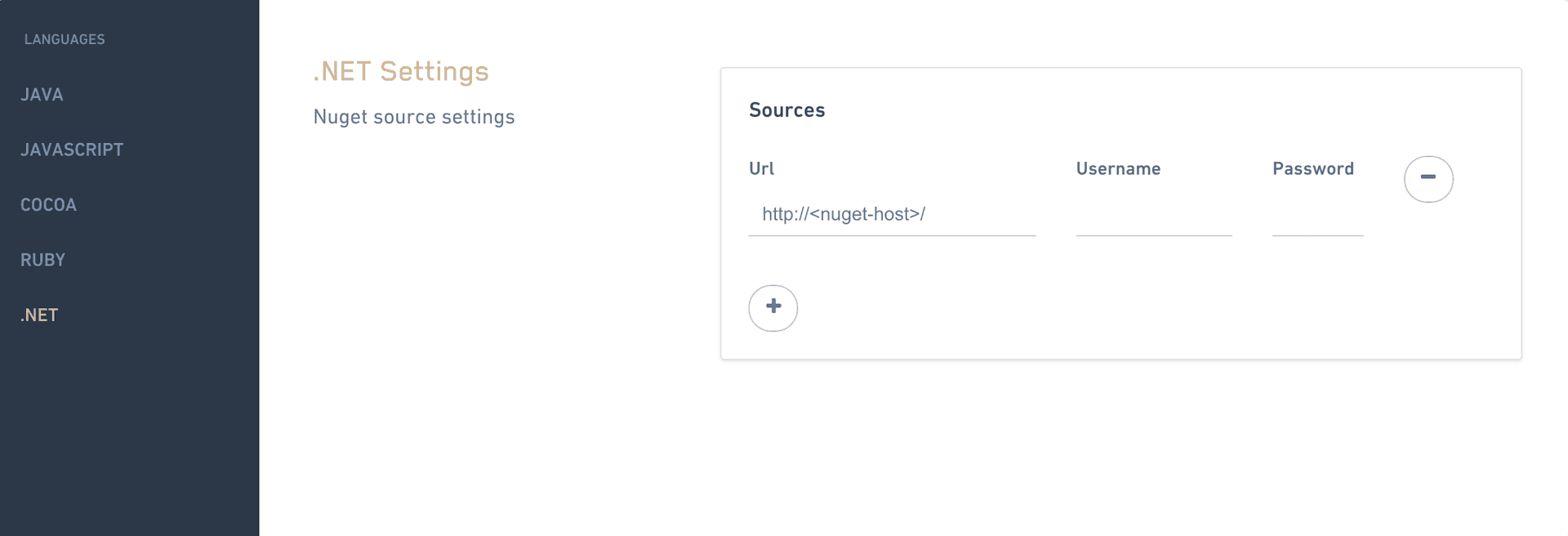
Open .NET language settings
Go to Account Settings → Languages → .NET (
https://app.fossa.com/account/settings/languages/dotnet). - 2
Add your credentials
Enter the login credentials FOSSA should use to reach your private feed, then save.
FOSSA can now resolve private NuGet dependencies.
Package data
When FOSSA discovers a NuGet artifact, it scans all data provided in the package metadata and performs a full code scan of any files associated with or provided in a NuGet archive.
In addition, if a license file is provided as a URL (in a .nuspec file via the licenseUrl property), FOSSA attempts to crawl the URL and scan the endpoint for license data. In the FOSSA UI, matches against licenses retrieved via web crawling are labeled as LICENSE_<license-name>.txt.
Any missing data is enriched by associated codebases that can be resolved to known artifacts.