

index
Analyze iOS, Objective-C, Swift, and Cocoa projects with FOSSA via CocoaPods, Carthage, or Swift Package Manager, through Quick Import or the FOSSA CLI.
Overview
FOSSA supports Swift, Objective-C, and Cocoa projects through CocoaPods, Carthage, and Swift Package Manager. You can analyze a project two ways: Quick Import in the web app, or the FOSSA CLI for complex builds.
Tool support
| Tool | Quick Import (app.fossa.com) | CLI (fossa-cli) |
|---|---|---|
| CocoaPods | Podfile, Podfile.lock, *.podspec | Podfile.lock |
| Carthage | Cartfile, Cartfile.private, Cartfile.resolved | Cartfile.resolved |
| Swift Package Manager | N/A | Package.resolved, Package.swift, project.pbxproj |
How Quick Import works
When iOS code is imported through the web app, FOSSA inspects the codebase for dependencies resolvable by CocoaPods or Carthage.
For CocoaPods, FOSSA derives dependencies by analyzing your Podfile/Podfile.lock files and seeing which dependencies are brought in. Other metadata is fetched directly from repository *.podspec files. The CocoaPods build system pulls in dependencies based on name, SemVer version, and external repository (Git, Subversion, Mercurial, HTTP). To add your own podspec repos, see Authenticating to private registries below.
Note
FOSSA's Repository Scanning uses CocoaPods version ~1.0. If your Podfile is built using an earlier version, there is a chance that it may not build correctly. See Migrating to 1.0.
Warning
- We don't factor in the platform specified in the
Podfile. For each dependency, we fetch the code for all valid platforms. - Build configurations are not taken into account at the moment.
- If a subspec (or subspecs) of a pod is given, FOSSA analyzes the entire pod.
- Only Git external sources are supported. Subversion, Mercurial, and HTTP sources are currently not supported.
- Plugins in
Podfiles are currently ignored. - Pre- and post-install hooks sometimes do not work properly.
- Pre-release version ranges currently resolve to the version given (for example,
>=10.1.1.betaresolves to10.1.1.beta, as does~>10.1.1.beta). - Multi-range versions with pre-releases may not work properly (for example,
>10.1.1.beta1 <10.1.1.beta4).
For Carthage, FOSSA scans through your project and analyzes any Cartfile that is found. It grabs dependencies based on name, SemVer version, and external repository (Git, GitHub).
Warning
- Nested dependencies aren't properly handled.
Cartfile.resolvedfiles aren't analyzed during Quick Import, so versioning may be inconsistent.- Local file repositories (for example,
File:///) inCartfiles aren't analyzed.
Analyzing with the CLI
For complex iOS builds, CI/CD scanning with the FOSSA CLI is the ideal integration path. The iOS build-tool ecosystem consists of three major toolchains: CocoaPods, Carthage, and Swift Package Manager.
Install the latest release of fossa-cli:
curl -H 'Cache-Control: no-cache' https://raw.githubusercontent.com/fossas/fossa-cli/master/install-latest.sh | bashThen run fossa analyze from your repository's root directory. To produce the best results, make sure the appropriate lockfile is present:
- CocoaPods projects: a
Podfile.lockfile in your repository. See the CocoaPods strategy reference. - Carthage projects: a
Cartfile.resolvedfile in your repository. See the Carthage strategy reference. - Swift Package Manager projects: a
Package.resolvedfile in your repository. See the Swift Package Manager strategy reference.
Analysis strategies
| Strategy | Direct Deps | Transitive Deps | Edges | Container Scanning |
|---|---|---|---|---|
| Carthage | ✅ | ✅ | ✅ | ✅ |
| Podfile.lock | ✅ | ✅ | ✅ | ❌ |
| Podfile | ✅ | ❌ | ❌ | ✅ |
| Swift Package Manager | ✅ | ✅ | ❌ | ✅ |
- ✅, Supported (transitive deps for Swift require
Package.resolved; for CocoaPods requirePodfile.lock) - ❌, Not supported
Authenticating to private registries
You can add your own private podspec repos so FOSSA can resolve dependencies hosted in them.
- 1
Open CocoaPods language settings
Go to Account Settings → Languages → Cocoapods (
https://app.fossa.com/account/settings/languages/cocoa). - 2
Add a source repository
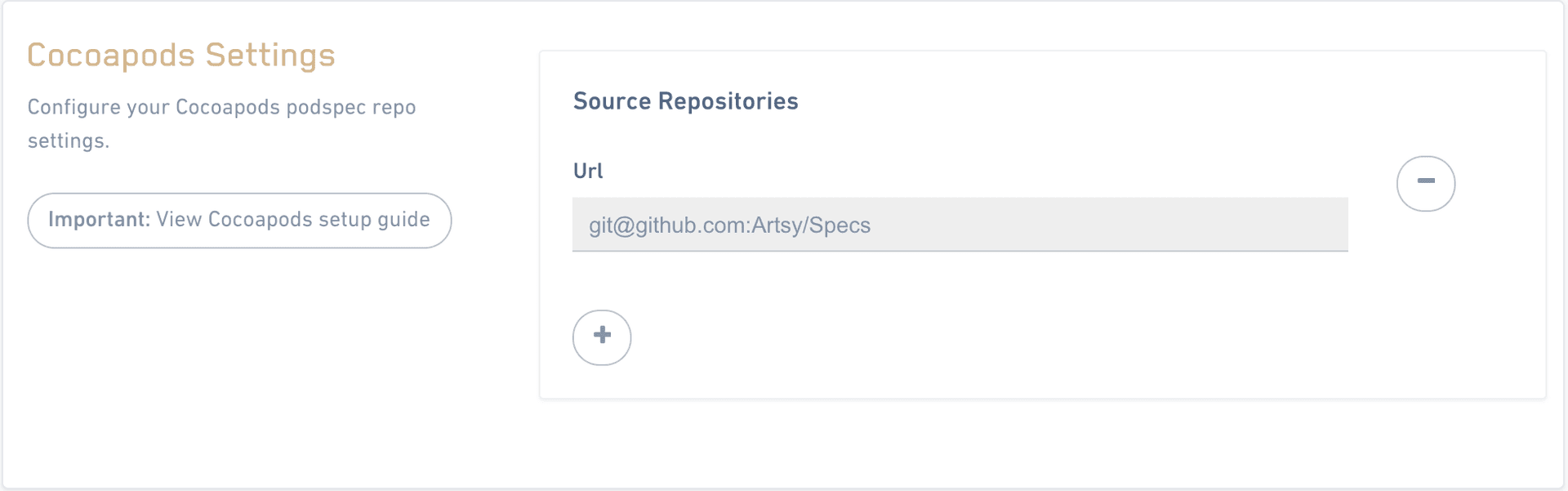
Under Source Repositories, add the URL for your podspec repo. Use the form
https://github.com/artsy/Specsfor public repos andgit@github.com:artsy/Specs.gitfor private repos. - 3
Authorize FOSSA's key
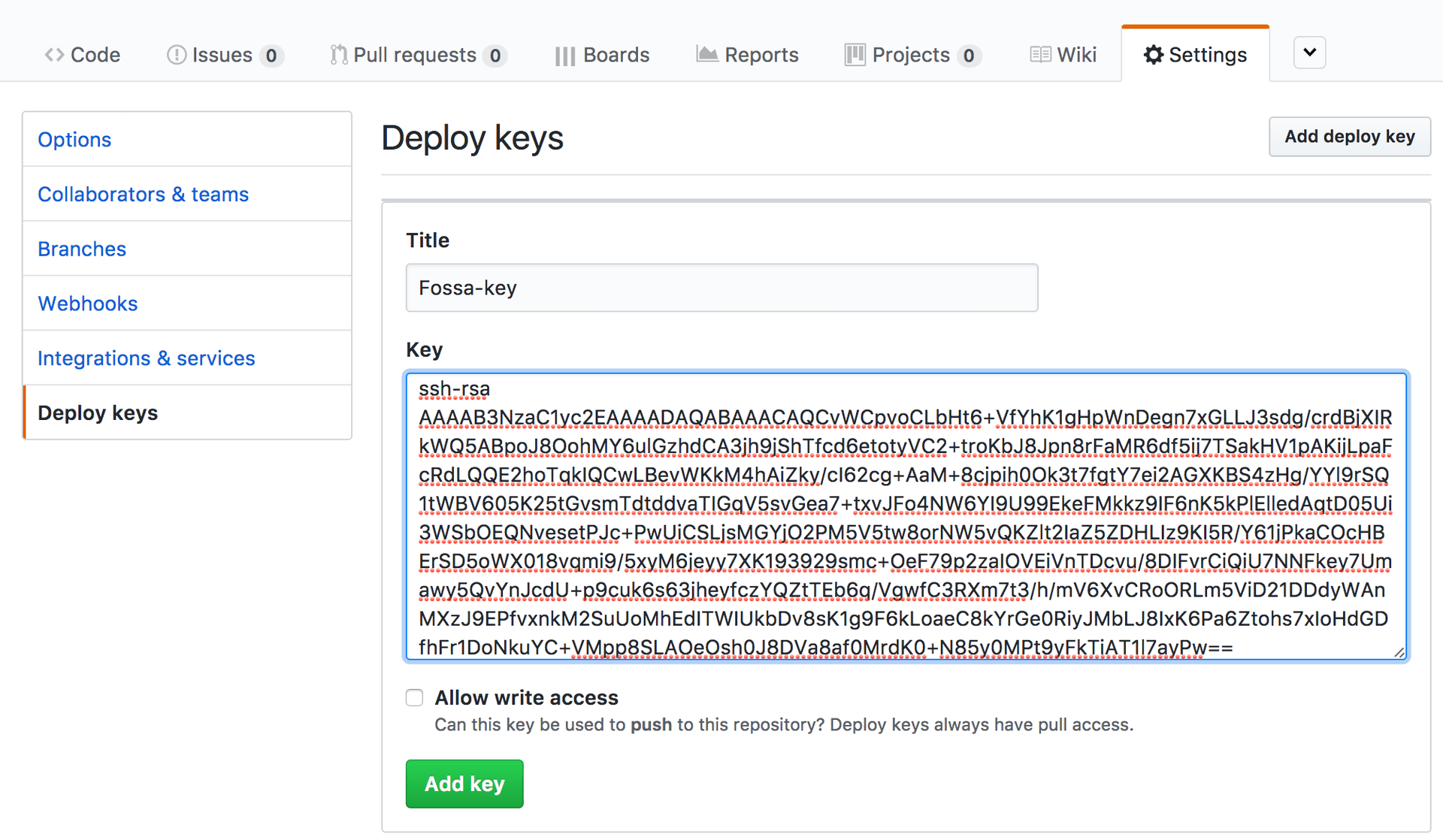
When you add a new spec repo, FOSSA attempts to automatically add its public key to the GitHub repo. If your private spec repos are not working, make sure FOSSA's public key is added to your GitHub settings under the project's deploy key section. On-prem users get their public key from the host server; if one doesn't exist, the CocoaPods migration creates a key pair.
The route and Cocoapods label are confirmed against app/components/settings/languages/index.tsx (/account/settings/languages/cocoa) and CocoaSettings/index.tsx ("Cocoapods Settings", "Source Repositories") in FOSSA-Core.
Package data
FOSSA derives CocoaPods dependencies from your Podfile/Podfile.lock and fetches additional metadata from repository *.podspec files. Carthage dependencies are taken from the Cartfile. Swift Package Manager dependencies are read from Package.swift, Package.resolved, or Xcode's project.pbxproj.
The following are not supported across the iOS strategies:
- CocoaPods sources other than Git, Subversion, Mercurial, Bazaar, and HTTP-path sources are not supported (for example,
pod 'JSONKit', :podspec => 'https://example.com/JSONKit.podspec'). - Plugins in
Podfiles (ignored). - Path dependencies in Swift Package Manager (for example,
package(path: "./../local-pkg")) and Xcode dependencies sourced via a local path are ignored. - Swift Xcode project files that are not in ASCII plist format with UTF-8 encoding.